
PCB Fabrication Services: Specs You Must Get Right

Choosing between PCB fabrication services often comes down to a handful of specifications buried in the fabrication drawing and getting any one of them wrong affects cost, yield, or reliability in ways that are hard to undo after the board is built. Copper weight, surface finish, minimum trace and space, and controlled impedance are not boilerplate details; each one is a real engineering decision with real consequences. This explainer walks through the specs that matter most when working with any PCB fabrication services provider, why each one affects your outcome, and how to specify them correctly the first time. Whether you are ordering rigid PCB fabrication services for a simple board or multi-layer PCB fabrication for a complex design, these fundamentals apply and understanding them helps you have a far more productive conversation with any fabricator you are evaluating. Why These Specs Matter More Than They Look A fabrication drawing is easy to treat as a formality — fill in some standard values and move on. But every spec on that drawing directly shapes what PCB fabrication services can actually deliver: how reliable the board is, how consistently it can be manufactured at yield, and how much it costs per unit. Get a spec wrong in either direction and you pay for it. Over-specify — tighter tolerances or finer features than you need — and cost rises with no real benefit. Under-specify, and the board may not perform reliably, or may not even be manufacturable as designed. The sections below cover the specs that matter most, and how to get each one right. Copper Weight Copper weight, measured in ounces per square foot (commonly 0.5oz, 1oz, or 2oz), determines trace thickness and directly affects current-carrying capacity and impedance. Standard PCB fabrication services default to 1oz copper, which suits most general-purpose designs comfortably. Heavier copper (2oz or more) is needed for power circuits carrying significant current, where thinner traces would overheat. Specify copper weight based on your actual current requirements using standard trace-width calculators, not by guessing or defaulting blindly an under-specified copper weight can cause real reliability problems in the field. Surface Finish Surface finish protects exposed copper pads and affects solderability, cost, and shelf life. The three most common options across PCB fabrication services are HASL (hot air solder leveling), ENIG (electroless nickel immersion gold), and OSP (organic solderability preservative). HASL is the lowest-cost, most common finish, suited to standard through-hole and larger-pitch SMT designs. ENIG offers a flat, reliable surface ideal for fine-pitch BGAs and gold-wire bonding, at a higher cost. OSP is inexpensive but has a shorter shelf life and is more sensitive to handling. Match the finish to your assembly needs choosing ENIG for a design that does not need it wastes money, while choosing HASL for fine-pitch parts risks solderability problems. Minimum Trace and Space Minimum trace width and spacing define how fine the copper features on your board can be, and different PCB fabrication services have different capabilities here. Standard capability across most fabricators sits around 4-6 mil (0.1-0.15mm) trace and space, while advanced or HDI-capable fabricators can go significantly finer. Specifying finer trace and space than your design actually needs raises cost and lowers yield for no benefit, since tighter tolerances are harder to manufacture consistently. Conversely, specifying values your board’s routing genuinely requires — driven by pin pitch and layer count — is not optional. Confirm your chosen fabricator’s standard capability before finalizing a design that pushes toward the edge of what is achievable. Controlled Impedance Controlled impedance ensures specific traces present a consistent, known impedance — commonly 50 ohms single-ended or 90-100 ohms differential — critical for high-speed signals like USB, PCIe, DDR, and Ethernet. Not every board needs it, but for those that do, PCB fabrication services must be explicitly told which nets require control and to what tolerance. Controlled impedance is a stack-up decision as much as a fabrication one: the fabricator calculates the trace geometry needed to hit your target impedance based on their specific dielectric materials and copper thickness. Always request impedance coupons so the fabricator can verify and report the achieved impedance, rather than assuming the target was met. How These Specs Interact These specs do not exist in isolation — they interact with each other and with your overall stack-up. Copper weight affects achievable trace width for a given impedance target; surface finish affects fine-pitch trace and space feasibility near component pads; and controlled impedance calculations depend on both copper weight and dielectric thickness. This is why sending a complete, coherent spec set to your PCB fabrication services provider matters more than optimizing any single value in isolation. A fabricator reviewing your full fabrication drawing can flag inconsistencies — like a copper weight and trace width combination that will not hit your target impedance — before production, rather than after. A Real-World Example Picture a design with a high-speed USB interface and a power section carrying several amps. Getting the specs right here means specifying 2oz copper for the power traces to handle current safely, calling out the USB differential pair as controlled impedance at 90 ohms with a defined tolerance, and choosing ENIG finish because the board also carries a fine-pitch BGA processor. Get any one of these wrong and the consequences show up differently: under-specified copper weight risks overheating traces in the field; an unspecified impedance target means the fabricator has no way to guarantee signal integrity on the USB link; and the wrong finish risks solder defects under the BGA. None of these mistakes are visible on a quick visual inspection of the finished board — they surface later, in testing or in the field, which is exactly why getting the specs right on paper matters so much. A Specification Checklist Working through this checklist before submitting your files to any PCB fabrication services provider catches most spec-related problems before they become costly. Common Mistakes to Avoid Avoiding these keeps your PCB fabrication services engagement predictable, on budget, and free of
PCB Assembly Explained: SMT, THT and Mixed Builds
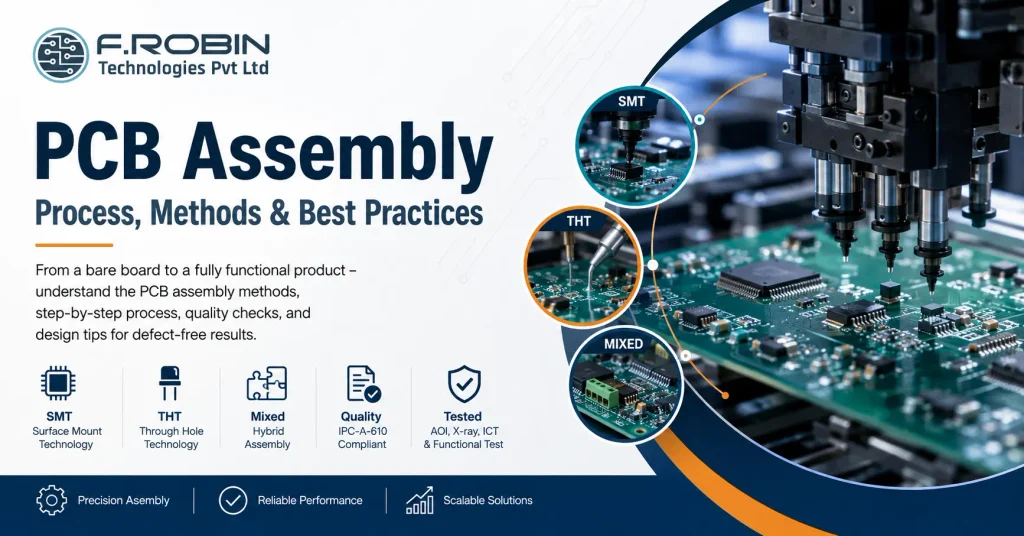
PCB assembly is the process that turns a bare board into a working electronic product by mounting and soldering components onto it. If you have ever wondered how a blank circuit board becomes the brain of a device, this guide explains it clearly. We cover the three main methods SMT, THT, and mixed builds along with the step-by-step process and how to prepare your design for clean results. Whether you are a hardware startup ordering your first build or an engineer comparing pcb assembly services, understanding these basics helps you avoid defects, control cost, and choose the right method. So let us break down exactly how it works, stage by stage. What Is PCB Assembly? PCB assembly, often called PCBA, is the process of soldering electronic components onto a bare printed circuit board to create a functional assembly. In short, the bare board provides the wiring, and assembly adds the parts that make the circuit work. This is different from board fabrication. Fabrication produces the empty board with its copper traces and layers, while the assembly of printed circuit boards populates that board with resistors, capacitors, ICs, connectors, and more. Both steps are essential, but they are distinct processes — often handled on different lines or even by different vendors. Modern assembly uses three approaches: surface-mount technology (SMT), through-hole technology (THT), and mixed builds that combine the two. The method you choose depends on your components, volume, and reliability needs. Next, let us compare them. SMT vs THT vs Mixed Builds The three assembly methods suit different parts and applications. Here is how each works. Surface-Mount Technology (SMT) SMT mounts components directly onto the surface of the board using solder paste and reflow soldering. Because SMT parts are small and need no leads through the board, they enable dense, compact designs. As a result, SMT dominates modern electronics and most high-volume pcb board assembly. Through-Hole Technology (THT) THT inserts component leads through drilled holes and solders them on the opposite side, usually with wave or selective soldering. THT joints are mechanically strong, so they suit connectors, large capacitors, and parts that face stress or heat. Consequently, THT remains valuable even in an SMT-first world. Mixed-Technology Builds Many boards need both. A mixed build uses SMT for the bulk of components and THT for connectors and high-stress parts. This combination is extremely common, though it adds process steps and therefore cost. Factor SMT THT Component size Small, dense Larger, leaded Soldering Reflow Wave / selective Mechanical strength Moderate High Automation Fully automated Partly manual Best for High-volume, compact designs Connectors, high-stress parts Which Method Should You Use? In practice, the choice is rarely either-or. Use SMT wherever you can, because it is faster, cheaper at volume, and supports the smallest parts. Reach for THT only where you need it — for connectors, transformers, large electrolytic capacitors, and anything that takes mechanical or thermal stress. When a board needs both, accept the mixed build and plan the process order so SMT runs first and through-hole parts follow. Volume matters too. For a handful of prototypes, hand or selective soldering may be most economical. For thousands of units, fully automated SMT lines win on cost and consistency. Match the method to your parts and your production scale, and the decision usually makes itself. The PCB Assembly Process Step by Step Here is a typical SMT-led assembly flow, with the THT steps that follow. Each stage feeds the next, so a problem early on — such as poor solder paste — shows up as defects later. Therefore, process control at every step keeps yields high. Inspection and Quality Quality control runs throughout the build, not just at the end. Several methods verify a reliable assembly: Reputable pcb assembly services follow the IPC-A-610 standard for acceptability, which defines what a good solder joint and assembly look like. Asking which IPC class a provider works to is a quick way to gauge their quality discipline. How to Prepare Your Design for Assembly Good design makes assembly faster, cheaper, and more reliable — a practice called design for assembly (DFA). Apply these tips before you release your board: These steps connect directly to your layout work. Common Assembly Defects and How to Avoid Them Even automated lines produce defects when the design or process slips. Watch for these: Most defects trace back to design or solder paste, so strong DFA and process control prevent the majority before they happen. Choosing a PCB Assembly Partner When you search for “pcb assembly near me” or compare providers, look beyond price. Confirm the partner offers the right method (SMT, THT, or mixed), follows IPC-A-610, performs AOI and electrical test, and handles your volume — from prototype to production. A local partner often eases communication and speeds up the build, while a turnkey provider that also handles PCB manufacturing and component sourcing can simplify your whole supply chain. Either way, a provider with strong quality discipline protects your product and your timeline. Decide too whether you want a turnkey build, where the partner sources every component, or a consigned build, where you supply the parts. Turnkey saves you procurement effort, while consigned gives you tighter control over sourcing — useful when you already hold stock or have allocation deals on key parts. Key Takeaways CTA – PCB Assembly Explained Ready to Build Your Boards? SMT, THT, or mixed builds — our turnkey PCB Manufacturing and assembly services cover every method with IPC-compliant quality, from a handful of prototypes to full production volume. Explore PCB Manufacturing Talk to Our Engineering Team FAQ – PCB Assembly Explained: SMT, THT and Mixed Builds Frequently Asked Questions
Circuit Board Production at Scale: Planning for Volume
Moving circuit board production from a comfortable pilot batch to real volume exposes problems that never showed up at small scale. Yield that looked fine on 50 boards can quietly erode margins on 50,000. A panel layout that worked for a prototype run can become a bottleneck once a line needs to run continuously. Planning for volume is a different discipline than planning for a prototype, and treating it as the same thing is where many scale-ups go wrong. This guide walks through what actually changes when circuit board production moves to volume yield, panelization, capacity, and ramp strategy — and how to plan for each before you commit to a production run. Whether you are scaling your first product or your tenth, these fundamentals keep the transition predictable instead of chaotic, and they apply whether you manufacture in-house or through a contract partner. What Changes at Volume At prototype scale, circuit board production tolerates inefficiency. A slightly wasteful panel layout, a manual inspection step, or a modest defect rate barely registers across ten or twenty boards. At real volume, every one of those inefficiencies multiplies, and small percentage-point problems become significant costs. The shift is really about what you optimize for. Prototype production optimizes for speed and flexibility, accepting higher per-unit cost. Volume circuit board production optimizes for consistency, cost per unit, and throughput, which requires planning decisions — panel layout, test coverage, capacity allocation — that simply were not worth making at small scale. None of this means volume production is riskier than prototyping — it simply rewards different preparation. Teams that plan deliberately for the shift tend to scale smoothly, while teams that assume the prototype process will simply keep working at ten times the volume are the ones who run into trouble. Yield: The Metric That Drives Everything Yield — the percentage of boards that pass inspection and test without defects — is the single number that most directly determines the economics of circuit board production at volume. A yield drop from 98% to 94% sounds small, but across a run of 50,000 boards it means 2,000 additional failed units, each carrying wasted material, labour, and lost throughput. Yield at volume depends on factors that barely matter at prototype scale: process stability across long runs, incoming material consistency, and how well the design tolerates the small variations inherent in any high-volume process. This is why a design that passed prototype testing cleanly can still reveal yield problems once it runs continuously for weeks rather than hours. Track yield from the very first volume batches, not just at the end of a ramp. Early yield data reveals process or design issues while they are still cheap to fix, rather than after a full production run has already been committed. Panelization Strategy Panelization — how individual boards are arranged on a larger manufacturing panel — has a much bigger cost impact at volume than it does for a handful of prototypes. A layout that wastes 15% of panel area barely matters for ten boards, but at 50,000 units it means paying for thousands of boards’ worth of unused material. Good panelization for circuit board production balances several factors: maximizing usable panel area, maintaining adequate spacing for de-panelization, and keeping the panel compatible with your assembly line’s handling equipment. These trade-offs are worth real engineering time once volume is confirmed, even if the prototype panel layout was designed quickly. Revisit your panel design specifically for the volume stage rather than assuming the prototype panelization is good enough. A panel optimized late, after volume is already running, means re-tooling costs that a bit of upfront planning would have avoided. Capacity Planning Capacity is the ceiling on how much circuit board production a given line, shift pattern, or supplier relationship can actually deliver. Confirming that ceiling before you commit to a volume forecast prevents the common mistake of promising a delivery schedule that the manufacturing capacity simply cannot support. Capacity planning covers more than just “how many boards per day.” It includes component lead times and allocation, test equipment throughput, and how much spare capacity exists for handling defects, rework, or unexpected surges in demand. A line running at 100% nominal capacity has no room to absorb a supply hiccup or a yield dip without missing delivery dates. Build a capacity buffer into your plan rather than assuming everything runs at the theoretical maximum. Real production always includes some friction, and planning as if it will not is one of the most common causes of missed volume targets. Ramp Strategy: Getting to Full Volume A ramp is the staged process of increasing circuit board production from initial low-volume runs up to full target volume, rather than jumping straight from prototype to maximum output. A well-planned ramp validates yield, process stability, and supply chain readiness at each stage before committing to the next. A typical ramp moves through several checkpoints: an initial pilot run to confirm the process, a low-volume production run to validate yield and panelization at real scale, then a series of step-ups toward full volume as confidence builds. Skipping stages to hit a deadline is the single most common cause of expensive volume-stage failures. Set clear yield and quality gates at each ramp stage, and do not advance to the next stage until those gates are met. This discipline is what separates a controlled ramp from a rushed one that discovers its problems only after full volume is already committed. A Volume Planning Checklist Working through this checklist before committing to a production schedule catches most volume-stage problems while they are still cheap and easy to fix. Common Scale-Up Mistakes Every one of these mistakes is avoidable with the planning steps above — the cost is almost always smaller before volume begins than after. Key Takeaways Conclusion Planning circuit board production for volume is a different discipline than running a prototype, built around yield, panelization, capacity, and a staged ramp rather than speed alone. Confirm yield with real
How to Choose a PCB Manufacturer: 10 Questions to Ask
Choosing the wrong PCB board manufacturer costs more than a bad quote — it costs respins, missed deadlines, and boards that fail in the field. Yet many buyers still choose on price alone, only discovering gaps in certification, capability, or communication after the first bad batch arrives. This checklist gives you 10 direct questions to ask any PCB board manufacturer before you commit. Answered honestly, they reveal whether a candidate is a capable, reliable partner or a risky bet. Whether you are sourcing locally in Chennai or comparing printed circuit board manufacturers across India, these questions apply — and they work just as well over a video call as they do in person. Why These Questions Matter A quote tells you the price. It does not tell you whether a PCB board manufacturer can actually hold your tolerances, pass your required IPC class, or hit the lead time your project depends on. Those answers only surface when you ask directly — and by the time a gap shows up in a failed batch, it has already cost you time and money. Asking the right questions up front turns a leap of faith into an informed decision. The 10 questions below cover the areas that separate a genuinely capable pcb company from one that simply looks capable on a website. Treat this less like a formality and more like a structured interview. The goal is not to catch anyone out — it is to give a genuinely strong PCB board manufacturer the chance to demonstrate exactly why they deserve your business, with specifics rather than a generic sales pitch. The 10 Questions to Ask a PCB Board Manufacturer 1. Which IPC class do you build to? Every PCB board manufacturer should state clearly whether they build to IPC Class 2 (general electronics) or IPC Class 3 (high-reliability, such as medical, aerospace, or defence). A vague answer here is an early warning sign 2. What certifications do you hold? Ask for ISO 9001, UL listing, and RoHS/REACH compliance as a baseline. Certifications aren’t just paperwork they signal a documented, repeatable quality system rather than an informal process. 3. What board types and complexity can you handle? Confirm they routinely build your required layer count, material, and any advanced features like HDI or controlled impedance not just that they technically “can” do it once. 4. Do you perform a DFM review before production? A design-for-manufacturability review before your board goes into production catches issues like tight clearances or undersized traces before they become expensive mistakes 5. What is your typical lead time, and how is it affected by complexity? Get a specific answer for boards similar to yours, not a generic “it depends.” Ask how much complexity, layer count, or finish choice moves that number. 6. Can you scale from prototype to production volume? A capable pcb board manufacturer supports you from a five-board prototype run through a five-thousand-board production order, without forcing you to re-qualify a new vendor partway through 7. What quality checks happen before shipping? Ask specifically about electrical test coverage, AOI (automated optical inspection), and any X-ray inspection for hidden joints. “We check everything” is not a real answer. 8.Can you share references or examples of similar boards? A manufacturer confident in their work will readily point to comparable projects. Reluctance here often means they haven’t actually built anything like what you need. 9. How do you handle a defect or a failed batch? Ask about their process for identifying root cause, remediation, and any replacement or credit policy. This question reveals how they behave when something goes wrong, which matters more than how they behave when everything goes right. 10. What does your pricing actually include? Clarify whether the quoted price includes tooling, testing, and any NRE charges, or whether those appear later as extras. Transparent pricing from the start is a strong signal of a trustworthy pcb company. Reading the Answers: What Good Looks Like A strong PCB board manufacturer answers every one of these questions specifically, with numbers, standards, and named processes — not generic reassurance. If a candidate hesitates, deflects, or gives a vague answer to more than one or two of these questions, treat that as a signal to keep evaluating other printed circuit board manufacturers before committing. Score each candidate against all 10 questions rather than relying on a single strong impression from the sales conversation. The pattern across all 10 answers tells you far more than any one of them alone. Keep written notes on each PCB board manufacturer’s answers rather than relying on memory, especially if you are comparing more than two or three candidates. A simple scorecard makes the final decision far more objective. Local Sourcing: Chennai and Make in India If you are searching for pcb manufacturers near me in Chennai, these same 10 questions apply — plus one practical advantage. A local PCB board manufacturer in Chennai, sitting within Tamil Nadu’s deep electronics manufacturing ecosystem, offers faster communication, easier site visits, and a shorter supply chain than a distant or overseas vendor. Sourcing through a Make in India PCB service also reduces the tariff, shipping, and IP risks that come with sending sensitive design files overseas. For many South India businesses, a well-vetted local pcb company delivers the best combination of quality, speed, and cost — provided you still ask all 10 questions rather than choosing on proximity alone. Proximity is a genuine advantage, but it is not a substitute for diligence. A nearby PCB board manufacturer that fails several of the 10 questions is still a worse choice than a slightly further one who answers all of them well. Quick Reference Table Use this table to score any PCB board manufacturer at a glance across the four core areas these questions test. Area What to look for Questions Certifications ISO 9001, UL, RoHS/REACH 2 IPC class & capability Stated class, layer count, HDI/impedance 1, 3 Process discipline DFM review, quality checks, defect handling 4, 7, 9
PCB Board Fabrication: Reducing Cost Without Hurting Quality
PCB board fabrication cost can vary wildly for the same circuit, depending on choices you make in design and specification. The good news: most of those costs are within your control, and cutting them rarely means cutting quality. By making smart, informed decisions standard specifications, efficient panels, the right finish you can lower fabrication cost while keeping your boards just as reliable. This guide shows exactly how to reduce PCB board fabrication cost without hurting quality. We cover the biggest cost drivers, the design and spec choices that save money safely, and just as important what you should never cut. Whether you build ten boards or ten thousand, these tactics protect both your budget and your reliability. What Drives PCB Board Fabrication Cost? Before cutting cost, it helps to know what drives it. PCB board fabrication cost comes mainly from complexity, materials, and volume. The more layers, the tighter the tolerances, and the more exotic the material, the higher the price. Key cost drivers include layer count, board size, tolerances, surface finish, material choice, via technology, and order quantity. Each is a lever you can adjust. Importantly, most savings come from design and specification choices made early not from squeezing your fabricator on price. That distinction matters. Beating up a vendor on quotes risks quality; designing for cost keeps quality intact. The tactics below focus on the second, safer approach reducing pcb board fabrication cost by design, not by corner-cutting. Use Standard Specifications The single biggest lever in pcb board fabrication is sticking to standard specifications. Fabs are tooled and priced around common values, so choosing them avoids premiums. Favor standard options wherever you can: None of these choices hurt quality for typical designs they simply align your board with what fabs build efficiently. Reaching for non-standard values should be a deliberate decision driven by a real requirement, not an accident. Optimize Panel Utilization Fabs build boards on standard panels, and you pay for panel area whether you use it or not. Good panel utilization spreads cost across more boards, lowering the price of each. If your board is an awkward size, even a small dimension change can dramatically improve how many fit per panel. Ask your fabricator about their panel sizes and design to them. Efficient panelization is one of the easiest ways to cut pcb board fabrication cost with zero impact on the quality of each board. For higher volumes, this single factor can move your unit price more than almost any other spec choice. Choose the Right Surface Finish Surface finish protects the exposed copper and affects both cost and solderability. Different finishes carry very different prices, so matching the finish to your real needs saves money. The key is choosing the appropriate finish, not the most expensive one by default. If your assembly does not need ENIG, paying for it wastes money — while a design with fine-pitch BGAs genuinely benefits from it. Match the finish choice to the assembly, and you protect both cost and quality. Right-Size Tolerances and Layers Tighter-than-needed tolerances and extra layers quietly inflate pcb board fabrication cost. Every tolerance you tighten below what the design requires lowers yield and raises price for no real benefit. Specify tolerances that match your actual needs, not the tightest the fab can achieve. The same applies to layer count: a well-planned stack-up can sometimes route a design in fewer layers, and each layer removed cuts cost. Of course, never drop a layer your signal integrity or routing genuinely needs — the goal is right-sizing, not under-building. Working from a solid printed circuit board design workflow helps you hit that balance early. Order Smart: Quantity and Lead Time How you order affects price as much as what you order. Per-board cost drops as quantity rises, because fixed setup costs spread across more units. If you know you will need volume, ordering in sensible batches beats many small runs. Lead time is another lever. Quick-turn fabrication carries a premium, so allowing standard lead times saves money. Planning ahead — rather than rushing every order — keeps pcb fab costs down. For a deeper look at how cost changes with volume, see our guide on prototype vs production. Send Clean, Complete Files Incomplete or messy design data is a hidden cost. When files are unclear, fabs raise DFM questions, and each round of back-and-forth adds time and, sometimes, cost. Send a complete package: correct Gerber or ODB++ files, an accurate drill file, a clear fabrication drawing, and any impedance requirements. Clean data lets the fab move straight into production, avoiding delays and error-driven rework. It also reduces the risk of a costly mistake that would otherwise require a respin. In short, good data is free insurance for your pcb board fabrication. Cost-Saving Tactics at a Glance The table below summarizes each cost-saving tactic and its impact on PCB quality. Tactic Cost Saving Quality Impact Standard specifications High None (for typical designs) Panel utilization High None Right surface finish Medium None (if matched to assembly) Right-sized tolerances Medium None (if within requirements) Larger order quantity High None Standard lead time Medium None Clean, complete files Medium Positive (fewer manufacturing errors) Every tactic here saves money with no quality penalty when applied sensibly. That is the whole point: cut cost by design, not by compromising the board. What You Should Never Cut Some savings are false economy. To protect reliability, never cut these in pcb board fabrication: Cutting these to save a little often costs far more in failures, returns, and respins. Real cost reduction trims what you do not need while protecting what you do which is exactly why design-driven savings beat corner-cutting every time. Key Takeaways Conclusion Reducing PCB board fabrication cost without hurting quality comes down to smart design and specification choices, not squeezing your vendor. Use standard specs, optimize panel utilization, match your surface finish and tolerances to real needs, order sensibly, and send clean files. Just as importantly, protect the essentials IPC class, testing,
From Prototype to Mass Production: A PCB Manufacturing Roadmap
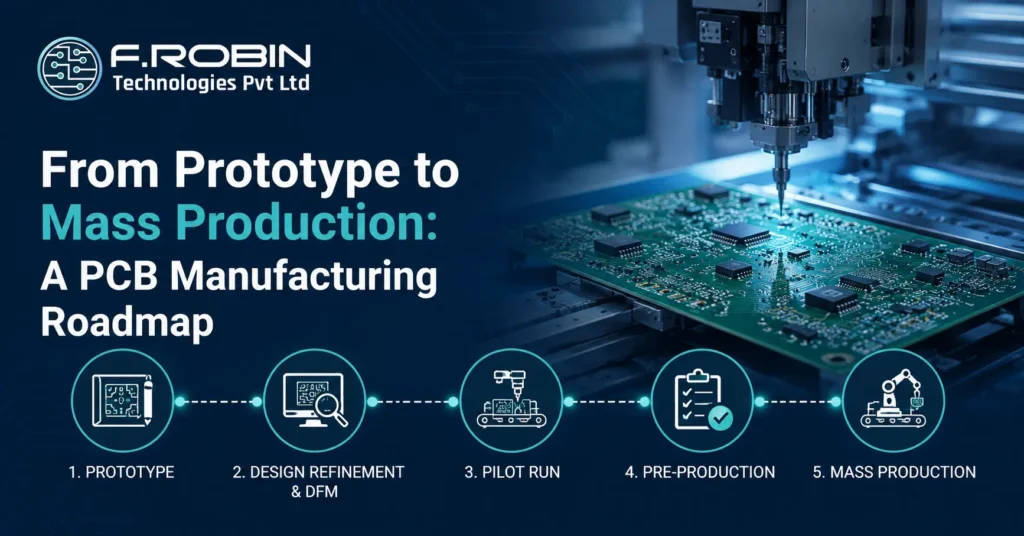
Taking a board from a single prototype to reliable mass production is one of the trickiest journeys in hardware. The PCB manufacturing steps that work for five boards do not simply scale to fifty thousand priorities shift from speed and flexibility to cost, consistency, and yield. Without a clear roadmap, teams stumble into delays, respins, and blown budgets at exactly the wrong moment. This guide gives you that roadmap. It walks through every stage of PCB manufacturing from first prototype to volume, covering prototyping, the pilot run, DFM, and the checkpoints that keep your scale-up on track. Whether this is your first product or your fiftieth, following these steps turns a risky leap into a controlled, predictable ramp. Why You Need a PCB Roadmap Scaling a board is not a single event — it is a sequence of stages, each with its own goals. Skipping stages is the most common and costly mistake in PCB manufacturing, because problems that are cheap to fix on a prototype become expensive once tooling and volume are committed. A roadmap forces you to validate the design, then the process, then the supply chain, in the right order. It replaces a risky leap with deliberate steps. As a result, you catch issues while they are still cheap to fix, and you arrive at mass production with confidence rather than crossed fingers. The stages below apply whether you build simple boards or complex assemblies that combine PCB assembly with fabrication. Stage 1: Prototype The journey starts with prototypes — a few boards built quickly to prove the design works. Here, speed and flexibility matter most. You expect revisions, so you use quick-turn fabrication and accept a higher per-board cost in exchange for fast feedback. At this stage, focus on function: does the circuit work, does the firmware run, do the interfaces behave? Build, test, learn, and iterate. Do not optimize for cost or volume yet; that comes later. The goal is simply a design that is proven and stable enough to move forward. Once your prototype works reliably and the design has settled, you are ready to prepare it for real PCB manufacturing. tage 2: Design Refinement and DFM Before scaling, refine the design for manufacturing. A design-for-manufacturability (DFM) review checks that your board can be built reliably at volume — catching undersized traces, tight clearances, and awkward features that a prototype run tolerates but production will not. This stage also freezes the design. Changes after this point get expensive fast, especially once tooling exists. So resolve every manufacturability and assembly issue now: Completing DFM thoroughly here is the single best predictor of a smooth ramp. It bridges a working prototype and a manufacturable product. Stage 3: The Pilot Run The pilot run is the rehearsal for mass production — a small production batch built on real processes, not prototype methods. Its purpose is to validate the manufacturing process itself, not just the design. A pilot run reveals issues that only appear at production scale: assembly bottlenecks, test-coverage gaps, yield problems, and supply-chain hiccups. Because you catch them on a modest batch, you avoid expensive surprises at full volume. This is why skipping the pilot is such a costly mistake in PCB manufacturing. Treat the pilot as your final checkpoint. If yield and process hold up here, you can scale with confidence. If they do not, fix the issues before committing to volume. Stage 4: Pre-Production With the pilot validated, prepare for full volume. Pre-production locks everything the ramp depends on: tooling, supply chain, test systems, and documentation. Key pre-production tasks include: This stage turns a validated process into a repeatable one. Done well, it makes the difference between a smooth production run and a chaotic one. Sourcing strategy also matters here — our guide to local vs overseas manufacturers helps you choose the right volume partner. Stage 5: Mass Production Finally, you reach mass production — building thousands of identical boards efficiently and consistently. Here the priorities are cost, yield, and repeatability, supported by automated inspection and statistical process control. At volume, small improvements compound. A one-percent yield gain across a large run saves real money, so production teams monitor data closely and refine continuously. Consistency is everything: every board should match the last. With the earlier stages done well, mass production becomes routine rather than dramatic. Reaching this point smoothly is the whole reward of following the roadmap. For the underlying process detail, see our complete PCB manufacturing guide. The Roadmap at a Glance The table summarizes each stage and its focus. PCB Manufacturing Stages at a Glance Each stage of PCB manufacturing has a different objective and priority. Understanding these phases helps improve product quality, reduce risks, and streamline production. Stage Goal Priority Prototype Prove the design works. Speed and flexibility DFM Refinement Make the design manufacturable and freeze the design. Manufacturability Pilot Run Validate the manufacturing process. Yield and process stability Pre-production Lock tooling and finalize the supply chain. Production readiness Mass Production Build at volume with consistent quality. Cost efficiency and consistency Reading down the table, the shift is clear: priorities move from speed toward cost and consistency as you progress. Each stage sets up the next, which is why the order matters as much as the steps. Choosing a PCB Manufacturing Partner for the Journey The right partner makes the whole journey smoother. Ideally, one PCB manufacturing partner supports you from quick-turn prototypes through volume, so you never re-qualify a new vendor mid-project. Switching suppliers between stages means repeating DFM, re-validating processes, and risking fresh yield surprises. When evaluating a PCB manufacturing partner, look for proven capability at both prototype and production scale, strong DFM support, transparent communication, and quality systems backed by IPC standards. A partner that also offers assembly — full pcb manufacturing and assembly under one roof — keeps accountability clear and lead times short. Above all, involve your manufacturer early. The sooner they review your design, the more cost and risk they can help you
PCB Manufacturing: A Complete Guide From Gerbers to Boards
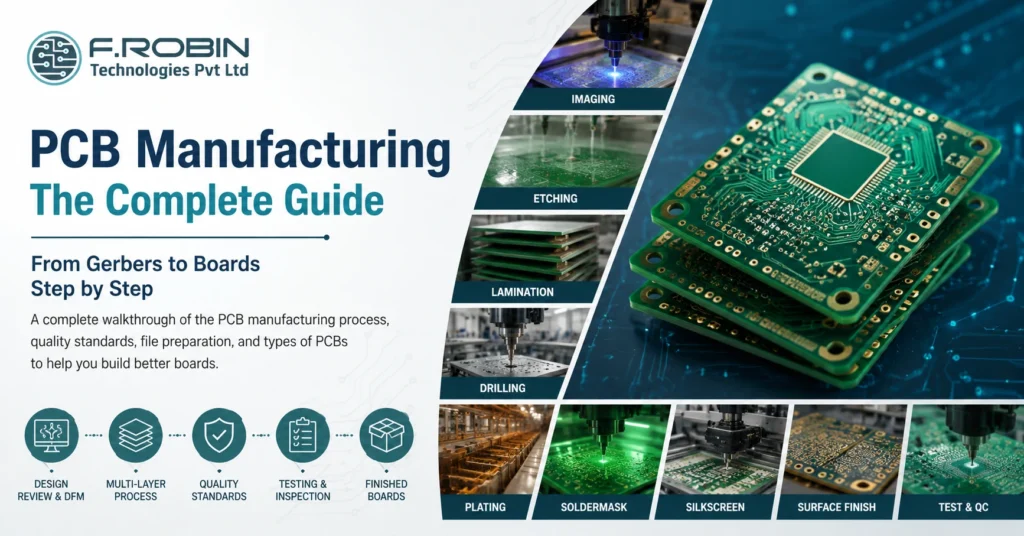
PCB manufacturing is the process of turning your design files into physical, ready-to-assemble circuit boards. It begins with Gerber data and ends with finished, tested boards — passing through imaging, etching, lamination, drilling, plating, and more along the way. If you have ever wondered what happens between hitting “export” and holding your board, this guide walks you through every stage. Understanding the process helps you design better boards, control cost, and choose the right partner. Whether you are comparing printed circuit board manufacturers or simply curious how circuit board manufacturing works, this complete guide takes you from Gerbers to boards, step by step. What Is PCB Manufacturing? PCB manufacturing, also called PCB fabrication, is the process of building a bare printed circuit board from design data. It transforms copper-clad laminate into a board with precise traces, layers, holes, and finishes, ready to receive components. The process is highly automated and tightly controlled, because tiny errors at this scale cause real failures. Most printed circuit board manufacturers follow IPC standards to guarantee consistent quality across every batch. As a result, a well-made board behaves exactly as the designer intended. It helps to remember what this stage does and does not include. Fabrication produces the empty board; it does not add components. That second step is assembly, which we cover in our guide to PCB assembly. Together, fabrication and assembly deliver a finished, working product. PCB Manufacturing vs PCB Assembly People often confuse these two stages, so let us be clear. Circuit board manufacturing creates the bare board — copper, layers, holes, soldermask, and finish. Assembly then solders components onto that board. In short: manufacturing makes the board; assembly populates it. Some vendors offer both as a turnkey service, while others specialize in one. Knowing the difference helps you scope quotes accurately and avoid surprises in your timeline. The PCB Manufacturing Process Step by Step Here is how pcb manufacturing turns Gerber files into finished boards. While details vary by factory, the core flow is consistent. Step 1: Design Review and DFM First, the factory reviews your Gerber or ODB++ files and runs a design-for-manufacturability (DFM) check. This catches issues like undersized traces or tight clearances before any material is cut. Step 2: Inner Layer Imaging and Etching Next, the inner copper layers are imaged with the circuit pattern. Etching then removes unwanted copper, leaving only the traces you designed. Precision here defines your final trace widths and impedance. Step 3: Lamination The etched inner layers are stacked with prepreg and copper foil, then bonded under heat and pressure. This lamination step fuses the layers into a single solid board — the heart of multilayer construction. Step 4: Drilling Now machines drill the holes for vias and through-hole parts. Modern drilling uses CNC and, for the smallest holes, lasers. Accurate drilling is essential for reliable connections between layers. Step 5: Plating and Through-Hole Metallization Copper plating coats the drilled holes, electrically connecting layers. This through-hole metallization is what turns a stack of separate layers into one connected circuit. Step 6: Outer Layer Imaging and Etching The outer layers are then imaged and etched, just like the inner layers, to form the surface traces and pads. Step 7: Soldermask and Silkscreen A soldermask is applied to protect the copper and prevent solder bridges, giving the board its familiar color. A silkscreen legend adds reference designators, logos, and markings. Step 8: Surface Finish A surface finish — such as ENIG, HASL protects exposed pads and ensures solderability during assembly. Step 9: Electrical Test and Final QC Finally, the boards are electrically tested for opens and shorts, inspected against IPC standards, then routed to their final shape and shipped. Clean files at the start make this final stage fast and trouble-free. Types of PCBs You Can Manufacture Pcb manufacturing supports many board types. The table below summarizes the main options. Type Description Typical Use Rigid 30 Layer Most products Multilayer Three or more layers Dense, high-speed designs Flexible 6 Layers Wearables, tight spaces Rigid-Flex 24 Layer Compact, reliable assemblies HDI High-density interconnect Fine-pitch, miniaturized boards Metal-Core Aluminum or copper base High-power, LED, and thermal-heavy applications Choosing the right type early shapes your cost and capability. For multilayer choices specifically, see our guide on multilayer PCB design. PCB Manufacturing Quality Standards Quality is not optional in circuit board manufacturing. Reputable printed circuit board manufacturers work to recognized standards: Asking which IPC class and certifications a supplier holds is a fast way to judge their quality discipline. A capable partner will state these clearly and back them with inspection reports. How to Prepare Your Files for PCB Manufacturing Clean data makes pcb manufacturing smooth and fast. Before you order, prepare a complete package: These outputs flow directly from your layout. For the upstream steps, see our printed circuit board design workflow guide, and finalize your data with professional PCB layout design services. How to Reduce PCB Manufacturing Cost You can lower cost without hurting quality by designing smartly. Try these proven tactics: Small design choices add up. Consequently, working with your manufacturer early often saves more than any single tactic on its own. Common PCB Manufacturing Mistakes to Avoid Watch for these frequent pitfalls: Avoiding these mistakes keeps your boards reliable, on budget, and on schedule. How to Choose a PCB Manufacturer Picking the right fab is as important as the design itself. Look beyond the headline price and weigh a few key factors: Think about your stage, too. For early prototypes, fast turnaround and flexibility matter most. For production, consistency, yield, and cost per board take over. Many teams start with a quick-turn shop for prototypes, then qualify a volume partner — or choose one fab that does both well to avoid re-qualifying later. For demanding products, prioritize quality discipline and engineering support over the lowest quote, because a respin almost always costs more than the savings. Key Takeaways Conclusion PCB manufacturing follows a clear, repeatable journey from Gerber files to finished boards: review and
Circuit Board Manufacturing: Prototype vs Production
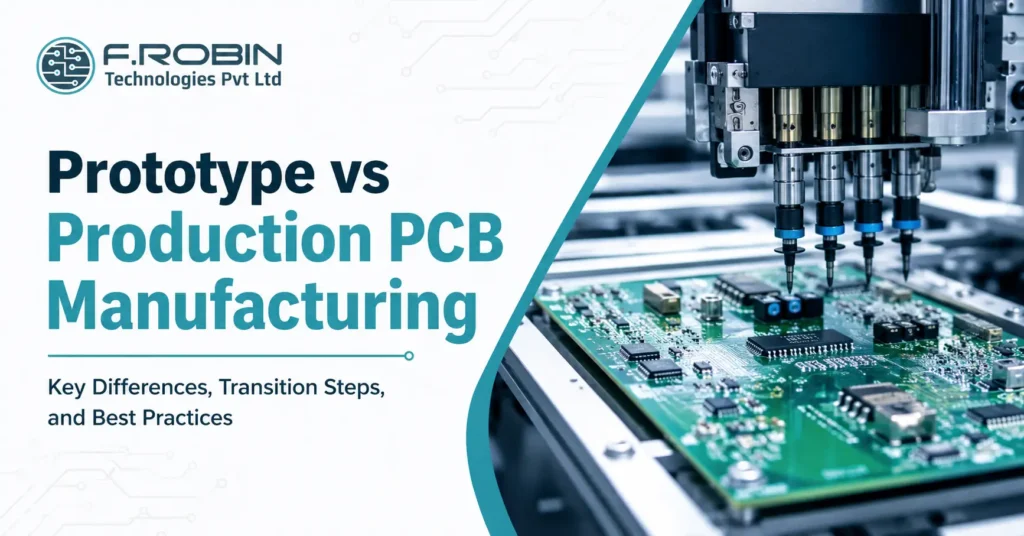
Circuit board manufacturing looks very different at the prototype stage than it does in full production. A prototype proves your design works; production proves you can build it reliably, affordably, and at scale. Confuse the two and you risk wasted money, delays, or a board that works in the lab but stumbles on the line. So what actually changes as you move from a handful of boards to thousands? In this guide, we compare prototype and production circuit board manufacturing across cost, lead time, testing, tooling, and yield. You will also learn how to transition smoothly between the two — and the mistakes that trip teams up when they scale. What Changes Between Prototype and Production? The short answer: the goal changes. Prototype circuit board manufacturing optimizes for speed and learning, while production optimizes for cost, consistency, and yield. As a result, almost every choice from quantity to testing shifts when you scale your circuit board manufacturing. In the prototype phase, you build a few boards quickly to validate the design. Mistakes are expected, and revisions are frequent. By contrast, production assumes the design is locked. Here the focus moves to repeatable quality, low cost per board, and high yield across thousands of units. Understanding this shift early saves money. A board designed only to “work once” rarely survives the demands of mass production, so smart teams plan for both stages from the start. For the underlying process itself, see our PCB manufacturing guide. This stage shift also changes who you talk to and what you measure. In prototyping, engineers chase functionality and iterate fast. In production circuit board manufacturing, operations and quality teams chase repeatability, tracking yield, defect rates, and cost per board on every run. Recognizing that the metrics themselves change helps you set the right expectations with your manufacturer at each stage. Prototype Circuit Board Manufacturing The prototype stage exists to answer one question: does the design work? Speed and flexibility matter most here, not cost per board. Typical traits of prototype circuit board production include: Because you are still learning, prototypes prioritize fast feedback over efficiency. The aim is to find and fix problems cheaply, before they multiply across thousands of units. The Pilot / Pre-Production Run Between prototype and full production sits the pilot run a small batch, often 50 to a few hundred boards, built on production-like processes. This bridge stage is easy to skip but valuable to keep. A pilot run verifies that your design is ready for volume. It exposes assembly issues, confirms test coverage, and reveals yield problems before you commit to a large order. Consequently, a good pilot prevents expensive surprises during mass production. Think of it as a dress rehearsal for the production line. So when are you ready to scale? You are ready when the design is stable across several prototypes, the pilot hits an acceptable yield, and your test coverage reliably catches real defects. Until those three boxes are ticked, moving to volume circuit board manufacturing only multiplies risk. Production Circuit Board Manufacturing Production circuit board manufacturing assumes the design is final and shifts the focus to scale. Now cost, consistency, and yield drive every circuit board manufacturing decision. Typical traits of production-stage printed circuit board production include: At this stage, small inefficiencies multiply. Therefore, production rewards careful design-for-manufacturing (DFM) and disciplined process control far more than the prototype stage ever did. Getting DFM right before this point is the single best lever for protecting yield at volume. Prototype vs Production: Side-by-Side This table summarizes how circuit board manufacturing changes across the two stages. Factor Prototype PCB Manufacturing Production PCB Manufacturing Quantity 1–50 boards Hundreds to thousands of boards Cost per Board High High Lead Time week Longer setup, fast throughput Automation Low priority Full automation Revisions Frequent design changes Design locked and validated Testing Basic and functional testing ICT, AOI, and comprehensive functional testing Yield Focus High priority priority Critical manufacturing metric Goal Validate the design Scale production reliably and cost-effectively Use this as a planning reference. The clearer you are about which stage you are in, the better your quotes and timelines will be. How to Transition From Prototype to Production Scaling up your circuit board manufacturing is a process, not a single leap. Follow these steps for a smooth transition: This staged approach reduces risk at every step. Moreover, qualifying your fab and assembly partner early ideally one that also offers PCB assembly avoids re-qualification later. Choosing the Right Partner for Each Stage Not every fab excels at both stages of circuit board manufacturing. Quick-turn shops shine at prototypes but may lack volume capacity, while large-volume houses can be slow and costly for a handful of boards. So match the partner to your stage — or choose one that does both well. For prototypes, prioritize speed, flexibility, and responsive support. For production, prioritize capacity, yield discipline, and competitive cost per board. A partner that handles prototype, pilot, and production circuit board manufacturing under one roof saves you from re-qualifying a new supplier mid-project, which protects both your timeline and your hard-won yield data. If you expect to scale, raise the question early. Ask prospective suppliers how they handle the jump from prototype to pcb board production, what their typical yields are at volume, and how they manage the pilot stage in between. Their answers quickly reveal whether they can grow with you. Common Mistakes When Scaling Up Teams often stumble at the prototype-to-production handoff. Watch for these: Avoiding these mistakes keeps your circuit board production reliable, profitable, and on schedule. Key Takeaways Conclusion Circuit board manufacturing is not one process but two mindsets. Prototyping chases speed and learning; production chases cost, consistency, and yield. The teams that scale smoothly plan for both from day one — locking the design, running a pilot, tightening test coverage, and qualifying their supplier before ramping volume. Ready to Take Your Board from Prototype to Production? Our PCB manufacturing services support everything from quick-turn prototypes to high-volume production
PCB Assembly Explained: SMT, THT and Mixed Builds
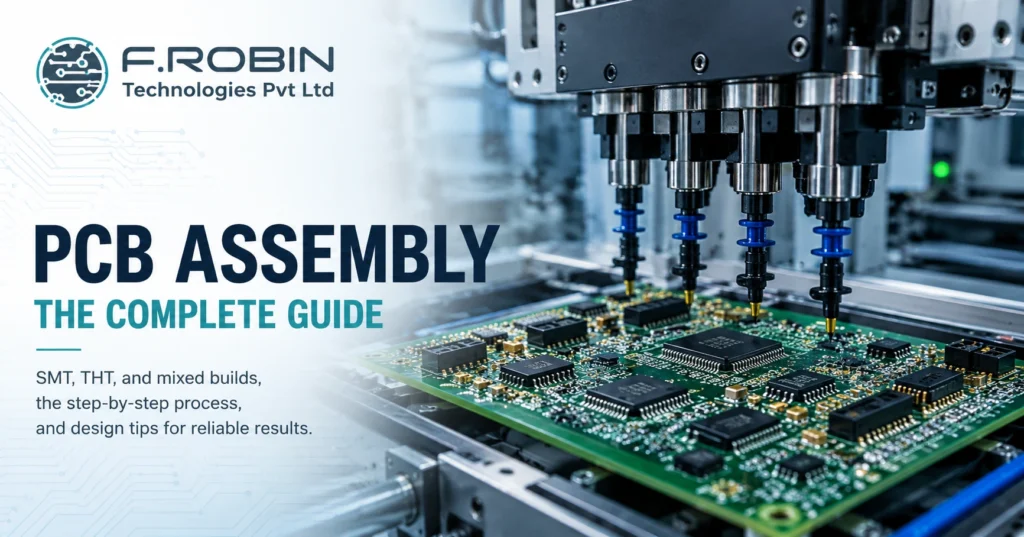
PCB assembly is the process that turns a bare board into a working electronic product by mounting and soldering components onto it. If you have ever wondered how a blank circuit board becomes the brain of a device, this guide explains it clearly. We cover the three main methods — SMT, THT, and mixed builds — along with the step-by-step process and how to prepare your design for clean results. Whether you are a hardware startup ordering your first build or an engineer comparing pcb assembly services, understanding these basics helps you avoid defects, control cost, and choose the right method. So let us break down exactly how it works, stage by stage. What Is PCB Assembly? PCB assembly, often called PCBA, is the process of soldering electronic components onto a bare printed circuit board to create a functional assembly. In short, the bare board provides the wiring, and assembly adds the parts that make the circuit work. This is different from board fabrication. Fabrication produces the empty board with its copper traces and layers, while the assembly of printed circuit boards populates that board with resistors, capacitors, ICs, connectors, and more. Both steps are essential, but they are distinct processes — often handled on different lines or even by different vendors. Modern assembly uses three approaches: surface-mount technology (SMT), through-hole technology (THT), and mixed builds that combine the two. The method you choose depends on your components, volume, and reliability needs. Next, let us compare them. SMT vs THT vs Mixed Builds The three assembly methods suit different parts and applications. Here is how each works. Surface-Mount Technology (SMT) SMT mounts components directly onto the surface of the board using solder paste and reflow soldering. Because SMT parts are small and need no leads through the board, they enable dense, compact designs. As a result, SMT dominates modern electronics and most high-volume pcb board assembly. Through-Hole Technology (THT) THT inserts component leads through drilled holes and solders them on the opposite side, usually with wave or selective soldering. THT joints are mechanically strong, so they suit connectors, large capacitors, and parts that face stress or heat. Consequently, THT remains valuable even in an SMT-first world. Mixed-Technology Builds Many boards need both. A mixed build uses SMT for the bulk of components and THT for connectors and high-stress parts. This combination is extremely common, though it adds process steps and therefore cost. Factor SMT THT Component Size Small, dense Larger, leaded Soldering Reflow Wave / Selective Mechanical Strength Moderate High Automation Fully automated Partly manual Best For High-volume, compact designs Connectors, high-stress parts Which Method Should You Use? In practice, the choice is rarely either-or. Use SMT wherever you can, because it is faster, cheaper at volume, and supports the smallest parts. Reach for THT only where you need it — for connectors, transformers, large electrolytic capacitors, and anything that takes mechanical or thermal stress. When a board needs both, accept the mixed build and plan the process order so SMT runs first and through-hole parts follow. Volume matters too. For a handful of prototypes, hand or selective soldering may be most economical. For thousands of units, fully automated SMT lines win on cost and consistency. Match the method to your parts and your production scale, and the decision usually makes itself. The PCB Assembly Process Step by Step Here is a typical SMT-led assembly flow, with the THT steps that follow. Each stage feeds the next, so a problem early on — such as poor solder paste — shows up as defects later. Therefore, process control at every step keeps yields high. Inspection and Quality Quality control runs throughout the build, not just at the end. Several methods verify a reliable assembly: Reputable pcb assembly services follow the IPC-A-610 standard for acceptability, which defines what a good solder joint and assembly look like. Asking which IPC class a provider works to is a quick way to gauge their quality discipline. How to Prepare Your Design for Assembly Good design makes assembly faster, cheaper, and more reliable — a practice called design for assembly (DFA). Apply these tips before you release your board: These steps connect directly to your layout work. For the full picture, see our guide to the printed circuit board design workflow, and confirm your stack-up and footprints during PCB layout design services. Common Assembly Defects and How to Avoid Them Even automated lines produce defects when the design or process slips. Watch for these: Most defects trace back to design or solder paste, so strong DFA and process control prevent the majority before they happen. Choosing a PCB Assembly Partner When you search for “pcb assembly near me” or compare providers, look beyond price. Confirm the partner offers the right method (SMT, THT, or mixed), follows IPC-A-610, performs AOI and electrical test, and handles your volume — from prototype to production. A local partner often eases communication and speeds up the build, while a turnkey provider that also handles PCB manufacturing and component sourcing can simplify your whole supply chain. Either way, a provider with strong quality discipline protects your product and your timeline. Decide too whether you want a turnkey build, where the partner sources every component, or a consigned build, where you supply the parts. Turnkey saves you procurement effort, while consigned gives you tighter control over sourcing — useful when you already hold stock or have allocation deals on key parts. Key Takeaways Conclusion PCB assembly is where a bare board becomes a real product. Whether you choose SMT for dense designs, THT for mechanical strength, or a mixed build for both, the process follows a clear path — paste, place, reflow, inspect, insert, and test. Above all, strong design for assembly and solid quality control keep your boards reliable and your costs predictable. Ready to Build Your Boards? Our turnkey PCB manufacturing and assembly services cover SMT, THT, and mixed-technology builds with IPC-compliant quality from prototype to volume production. Talk to
Types of PCB Manufacturing Process: A Complete Guide for Engineers and Buyers
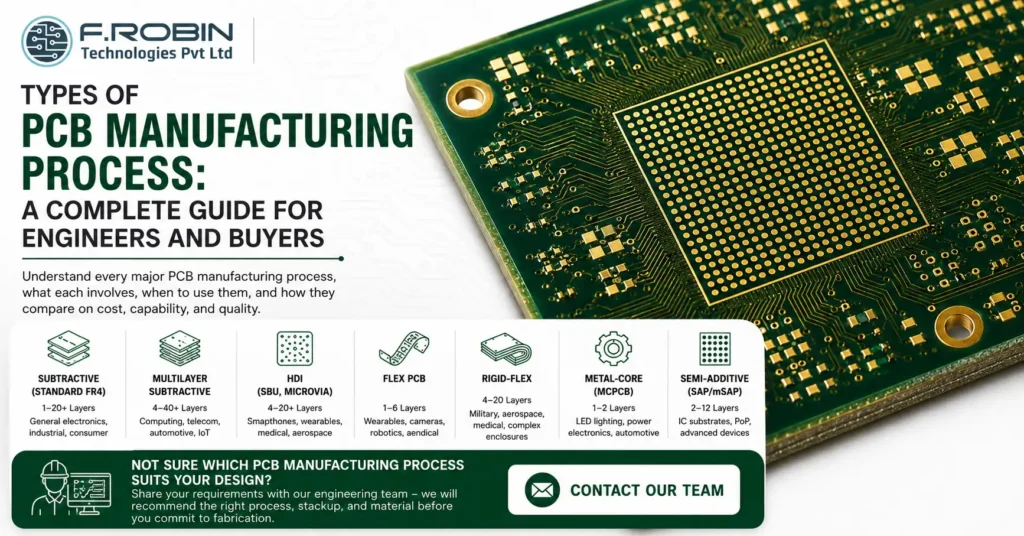
Introduction The types of PCB manufacturing process determine everything downstream board complexity, layer count, material choice, cost, lead time, and the electrical performance of the finished board. Yet for most hardware teams, the manufacturing process is a black box: you send Gerbers, you receive boards. Understanding what actually happens inside that black box — and which process applies to which board type helps you make better design decisions, write more accurate specifications, choose the right fabricator, and avoid costly surprises at the DFM stage. In this guide, we cover every major PCB manufacturing process type, what each involves, when each is appropriate, and how they compare on cost, capability, and quality. 1. The Core PCB Manufacturing Process Subtractive Fabrication The most widely used PCB manufacturing process globally is subtractive fabrication also called the subtractive method or print-and-etch process. It is the standard process for the vast majority of FR4 rigid PCBs manufactured today, from single-layer boards to complex multilayer designs. How the subtractive process works The subtractive process starts with a copper-clad laminate a fibreglass substrate (FR4) with copper foil bonded to one or both sides. The unwanted copper is selectively removed through a sequence of imaging, etching, and plating steps, leaving behind only the copper traces, pads, and planes defined by the design. Preparing the Inner Layers Step 1 — Photolithography (inner layer imaging) The copper surface is coated with a light-sensitive photoresist. A photomask or in modern facilities, a laser direct imaging (LDI) system exposes the circuit pattern onto the resist. Consequently, the unexposed resist is washed away, and the exposed copper underneath is chemically etched off. What remains is precisely the copper circuit pattern of that layer. Step 2 — Lamination For multilayer boards, the individual inner layers are stacked with prepreg (glass-fibre epoxy resin sheets) between them and bonded under heat and pressure in a hydraulic lamination press. As a result, all layers fuse into a single rigid, uniform substrate. Step 3 — Mechanical and laser drilling CNC drilling machines create holes for through-hole component leads, via connections between copper layers, and mechanical mounting points. In addition, high-density boards use laser drilling to create microvias holes too small for mechanical drills, typically under 150µm in diameter. Finishing the Board Step 4 — Through-hole plating The drilled holes are copper-plated by electroless deposition followed by electrolytic plating, creating a conductive copper barrel through the hole that electrically connects layers. This step is fundamentally what distinguishes a multilayer PCB from a simple stack of copper sheets. Step 5 — Outer layer imaging and etching Following plating, the outer copper layers go through the same photolithography and etching process as the inner layers, defining the surface traces, pads, and planes. Step 6 — Solder mask, surface finish, and silkscreen A liquid photoimageable solder mask (LPI) is applied and cured, opening only the pad areas. A surface finish (HASL, ENIG, OSP, or hard gold) is applied to exposed pads. Finally, reference designators and component outlines are printed as silkscreen. Step 7 — Electrical test and delivery Every board is electrically tested by flying probe or bed of nails before shipment, verifying continuity and absence of shorts. The subtractive process is cost-effective, mature, and supported by every PCB fabricator in India and globally. For standard FR4 rigid boards — single layer through to 20+ layers it remains the default manufacturing method. 2. Multilayer PCB Manufacturing Process Multilayer PCB manufacturing follows the same subtractive process as single and double-sided boards, but adds repeated lamination cycles to build up the layer stack. It is the dominant process for all complex, high-density electronic designs. What makes multilayer manufacturing different Layer count options Multilayer boards are built in even numbers of layers: 4, 6, 8, 10, 12, and up to 40+ layers for advanced computing and telecommunications hardware. Each additional pair of layers adds one lamination cycle, drilling pass, and plating step. Inner Layer Processing Core fabrication Each inner layer starts as a separate copper-clad core a rigid substrate with copper on both sides. The circuit pattern is imaged and etched onto each core individually before the stack is assembled. Crucially, inner layers cannot be reworked after lamination, so imaging yield at this stage must be near-perfect. Prepreg and stackup Between each core, sheets of prepreg (B-stage epoxy glass) are placed. The stackup sequence which layers are signal, power, or ground is defined by the designer and must be communicated to the fabricator in the stackup specification. Signal integrity, controlled impedance, and EMI performance all depend on correct stackup execution. Via Types in Multilayer Boards Through-hole vias pass from the top surface to the bottom surface through all layers. They are drilled after lamination and plated in a single pass the most common and least expensive via type. Blind vias connect an outer layer to one or more inner layers without passing all the way through the board. They require sequential lamination laminating a partial stack, drilling and plating, then laminating further layers on top. Buried vias connect two or more inner layers without reaching either outer surface. They are drilled and plated before lamination and are invisible in the finished board. Microvias are laser-drilled vias with diameters typically below 150µm, used in HDI (High-Density Interconnect) designs. They enable very high component density by connecting adjacent layers over a very short distance. Multilayer PCB manufacturing requires tighter process control than single or double-sided boards because registration errors between layers compound with each added layer. For a 12-layer board, the inner layer alignment tolerance must be held across 10 separate imaging and etching cycles. 3. HDI PCB Manufacturing Process (High-Density Interconnect) HDI PCB manufacturing is a specialised extension of multilayer fabrication designed for boards with extremely high component density smartphones, wearables, advanced IoT modules, medical implants, and aerospace electronics. What defines HDI manufacturing HDI boards are characterised by line widths and spaces below 100µm, via diameters below 150µm (microvias), via-in-pad structures, and sequential build-up (SBU) lamination. As a result, they achieve far greater routing density
