
PCB Design Company Near Me: How to Choose in Chennai

Searching for a PCB design company near me usually means you have a schematic and a deadline. You want a partner who can review the board with your engineers and release files your fabricator accepts first time. This guide covers what a design partner should deliver and which technical checks matter. It also explains what drives cost and what to ask before you sign. Key takeaways What does a PCB design company actually deliver? A PCB design company turns your schematic and requirements into a manufacturable board design. That covers stack-up, placement, routing, design-rule checks and a release package for the fabricator and assembler. You receive design data, but not a physical board, unless the company also manufactures. A complete release package normally contains these files: Deliverable What it contains Used by Gerber or ODB++ data Copper, mask, silkscreen and outline data per layer Fabricator NC drill file Hole sizes and locations Fabricator Bill of materials Every part with reference designator and part number Purchasing, assembly Pick-and-place file Position and rotation of each surface-mount part SMT assembly Fabrication drawing Stack-up, materials, tolerances, finish, impedance notes Fabricator Assembly drawing Placement, polarity and special instructions Assembler, inspection IPC-356 netlist Connectivity data for bare-board electrical test Fabricator Why hire a PCB design company in Chennai instead of a remote freelancer? A PCB design company in Chennai gives you same-day design reviews and one accountable team. It also shortens the path from layout to fabrication. Remote options can cost less per hour. However, every clarification adds a full-day round trip when time zones differ. The right choice depends on your project: Option Best for Trade-off Local company in Chennai Products needing frequent reviews and prototype handoff Hourly rate can exceed offshore Freelancer Small, well-defined single boards Single point of failure; no link to manufacturing Offshore vendor Large volumes of routine layouts Time-zone delay; harder on-site review In-house team Continuous, high-volume design work Licences, hiring and idle-capacity cost Chennai also sits inside one of India’s densest automotive and electronics manufacturing regions, including the Sriperumbudur and Oragadam industrial areas. That proximity matters because a layout change has to be checked against a live assembly line. So when you compare PCB design services near me, favour a team that can visit, review and prototype locally. Which technical checks should a PCB design company near me pass? A strong partner controls five things before release: stack-up and impedance, return paths, power delivery, thermal paths and manufacturability. Each one is checked against a written rule set, not left to habit. Then ask to see that rule set. The generic design standard is IPC-2221, and IPC-2222 covers rigid boards. Both are published by IPC, the electronics industry association. How much do PCB layout services in Tamil Nadu cost? PCB layout services in Tamil Nadu are usually quoted per project, per board or per hour. The price follows design complexity rather than board size. For example, a dense eight-layer board with a BGA and DDR memory takes far more engineering time than a two-layer sensor board of the same area. Cost driver Why it adds effort Layer count More stack-up work and routing constraints BGA pitch and pin count Escape routing, sometimes via-in-pad or microvias High-speed interfaces Impedance control, length matching and extra review Component and net count Placement and routing time grow with each part EMI and safety requirements Extra spacing, filtering and review rules Rigid-flex or metal-core boards Special stack-ups and mechanical constraints Documentation depth A full release package takes longer than Gerbers alone Ask for a quote that lists deliverables, revision rounds and a review schedule. Two quotes are only comparable when both state the same scope. What should you ask a PCB design company before you sign? Before you shortlist any PCB design company near me, ask six questions. They cover tools, standards, DFM ownership, revision limits, file ownership and prototype support. The answers also show whether the company works to a process or improvises. Where a product needs safety approval, also ask whether boards and laminates are UL recognised. UL Solutions publishes UL 796, the standard for printed-wiring boards. What does a PCB design project look like from brief to release? A PCB design project moves through six stages, from requirements review to a released design package. The sequence is the same for a simple two-layer board and a dense multilayer one. Only the depth of each stage changes. Is F.Robin Technologies a PCB design company near me in Chennai? Yes, if you are in or near Chennai. F.Robin Technologies, part of the F.Robin Group of Companies, has its head office in Chennai. It provides PCB layout and design services, PCB manufacturing and electronics manufacturing services for consumer electronics, automotive and industrial products. Its manufacturing page lists multilayer, HDI, rigid-flex and metal-core boards, and states adherence to IPC, ISO and UL standards. As a result, a design team gets support from layout through production with one company. Teams that also need chip-level testing can use its silicon validation services. For PCB layout services in Tamil Nadu, or for teams elsewhere in India, start with a short brief. Include the schematic, board size, interfaces and quantity, then request a PCB design quote through the contact page. Need a PCB Design Company Near You? Start With Our Chennai Team From schematic review to fabrication-ready files, our PCB Design Services in Chennai cover stack-up planning, impedance control and DFM review — with PCB manufacturing and EMS support when you are ready to build. Get a PCB Design Quote Explore PCB Design Services Head office: KOSMO ONE, Tower B, 4th Floor, Sai Nagar Plot, 14, 3rd Main Rd, Ambattur Industrial Estate, Chennai 600058 Get directions · sales@frobintech.com Frequently Asked Questions How do I find a reliable PCB design company near me? A reliable PCB design company near me will publish its deliverables, name the IPC standards it designs to and describe its DFM process. Ask for a scoped quote and a sample release package before you commit. What files
Workforce Planning: How to Forecast Hiring for the Year

Most companies plan hiring reactively a role opens, and the search starts. Workforce planning flips that sequence, forecasting headcount and skills needs for the year ahead so hiring becomes a planned activity rather than a constant scramble. Done well, it turns recruiting from a series of fire drills into a predictable, budgeted function. This how-to guide gives you a practical framework for annual workforce planning: forecasting headcount demand, identifying skills gaps before they become urgent, and building a hiring plan that survives contact with a real, changing business. Whether you are planning for a ten-person team or a hundred-person department, the same core framework applies only the level of detail and formality needs to scale with the size of the organization. Why Reactive Hiring Fails Reactive hiring means a role only gets attention once someone resigns, a team is already overloaded, or a project is already blocked waiting for headcount. By the time that search starts, the business has already been paying the cost of the gap for weeks or months, and the pressure to fill the role fast often lowers the bar on who gets hired. Workforce planning solves this by moving the decision earlier. Instead of discovering a need when it becomes urgent, you forecast it months ahead, giving recruiting whether internal or through a specialist partner the lead time to find a strong candidate rather than the first available one. Step 1: Start With the Business Plan Workforce planning only works when it is anchored to the actual business plan for the year revenue targets, new product launches, market expansion, or planned efficiency gains. Headcount needs flow directly from these business decisions, so planning hiring in isolation from the business plan produces a forecast disconnected from reality. Sit down with business and functional leaders early in the planning cycle and translate their plans into people implications: which teams grow, which stay flat, and which functions face new skill requirements the current team does not have. This conversation is the foundation everything else in the workforce planning process builds on. Step 2: Forecast Headcount Demand Headcount planning translates business plans into a specific number of roles, by function and by timing, across the year. For each team, estimate the workload implied by the business plan, compare it against current capacity, and identify the gap including planned departures, internal promotions, and expected attrition based on historical patterns. Build this forecast by quarter, not just as a single annual number. A team that needs five hires spread evenly across the year has a very different hiring plan than one that needs all five in the first quarter to support a specific launch, even though the annual total is identical. Step 3: Identify Skills Gaps Headcount numbers alone do not capture whether you have the right skills, only whether you have enough people. A skills gap analysis compares the capabilities your business plan will require against what your current team actually has, surfacing specific gaps a new technical skill, a leadership capability, a domain expertise that pure headcount planning misses entirely. This step matters most for specialized or scarce skills, where the gap cannot be closed quickly once discovered. Identifying a skills gap a year ahead gives you time to build a pipeline or invest in training; discovering it three months before you need it leaves far fewer good options. Identifying a skills gap early only matters if your evaluation process can actually detect it — see our guide to candidate screening and assessment for how to build that evaluation capability. Step 4: Build the Hiring Plan and Budget With headcount demand and skills gaps identified, translate the forecast into a concrete hiring plan: which roles, in what order, with what budget, and against what timeline. Prioritize roles that unblock the business plan’s most time-sensitive commitments, and sequence hiring so that critical roles are not competing with each other for the same limited recruiting capacity at the same time. Budget realistically for both the cost of hiring recruitment fees, sign-on costs, time-to-productivity and the cost of any gap between when a role is identified and when it is filled. This budget becomes the reference point the rest of the year is measured against, so build it with enough detail to actually be useful later. Step 5: Choose the Right Hiring Model for Each Need Not every role in your workforce plan should be filled the same way. Steady, predictable roles suit permanent hiring or an ongoing recruitment partnership; a temporary spike suits contract staffing; a large, sustained hiring wave for standardized roles may suit RPO; and a single scarce, senior role may need executive search. Mapping the right model to each part of the plan rather than defaulting to one approach for everything is where workforce planning connects directly to talent acquisition strategy. The plan tells you what and when; the model tells you how. For a full breakdown of these models, see our guide to recruitment services, and our comparison of talent acquisition vs recruitment for how pipeline-building fits into the plan. Step 6: Review and Adjust Quarterly A workforce plan built once in January and never revisited becomes stale the moment the business plan changes — and business plans always change. Review the plan quarterly against actual hiring progress, revised business priorities, and attrition that did not match the original forecast. This does not mean rebuilding the plan from scratch every quarter. It means checking the core assumptions, adjusting the roles and timing that no longer match reality, and keeping the plan a living reference rather than a document filed away after the annual planning cycle ends. A Real-World Example Picture a company planning to launch a new product line in the second half of the year, requiring three additional verification engineers and one new product manager. Reactive hiring would mean posting these roles once the launch date is confirmed and engineering is already stretched thin, likely missing the launch window while the search runs. Workforce planning built
Candidate Screening & Assessment: Getting It Right

Most hiring mistakes are decided long before an offer letter goes out — in a screening call that missed a real gap, or an interview so unstructured that two candidates were never actually compared on the same basis. Candidate screening and assessment is where hiring quality is won or lost, yet it is often the least standardized part of the whole process. This how-to guide covers what genuinely reliable candidate screening and assessment looks like: how to structure the process consistently, which assessment methods actually predict performance, and the common mistakes that quietly undermine even a well-intentioned hiring process. Whether you hire occasionally or run a constant pipeline, these practices apply — and most of them cost nothing to implement beyond the discipline to follow them consistently. Why Screening and Assessment Is Where Hiring Succeeds or Fails By the time a candidate reaches a final interview, most of the important decisions have already been made who got filtered out at the resume stage, what the screening call actually probed for, and whether the interview panel evaluated everyone against the same criteria. Weak candidate screening and assessment at these early stages either lets weak candidates through or filters out strong ones for the wrong reasons. Getting this right matters more than almost any other part of hiring, because it is repeatable. A flawed screening process does not fail once it fails on every single requisition that runs through it, quietly compounding cost and lost opportunity across every hire made that way. This is exactly why we cover the connection between hiring quality and process discipline in our guide to improving quality of hire in permanent staffing. Building a Consistent Screening Process Consistency is the foundation of reliable candidate screening and assessment. Define the criteria that matter for a role before you look at a single resume the must-have skills, the experience level, and the specific outcomes success in the role requires so that every candidate is measured against the same bar rather than a shifting impression. Document the screening questions and evaluation criteria in advance, and use them for every candidate in that requisition. This single change writing down the criteria before screening starts, rather than deciding what matters as you go is one of the highest-leverage improvements available to almost any hiring process. This process discipline matters most once candidates are already in your pipeline see our guide to recruitment services for how sourcing and screening fit together. Structured Interviews Structured interviews are not about removing human judgment from candidate screening and assessment they are about applying that judgment consistently, against the same evidence, for every candidate. Skills-Based Assessment Resume claims and interview answers are weak predictors of how someone actually performs the work. Skills-based assessment a work sample, a case study, or a practical test that mirrors real tasks in the role gives you direct evidence instead of a self-report. The best skills assessments are short, relevant, and respectful of a candidate’s time, testing exactly the capability that matters most for the role rather than generic aptitude. Combined with a structured interview, this kind of candidate screening and assessment produces a far more reliable signal than either method alone. For technical roles, this often means domain-specific testing see our guide to choosing a semiconductor recruitment partner for an example of specialized technical screening. Reference Checks Done Properly Reference checks are often treated as a formality, but done properly they add real signal to candidate screening and assessment. Ask specific, behavioural questions about verifiable performance not “would you recommend them” but “can you describe a specific project where they had to solve a difficult problem, and how they handled it.” Speaking with more than one reference, and specifically former managers or close collaborators rather than only hand-picked advocates, produces a more balanced picture. This step is quick relative to the rest of the process, but skipping it removes one of the few sources of independent, real-world evidence available before an offer is made evidence that neither the interview nor the skills assessment can fully replace. Reducing Bias in the Process Unstructured candidate screening and assessment leaves far more room for unconscious bias to influence outcomes than a structured process does, because vague criteria are easy to unconsciously bend around a general impression of a candidate. Structured interviews, written scoring rubrics, and panel-based evaluation all reduce this risk by anchoring decisions to specific, pre-defined evidence. Reviewing screening and interview data periodically who advances at each stage, and whether that pattern is explainable by job-relevant criteria helps catch systemic issues in the process itself, not just in any individual hiring decision. This kind of periodic review is what separates a process that quietly drifts away from its original design over time from one that stays reliable requisition after requisition. A Real-World Example Picture two candidates for the same technical role. The first is confident, articulate, and interviews well, but the panel never asked either candidate the same set of questions, so the strong interview performance is really the only thing distinguishing them from the second candidate a quieter, more methodical engineer who happened to interview with a less enthusiastic panelist that day. With a structured process the same core questions, a shared scoring rubric, a skills-based work sample, and reference checks asking specific behavioural questions the picture often reverses. The quieter candidate’s work sample and references reveal exactly the kind of careful, reliable problem-solving the role actually needs, while the confident candidate’s assessment reveals gaps that the interview alone never surfaced. Candidate screening and assessment built this way catches what an unstructured process, run purely on interview chemistry, would have missed entirely. A Screening and Assessment Checklist Working through this checklist consistently, requisition after requisition, is what turns candidate screening and assessment from an art into a repeatable process. Common Mistakes to Avoid Avoiding these keeps candidate screening and assessment focused on evidence, not habit or convenience. Key Takeaways CTA – Candidate Screening & Assessment Build a Screening Process You Can
Custom PCB Design Services: When Off-the-Shelf Won’t Cut It
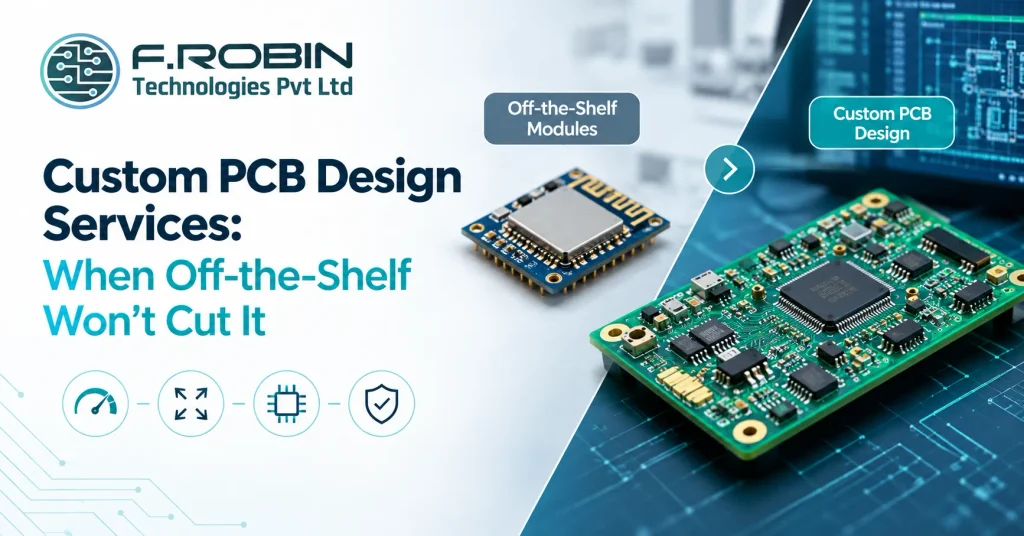
Off-the-shelf modules solve most early-stage hardware problems cheaply and fast — until they do not. The moment your product needs a specific form factor, a cost target modules cannot hit at volume, or genuine high-speed digital and mixed-signal PCB layout that a generic module was never designed for, custom PCB design services become the only real path forward. This decision guide covers exactly when that shift makes sense, what custom PCB design services actually involve, and what you should expect in cost, timeline, and process once you commit. Whether you are scaling past a prototype built on development boards or designing a product that a module simply cannot support, this guide will help you make the call with confidence — and avoid the common trap of discovering the limitation only after significant time has already been invested in a module-based approach. The Quick Answer In short: stick with off-the-shelf modules for early prototypes, low volume, and simple designs where speed to market matters more than cost or form factor. Move to custom PCB design services once you need a specific size or shape, a cost structure that only custom hardware can hit at volume, or performance — especially high-speed digital and mixed-signal PCB layout — that a generic module was never built to deliver. The decision is rarely close once you actually hit one of these triggers. The harder part is recognizing the trigger early, before a module-based prototype has locked in assumptions that make the eventual custom redesign more painful than it needed to be. Why Off-the-Shelf Modules Work Until They Don’t Modules exist because they solve a real problem well: a pre-certified, pre-tested subsystem lets a small team build a working prototype in weeks instead of months, without needing deep PCB design expertise on staff. For early validation, that speed is genuinely valuable, and there is no reason to reach for custom PCB design services before you need to. The trade-off is that modules are designed to be generic. They carry a fixed size, a fixed feature set, and a per-unit cost that includes someone else’s margin and overhead. That trade-off is invisible at low volume and increasingly expensive as volume grows, or once your product’s requirements diverge from what the module was designed to serve. Signs You Need Custom PCB Design Services If one or more of these apply, custom PCB design services are very likely the right next step, even if the transition feels premature. When High-Speed and Mixed-Signal Layout Forces the Issue High-speed digital and mixed-signal PCB layout is one of the clearest, least negotiable triggers for custom PCB design services. Modules are built as generic subsystems, and their layout is optimized for the module vendor’s own use cases — not for the specific high-speed interfaces, controlled impedance requirements, or sensitive analog sections your product actually needs. Once your design involves fast digital interfaces alongside sensitive analog or RF sections, the layout decisions — grounding strategy, plane splits, trace routing, component placement — become deeply product-specific. A generic module cannot make those decisions for you, because it was never designed with your specific mixed-signal requirements in mind. This is the point where custom PCB design services stop being a nice-to-have and become a technical necessity. For the underlying stack-up and signal-integrity decisions this involves, see our guide to impedance control in PCB design, which covers controlled impedance and signal integrity in depth. What Custom PCB Design Services Actually Involve A capable custom PCB design services provider covers this whole scope, or works cleanly alongside your existing manufacturing partner if you already have one in place. For boards with higher layer counts, see our guide to multilayer PCB design to understand how layer count interacts with the custom design process. Cost: Custom vs Module at Different Volumes The table below illustrates how the cost balance shifts between modules and custom PCB design services as volume grows. Factor Off-the-shelf module Custom PCB design Upfront cost Low (design already done) Higher (NRE for design and tooling) Per-unit cost at low volume Competitive Often higher due to NRE amortization Per-unit cost at high volume Fixed, includes vendor margin Typically lower once NRE is amortized Form factor control Limited to module footprint Full control Performance ceiling Generic, module-defined Matched exactly to your requirements The crossover point varies by product, but as a rule, custom PCB design services become cost-competitive once volume is high enough to amortize the upfront NRE investment across enough units. A Real-World Example Picture a startup that validated its first product using an off-the-shelf wireless module, a separate sensor breakout board, and a carrier board connecting them together. It worked well enough to raise funding and land early customers, but the assembly was bulky, expensive per unit, and used three separate boards where the final product needed to fit in a pocket-sized enclosure. Moving to custom PCB design services combined all three functions onto a single board, purpose-built for the target enclosure, with the wireless section laid out properly for its RF requirements alongside the sensor’s sensitive analog circuitry — real high-speed digital and mixed-signal PCB layout work that the original three-board stack never needed to solve. Unit cost dropped substantially at volume, and the product finally fit the form factor customers actually wanted. What to Expect: Timeline and Process Custom PCB design services take longer upfront than dropping in a module, and setting realistic expectations avoids frustration later. A straightforward design might move from requirements to a validated prototype in a matter of weeks; a complex board with genuine high-speed digital and mixed-signal PCB layout, tight certification requirements, or multiple design iterations can take considerably longer. Expect a structured process: requirements and schematic first, then layout, then DFM review, then a prototype build and validation cycle before production files are finalized. Build in time for at least one revision cycle — very few complex boards are perfect on the first pass, and planning for that reality up front keeps the overall timeline realistic rather than
PCB Design Analysis Services: What’s Included and the ROI

PCB design analysis services are easy to skip when a schedule is tight and a board looks fine on screen — right up until a signal integrity failure, a power delivery problem, or a thermal hotspot shows up in a prototype that already cost real money and time to build. Knowing exactly what these services include, and what return they actually deliver, makes it far easier to justify the investment before that expensive discovery happens. This guide breaks down PCB design analysis services commercially: what signal integrity (SI), power integrity (PI), and thermal analysis each cover, what a DFM review and sign-off report actually contain, and the real ROI case for paying for this work before your board goes to fabrication rather than after. By the end, you will know exactly what to expect from a PCB design analysis services engagement and how to scope it to your specific board. What PCB Design Analysis Services Include PCB design analysis services typically bundle several distinct engineering disciplines into one commercial offering: signal integrity analysis, power integrity analysis, thermal analysis, a DFM (design for manufacturability) review, and a formal sign-off report documenting the results. Each discipline answers a different question about whether your board will actually work reliably once it is built. Not every project needs every discipline at the same depth. A simple, low-speed board may need only a light DFM pass, while a high-speed, power-dense design may need full SI, PI, and thermal analysis together. Understanding what each piece covers lets you scope PCB design analysis services to what your specific board actually needs, rather than either overpaying for unnecessary depth or underpaying and missing a real risk. Signal Integrity (SI) Analysis Signal integrity analysis verifies that high-speed signals — DDR, USB, PCIe, Ethernet, and similar interfaces — arrive at their destination clean, on time, and without excessive reflection or crosstalk. It typically includes pre-layout topology exploration, post-layout simulation of routed traces, and verification against the interface standard’s timing and voltage margins. Deliverables usually include simulation reports showing eye diagrams or waveform plots for critical nets, a list of any nets that fail margin, and specific routing or stack-up recommendations to fix them. For any board with real high-speed interfaces, SI analysis is what confirms the design will actually meet its data-rate targets rather than merely looking correct on the schematic. For the underlying stack-up decisions behind SI results, see our guide to impedance control in PCB design. Power Integrity (PI) Analysis Power integrity analysis verifies that every component on the board receives clean, stable power within its required voltage tolerance, even under transient load changes. It typically covers DC voltage drop analysis across power planes, decoupling capacitor placement and value verification, and AC impedance analysis of the power delivery network across the relevant frequency range. Deliverables usually include voltage drop maps showing where the power plane is undersized, decoupling recommendations tied to specific component requirements, and impedance plots confirming the power network stays below target impedance across frequency. Power problems are notoriously hard to diagnose after a board is built, which is exactly why PI analysis before fabrication delivers such a clear return. Thermal Analysis Thermal analysis predicts operating temperatures across the board under real load conditions, identifying hotspots before they cause component derating, reduced reliability, or outright failure in the field. It typically includes power dissipation mapping from your bill of materials, thermal simulation of the board and enclosure together, and identification of components running above their rated temperature. Deliverables usually include a thermal map of the board under worst-case load, a list of components at risk of exceeding their temperature rating, and specific recommendations — added copper, thermal vias, heatsinking, or airflow changes — to bring hotspots back within safe limits. Thermal problems caught here are inexpensive layout or component changes; caught after fabrication, they often mean a full board or enclosure redesign. For the mechanical side of thermal validation, see our guide to when you need FEA vs hand calculations DFM Review A DFM (design for manufacturability) review checks that the board can actually be built reliably at your target fabricator and assembly house, catching issues like insufficient clearances, unsupported stack-ups, or component footprints that will not assemble cleanly. This is usually the fastest and least expensive piece of a PCB design analysis services engagement, and arguably the one with the most consistent, immediate payoff. Deliverables typically include a marked-up list of manufacturability issues by severity, specific fixes for each, and confirmation that the design falls within your chosen fabricator’s standard process capability. Skipping DFM to save a small fee is one of the most common ways teams end up paying far more later in a failed or delayed production run. DFM connects directly to fabrication cost — see our guide to reducing PCB fabrication cost without hurting quality. The Sign-Off Report The sign-off report is the formal document that ties every analysis discipline together into a single record: what was checked, what passed, what was fixed, and what residual risk — if any — remains at the point the design was released to fabrication. This is the artifact that lets you, your team, or a certifying body trust that the design was genuinely validated, not just visually reviewed. A thorough sign-off report includes the specific pass/fail criteria used for each discipline, the actual simulation or measurement data behind each result, and a clear statement of any known limitation or assumption. This documentation also has lasting value: it is what a future engineer references when modifying the design, rather than re-deriving the same analysis from scratch. A Real-World Example Picture a compact industrial controller with a DDR memory interface, a dense power section feeding several ICs, and a sealed enclosure with limited airflow. Skipping PCB design analysis services here would leave three separate, expensive risks untested: whether the DDR interface actually meets its timing margin, whether the power plane can supply transient current without excessive droop, and whether the sealed enclosure traps enough heat to
HDI vs Standard PCB: Is High-Density Worth the Extra Cost?
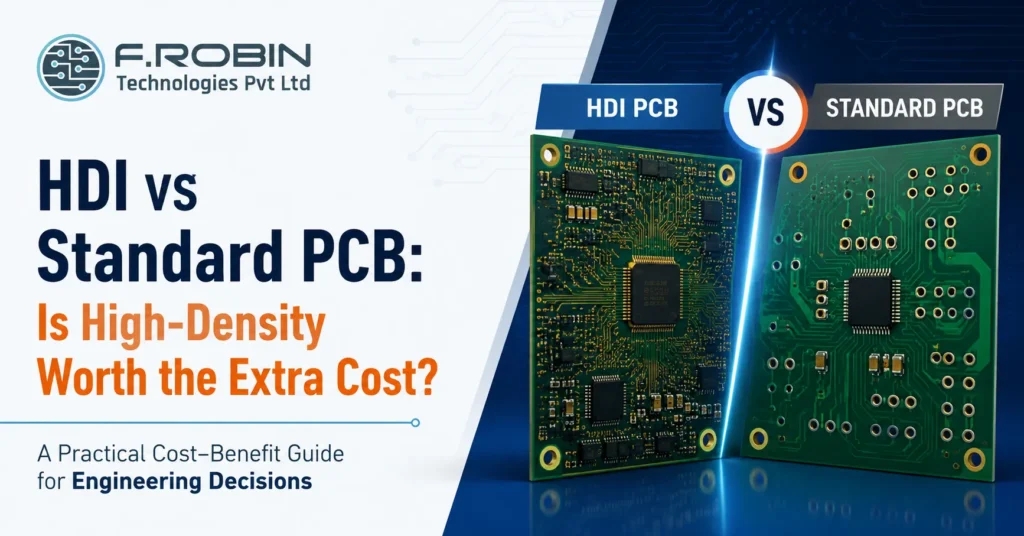
Is HDI overkill for my design?” is a fair question, because high density interconnect boards cost meaningfully more than a standard multilayer PCB and that premium is only worth paying when your design genuinely needs the density. Choosing HDI when a standard board would work wastes budget; choosing standard when HDI is truly required leads to a board that cannot be built at all. This guide walks through the HDI vs standard PCB decision from a cost-benefit angle: what actually drives the price difference, the specific situations where HDI earns its cost, and a simple way to tell whether your design is one of them. Whether you are designing in Chennai, Bangalore, or anywhere else, the same HDI vs standard PCB evaluation applies. The Quick Answer In the HDI vs standard PCB decision, HDI is worth the extra cost when your design has fine-pitch BGAs that cannot be routed with a standard board, genuine space constraints, or high-speed signals that benefit from shorter via paths. It is not worth it when a standard multilayer board routes cleanly and fits your product’s size requirements. In other words, HDI is not a premium tier you choose for its own sake it is a specific engineering solution to a specific routing or space problem. If that problem does not exist in your design, the extra cost buys you nothing. What Drives the Cost Difference An HDI board costs more than a standard PCB mainly because of how it is built. Standard boards are drilled and plated in a single pass; HDI boards are built up in stages, with laser-drilled microvias and, often, sequential lamination cycles that each add process time, equipment cost, and inspection. On top of the build process, HDI boards typically demand tighter tolerances, which lowers yield and raises the effective cost per good board. Altogether, the HDI vs standard PCB cost gap commonly runs well above what a simple layer-count comparison would suggest, because the complexity is in the process, not just the material. This is why comparing two quotes side by side rarely tells the whole story unless both are broken down by process step the headline difference in the HDI vs standard PCB quote often understates just how much of that gap comes from yield loss rather than raw material or drilling time. When HDI Is Worth It HDI earns its cost premium in specific, identifiable situations. A fine-pitch BGA with hundreds of closely spaced pins often cannot be escaped with standard through-hole vias at all in that case, the HDI vs standard PCB question is not really a choice, since a standard board physically cannot route the part. Genuine size constraints are another strong justification: wearables, implantables, and compact consumer devices frequently need the routing density that only HDI delivers. High-speed designs also benefit, since shorter microvia paths reduce stub length and improve signal integrity in ways a standard board’s longer through-hole vias cannot match. When Standard PCB Is the Better Choice Just as often, a standard multilayer PCB is the smarter, cheaper choice. If your component pitch is generous, your layer count is modest, and the board is not fighting for space, a standard build routes just as reliably at a fraction of the cost. This is where the “is HDI overkill” question resolves in favor of standard: reaching for HDI features a design does not structurally need adds cost and complexity without a corresponding benefit. In the HDI vs standard PCB comparison, standard wins by default whenever it can do the job HDI only wins when it must. Side-by-Side Cost-Benefit Comparison The table below summarizes the HDI vs standard PCB trade-off across the factors that matter most to a cost-benefit decision. Factor Standard PCB HDI PCB Relative cost Lower Higher (often significantly) Routing density Moderate Very high Fine-pitch BGA support Limited or none Strong Miniaturization Limited Enables the smallest form factors Signal integrity (high speed) Adequate for most designs Better via shorter microvia paths Best for Generic pitch, ample space, cost-sensitive designs Fine-pitch BGAs, tight space, high-speed designs Reading down the table, the pattern is consistent: HDI wins wherever density or miniaturization is the binding constraint, while standard PCB wins on cost whenever that constraint does not apply. A Real-World Example Picture a compact fitness tracker with a fine-pitch processor and hundreds of pins packed into a tiny footprint. Here, the HDI vs standard PCB comparison resolves quickly: a standard board simply cannot escape that many pins in that little space, so HDI is not a luxury, it is the only way to build the product at all. Now picture an industrial control panel with a modest microcontroller, generous board area, and no unusual space constraints. The HDI vs standard PCB comparison resolves just as clearly here, but in the opposite direction a standard multilayer board routes the design comfortably, and HDI would only add cost without solving a problem that exists. Most designs fall somewhere between these extremes, which is exactly why running the simple test below, rather than guessing, produces a more reliable answer. A Simple Test: Is HDI Overkill for You? If you answer “standard would work” to most of these, HDI is probably overkill for your design. If you answer “no” to the routing and space questions, HDI is likely the only real option. Common Mistakes to Avoid Avoiding these keeps the HDI vs standard PCB decision grounded in your design’s real requirements rather than assumption or habit. Key Takeaways CTA – HDI vs Standard PCB Is HDI Overkill for Your Design — or Essential? Fine-pitch BGAs, space constraints, signal integrity, cost — our PCB Layout Design Services help Chennai, Bangalore, and India-wide hardware teams settle the HDI vs standard PCB decision with real routing analysis, not guesswork. Explore PCB Layout Design Talk to Our Engineering Team FAQ – HDI vs Standard PCB Frequently Asked Questions
2-Layer vs 4-Layer PCB: How Do You Decide?

Do I really need 4 layers, or is 2 enough?” is one of the most common stack-up decisions in PCB design, and getting it wrong in either direction costs you. Choose 2 layers when the design needs 4, and you fight signal integrity and EMI problems for the rest of the project. Choose 4 layers when 2 would have worked, and you pay more per board for no real benefit. This guide gives you a practical way to make the 2-layer vs 4-layer PCB decision covering cost, routing density, EMI, and signal integrity — so you can match the stack-up to your actual design rather than guessing or defaulting to whichever you used last time. Whether you are designing in Chennai, Bangalore, or anywhere else, the same engineering logic applies to every 2-layer vs 4-layer PCB decision you face. The Quick Answer In short: a 2-layer PCB is enough for simple, low-speed, low-density designs where cost matters most. A 4-layer PCB is worth the extra cost when you have a dedicated ground plane need, higher routing density, faster signals, or EMI requirements that 2 layers cannot reliably meet. The 2-layer vs 4-layer PCB decision is not about which is generally “better” it is about matching the stack-up to what your specific circuit actually demands. Every 2-layer vs 4-layer PCB decision should start from your design’s actual requirements, not a default habit. The sections below walk through exactly how to make that call. What a 2-Layer Board Gives You A 2-layer PCB has copper on the top and bottom only, with all routing and, typically, a partial ground plane shared across those two layers. It is the simplest, cheapest stack-up, and for many designs it is entirely sufficient. A 2-layer board works well for simple analog or low-speed digital circuits, low pin-count microcontroller designs, power circuits without demanding EMI targets, and any design where routing is not congested. If your circuit fits comfortably with room to spare, a 2-layer PCB is usually the right, cost-effective choice. What a 4-Layer Board Gives You A 4-layer PCB adds two internal layers, most commonly used as a dedicated ground plane and a dedicated power plane, sandwiched between the outer signal layers. This structure gives every signal a close, continuous return path, which is the single biggest driver of better signal integrity and EMI performance. A 4-layer board earns its cost when you have higher-speed signals, denser routing than a 2-layer board can comfortably handle, stricter EMI or EMC requirements, or a design where controlled impedance matters. The extra layers are not just about fitting more traces — they fundamentally change how clean your signals and your radiated emissions are. Cost Comparison A 4-layer PCB costs more than a 2-layer board typically somewhere in the range of 1.5 to 2.5 times the fabrication cost, depending on your fabricator, volume, and specifications. At low volume or for a simple design, that difference is real money for no functional benefit if 2 layers would have worked just as well. At the same time, choosing 2 layers for a design that genuinely needs 4 often costs more in the long run: EMI failures during compliance testing, signal integrity debugging, or a board respin all cost far more than the layer-count premium would have. The right lens for the 2-layer vs 4-layer PCB decision is not “which is cheaper per board” but “which is cheaper once you include the risk of getting it wrong.” Routing Density and Complexity Routing density is often the most practical driver of the 2-layer vs 4-layer PCB decision. If a 2-layer layout leaves you fighting for space, adding trace-length workarounds, or routing signals through awkward paths just to avoid crossing, that struggle is a strong signal that a 4-layer board would save real engineering time. As a rough guide, a 2-layer board comfortably handles simple designs with modest component counts and generous spacing. Once you are working with fine-pitch parts, higher pin-count ICs, or a board that feels cramped no matter how you arrange it, that congestion is usually the clearest practical signal in the whole 2-layer vs 4-layer PCB decision, and 4 layers resolves it far more cleanly than forcing a 2-layer solution. EMI and Signal Integrity This is where the 2-layer vs 4-layer PCB decision matters most for reliability. A dedicated ground plane in a 4-layer board gives every signal a short, low-impedance return path directly beneath it, which dramatically reduces loop area and, with it, radiated emissions. On a 2-layer board, return paths are harder to control, especially as signal speed increases. For low-speed, simple circuits this rarely matters. For anything with faster edges, sensitive analog sections, or strict EMC compliance targets, the lack of a clean ground plane on a 2-layer board becomes a real risk one that often only surfaces during compliance testing, when it is expensive to fix. Side-by-Side Comparison The table below summarizes the 2-layer vs 4-layer PCB trade-off across the factors that matter most. Factor 2-layer PCB 4-layer PCB Relative cost Lowest 1.5–2.5x higher Routing density Limited Significantly higher EMI performance Weaker, no dedicated plane Strong, dedicated ground plane Signal integrity Adequate for low speed Much better for higher speed Best for Simple, low-speed, cost-sensitive designs Dense, higher-speed, EMI-sensitive designs Reading down the table, the pattern is clear: 2 layers wins on cost and simplicity, while 4 layers wins wherever density, speed, or EMI performance genuinely matter. A Real-World Example Picture two boards. The first is a simple temperature sensor module: a handful of passives, one low-pin-count microcontroller, and a UART interface. Routing is easy, speeds are low, and there is no EMC certification requirement. This is a textbook 2-layer vs 4-layer PCB decision that resolves quickly in favor of 2 layers the extra cost of 4 layers would buy nothing this design actually needs. The second board is a compact IoT gateway with a high-pin-count processor, USB and Ethernet interfaces, and a formal EMC certification requirement ahead of shipping. Here, the 2-layer vs 4-layer
PCB Design Services for Bangalore Hardware Companies

Bangalore is India’s hardware and chip-design capital, so the demand for reliable PCB design services Bangalore has never been higher. From deep-tech startups to established product companies, teams here build increasingly complex boards high-speed, dense, and mission-critical and the quality of the PCB design decides whether those products work, ship on time, and scale. Choosing the right design partner is one of the most important decisions a hardware team makes. This guide is written for Bangalore hardware companies and startups. We cover why strong PCB design matters, what good PCB design services Bangalore include, what to look for in a partner, the pitfalls that trip up first-time hardware teams, and how to design locally while building through Make in India manufacturing. Why Bangalore Hardware Teams Need Strong PCB Design Bangalore is home to India’s deepest concentration of hardware startups, chip design centres, and product engineering teams. That density creates fierce competition — and boards that are more complex than ever. High-speed interfaces, dense layouts, and tight reliability targets are now common, even in early-stage products. For these teams, PCB design is not a formality; it is where success or failure is decided. A weak layout causes signal-integrity problems, EMC failures, and expensive respins that can sink a startup’s timeline. Strong PCB design services Bangalore prevent those issues before they happen, delivering clean, manufacturable boards the first time. The stakes are highest for startups, where every week and every rupee counts. Getting the design right early protects both the runway and the roadmap. What PCB Design Services in Bangalore Include Good PCB design services Bangalore cover far more than drawing traces. A capable partner delivers the full design scope: The best providers also bridge design and production, so your board moves smoothly from layout to fabrication. For the full picture of the process, see our printed circuit board design workflow. What Bangalore Hardware Companies Should Look For Not every provider suits complex, fast-moving hardware work. When evaluating PCB design services Bangalore, prioritise: A partner strong in these areas can handle the demanding boards Bangalore teams typically build — and grow with you from prototype to volume. Common PCB Pitfalls for Hardware Startups First-time and fast-moving hardware teams often hit the same avoidable problems. Watch for these: Experienced PCB design services Bangalore steer you clear of these, turning a risky first board into a reliable one. Avoiding a single respin often pays for the design work several times over. Design in Bangalore, Build via Make in India A smart model for Bangalore hardware companies is to pair local design expertise with Indian manufacturing. You get responsive, high-quality PCB design services Bangalore for the demanding engineering work, then move to PCB manufacturing through a Make in India partner for fabrication and assembly. This keeps your whole supply chain within India, cutting the lead-time, tariff, and IP risks of overseas sourcing. It also keeps design and manufacturing aligned, so DFM feedback flows both ways and problems surface early. For startups especially, an integrated design-to-build path shortens time-to-market and simplifies accountability. The result is competitive cost, faster iteration, and boards that are manufacturable from day one. How to Choose a PCB Design Partner Turn your evaluation into a decision with this quick checklist: For a deeper framework, apply our 12-point checklist for choosing a PCB design company to each candidate. Clear, evidence-backed answers separate a strong partner from a risky one. PCB Design Services Bangalore: Startups vs Established Companies Needs differ by stage, and good PCB design services Bangalore adapt to both. For an early-stage startup, speed, flexibility, and getting a working first board matter most — so the partner should iterate fast, guide design decisions, and keep costs lean. A missed deadline or a botched first board can threaten the whole venture, so responsiveness is everything. For an established company, consistency, documentation, and scale take priority. Here, PCB design services Bangalore should deliver repeatable quality, thorough DFM, and a smooth path to volume production. The board is one of many, so process and reliability outweigh raw speed. The best partners flex between these modes. Whether you are a two-person hardware startup or a scaling product company, PCB design services Bangalore should match their approach to your stage — not force a single template onto every client. When you evaluate providers, ask directly how they have supported companies at your specific stage of growth, and request examples that prove it. Red Flags to Avoid Some warning signs should give you pause when comparing providers: If several of these appear, keep looking. For complex Bangalore hardware, the cost of a weak PCB design partner far exceeds the cost of careful vetting. Key Takeaways Conclusion For Bangalore hardware companies, PCB design is where products succeed or fail. Choose a partner with high-speed capability, in-house design, signal-integrity and DFM expertise, IPC-standard quality, and solid IP protection — and pair local design with Make in India manufacturing to cut cost, lead time, and risk. Vet carefully, avoid the common startup pitfalls, and your first board becomes a reliable foundation rather than a costly gamble. Building Hardware in Bangalore? Our PCB layout design services combine in-house design, signal-integrity expertise, and a smooth path to Make in India manufacturing — from prototype to volume production. Talk to our engineering team to discuss your next board. Explore PCB Manufacturing Talk to Our Engineers Frequently Asked Questions 1. What do PCB design services Bangalore include? PCB design services in Bangalore typically include schematic capture, PCB layout and routing, stack-up design, DFM and DFA review, and manufacturing deliverables such as Gerber files, drill files, BOM, and assembly drawings. 2. What should a Bangalore hardware startup look for in a PCB design partner? Look for expertise in high-speed and complex board designs, in-house engineering capabilities, signal integrity analysis, DFM support, IPC standards compliance, IP protection through NDAs, and a seamless transition from design to manufacturing. 3. How much do PCB design services Bangalore cost? Pricing depends on board complexity, layer count, high-speed requirements, component
PCB Design & Manufacturing Services in Chennai: A Buyer’s Guide

Finding the right PCB design company in Chennai can make or break your hardware project. Chennai sits at the heart of India’s largest electronics manufacturing state, so you have real choice — but that also makes picking the right partner harder. The best local partner handles design, manufacturing, and assembly with in-house expertise, IPC-standard quality, and the fast communication that only proximity provides. This buyer’s guide helps you choose well: what a full-service PCB design company in Chennai offers, how to evaluate one, and why Chennai is a smart place to source printed circuit boards. Whether you are a startup building your first board or an OEM scaling production, it will help you find a Chennai partner you can trust. Table of Contents Why Choose a PCB Design Company in Chennai? Choosing a local partner brings practical advantages. A PCB design company in Chennai shares your timezone and language, so reviews, DFM feedback, and design changes happen quickly — no overnight delays. That speed matters most during development, when you iterate fast. Proximity also builds trust. You can visit the team, see their capabilities, and build a relationship a remote or overseas vendor cannot match. For sensitive designs, a local partner under the same legal system offers stronger IP protection too. And when design, manufacturing, and assembly sit in one region, lead times shorten and accountability stays clear. What a Full-Service Partner Offers The strongest partners offer end-to-end capability under one roof: A full-service PCB design company in Chennai lets you hand off a project from concept to finished board without juggling vendors. That single point of accountability reduces errors and shortens lead times. Ask each candidate which of these they do in-house versus outsource; the more that stays under one roof, the smoother your project runs. Design vs Manufacturing vs Turnkey Be clear about what you need. Design covers schematic and layout; manufacturing covers the bare board; assembly populates it; turnkey bundles all three. Service Covers Best when Design only Schematic + layout You manufacture elsewhere Manufacturing Bare board fabrication You have finished design files Assembly Populating the board You have boards and parts Turnkey Design → build → assembly You want one accountable partner For most teams, a turnkey local partner is simplest — one owner for the whole journey, so there is no finger-pointing between separate manufacturing and assembly vendors. Why Chennai Is a Smart Place to Source PCBs Chennai sits in Tamil Nadu, India’s electronics manufacturing powerhouse the state leads the country in electronics exports, contributing roughly a third of India’s total. That points to a deep, mature ecosystem of suppliers, EMS providers, and engineering talent. You benefit directly. A PCB design company in Chennai can tap local component suppliers, skilled engineers, and established manufacturing partners, keeping your whole supply chain regional. As a Make in India hub, Chennai offers competitive pricing without the lead-time and IP risks of overseas sourcing. In short, sourcing here combines local responsiveness with a genuinely capable manufacturing base. Red Flags to Avoid Watch for these warning signs when evaluating a partner: If you spot several, keep looking. The cost of choosing the wrong PCB design company in Chennai always exceeds the cost of vetting carefully. Key Takeaways Conclusion Choosing a PCB design company in Chennai does not have to be a gamble. Look for a full-service partner with in-house design, IPC-standard manufacturing, turnkey assembly, and honest communication. Chennai’s place in Tamil Nadu’s electronics ecosystem gives you a capable, competitive, low-risk base — local speed with genuine manufacturing depth. Your Trusted PCB Design & Manufacturing Partner Looking for a reliable PCB design company in Chennai? Our PCB layout design services combine expert in-house PCB design, IPC-compliant PCB manufacturing, and turnkey PCB assembly under one roof. From prototype development to high-volume production, we help startups, OEMs, and product companies accelerate innovation with high-quality Make in India PCB solutions. Explore PCB Layout Design Talk to Our Engineering Team Frequently Asked Questions How do I choose a PCB design company in Chennai? + Evaluate each PCB design company in Chennai based on engineering capability, IPC standards, in-house PCB design expertise, DFM support, IP/NDA practices, turnkey manufacturing capability, certifications, and previous project experience. Always ask for sample work and transparent pricing before selecting a partner. What services does a PCB design company in Chennai offer? + Most full-service PCB companies provide schematic design, PCB layout, multilayer PCB design, HDI PCB design, PCB fabrication, SMT and through-hole assembly, component sourcing, DFM/DFA reviews, prototype manufacturing, testing, and complete turnkey PCB solutions. Is a local PCB design company near me in Chennai better? + Yes. Working with a local PCB company in Chennai offers faster communication, shared business hours, easier engineering meetings, factory visits, better IP protection, shorter lead times, and quicker support compared to many overseas suppliers. What is turnkey PCB service? + Turnkey PCB service means one engineering partner manages everything—from PCB design and layout to fabrication, component procurement, PCB assembly, testing, inspection, and final delivery—providing a single point of responsibility. How much does PCB design and manufacturing cost in Chennai? + PCB costs depend on board size, layer count, complexity, material selection, prototype or production volume, surface finish, and assembly requirements. A reliable PCB company provides transparent quotations without hidden tooling, NRE, or revision charges.
Impedance Control in PCB Design: Why It Matters
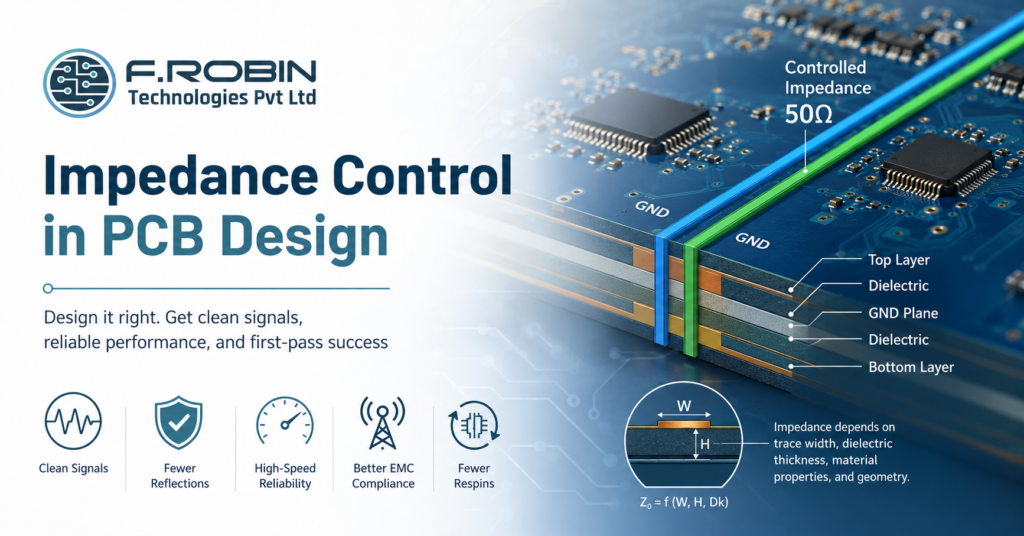
Impedance control is one of the most important — and most misunderstood — topics in PCB design. As signals get faster, the copper traces carrying them start to behave like transmission lines, and their impedance directly affects whether data arrives cleanly or arrives corrupted. Get impedance control right in your PCB design, and high-speed interfaces just work. Get it wrong, and you face reflections, noise, and failures that are painful to debug. This guide explains impedance control in plain terms: what it is, why it matters, what affects it, and how to specify it correctly on your fabrication drawing. Whether you are routing DDR memory, USB, PCIe, or Ethernet, controlled impedance is the foundation that keeps those signals reliable. What Is Impedance Control in PCB Design? Impedance control in PCB design is the practice of designing traces so they present a specific, consistent characteristic impedance to the signals they carry — for example, 50 ohms. A controlled-impedance trace behaves like a transmission line, delivering signals without distortion. Characteristic impedance depends on the trace’s geometry and the materials around it. By controlling trace width, spacing, copper thickness, and the dielectric between layers, a designer sets the impedance to a target value. This is why controlled impedance is a stack-up decision as much as a routing one. In everyday PCB design, you do not control impedance on every trace — only on the high-speed nets that need it. Identifying those nets early, and designing them as controlled-impedance lines, is the heart of impedance control. Why Impedance Control Matters Impedance control matters because mismatched impedance causes signal reflections. When a fast signal meets a change in impedance, part of its energy bounces back, distorting the waveform. At high speeds, those reflections corrupt data and cause intermittent, hard-to-find failures. Good impedance control in your PCB design delivers real benefits: The faster your edges, the more impedance matters. For modern interfaces, controlled impedance is not optional it is the difference between a board that works and one that fails unpredictably. What Affects PCB Impedance? Several physical factors set a trace’s impedance. Understanding them is essential to good PCB design. Because these factors interact, impedance is calculated from the whole stack-up, not from trace width alone. This is also why the multilayer PCB stack-up you choose directly determines which impedances you can achieve. Single-Ended vs Differential Impedance There are two impedance types you will specify in PCB design. Single-ended impedance describes one trace referenced to a ground plane — common for clocks and simple signals. Differential impedance describes a pair of traces carrying equal and opposite signals, used for high-speed interfaces like USB and PCIe. Differential pairs need both the right individual impedance and the right coupling between the two traces. Therefore, spacing matters as much as width. Getting the pair geometry right keeps the differential impedance on target and the signals balanced. Common Impedance Values Most high-speed interfaces target standard impedance values. The table lists common ones. Signal Type Typical Impedance Single-ended (general) 50 Ω USB differential 90 Ω PCIe / Ethernet differential 100 Ω DDR (varies by standard) 40–50 Ω (single-ended) How to Specify Controlled Impedance Correctly Specifying impedance correctly is where many PCB design projects slip. To get it right, your fabrication drawing should clearly state: Crucially, let your manufacturer adjust trace widths to hit the target on their actual stack-up. Fabs build to slightly different materials, so a good practice is to specify the impedance and let them tune the geometry. A clean handoff to PCB manufacturing ensures the impedance you designed is the impedance you receive. Impedance and Simulation Simulation confirms that your impedance choices will work before you build. Pre-layout simulation explores stack-up and topology options, while post-layout simulation verifies the routed design against its targets. For demanding boards, pairing impedance control with high-speed PCB analysis catches reflections, crosstalk, and timing issues early. This pre/post layout simulation workflow turns impedance from a hopeful guess into a verified result — and it is far cheaper than discovering a problem after fabrication. For complex high-speed designs, dedicated signal integrity analysis is the gold standard. Where Impedance Control Fits in the PCB Design Flow Impedance control is not a final step you bolt on at the end — it threads through the whole PCB design flow. It starts at the requirements stage of PCB design, when you identify which interfaces are high-speed and what impedance each one demands. It continues into stack-up design, where dielectric thicknesses and reference-plane positions set what impedance is even achievable. During layout, you route the controlled nets first, holding trace width and spacing steady so the impedance stays on target. Finally, you verify with simulation and impedance coupons. Treating impedance as a thread running through your PCB design — rather than an afterthought — is what separates boards that work the first time from those that need a costly respin. Best Practices for Impedance Control Apply these practices in your PCB design: Following these keeps your controlled-impedance design accurate and manufacturable. They also tie directly into the broader printed circuit board design workflow. Common Mistakes to Avoid Watch for these frequent impedance errors: Avoiding these keeps your PCB design reliable and your high-speed signals clean. Conclusion Impedance control is a cornerstone of reliable high-speed PCB design. By designing controlled-impedance traces, pairing them with solid reference planes, and specifying the target impedance and tolerance on your fabrication drawing, you keep fast signals clean and avoid costly reflections and respins. Remember that impedance comes from the whole stack-up — so plan it early and verify it with simulation and coupons. Need Controlled Impedance PCB Design? Designing a high-speed board that requires controlled impedance? Our PCB layout design services cover stack-up planning, impedance control, and high-speed signal integrity analysis from concept to manufacturing. Partner with our engineering team to ensure reliable performance, clean signal transmission, and first-pass success. Talk to Our Engineering Team → Frequently Asked Questions 1. What is impedance control in PCB design? Impedance control in PCB design
