
Circuit Board Production at Scale: Planning for Volume
Moving circuit board production from a comfortable pilot batch to real volume exposes problems that never showed up at small scale. Yield that looked fine on 50 boards can quietly erode margins on 50,000. A panel layout that worked for a prototype run can become a bottleneck once a line needs to run continuously. Planning for volume is a different discipline than planning for a prototype, and treating it as the same thing is where many scale-ups go wrong. This guide walks through what actually changes when circuit board production moves to volume yield, panelization, capacity, and ramp strategy — and how to plan for each before you commit to a production run. Whether you are scaling your first product or your tenth, these fundamentals keep the transition predictable instead of chaotic, and they apply whether you manufacture in-house or through a contract partner. What Changes at Volume At prototype scale, circuit board production tolerates inefficiency. A slightly wasteful panel layout, a manual inspection step, or a modest defect rate barely registers across ten or twenty boards. At real volume, every one of those inefficiencies multiplies, and small percentage-point problems become significant costs. The shift is really about what you optimize for. Prototype production optimizes for speed and flexibility, accepting higher per-unit cost. Volume circuit board production optimizes for consistency, cost per unit, and throughput, which requires planning decisions — panel layout, test coverage, capacity allocation — that simply were not worth making at small scale. None of this means volume production is riskier than prototyping — it simply rewards different preparation. Teams that plan deliberately for the shift tend to scale smoothly, while teams that assume the prototype process will simply keep working at ten times the volume are the ones who run into trouble. Yield: The Metric That Drives Everything Yield — the percentage of boards that pass inspection and test without defects — is the single number that most directly determines the economics of circuit board production at volume. A yield drop from 98% to 94% sounds small, but across a run of 50,000 boards it means 2,000 additional failed units, each carrying wasted material, labour, and lost throughput. Yield at volume depends on factors that barely matter at prototype scale: process stability across long runs, incoming material consistency, and how well the design tolerates the small variations inherent in any high-volume process. This is why a design that passed prototype testing cleanly can still reveal yield problems once it runs continuously for weeks rather than hours. Track yield from the very first volume batches, not just at the end of a ramp. Early yield data reveals process or design issues while they are still cheap to fix, rather than after a full production run has already been committed. Panelization Strategy Panelization — how individual boards are arranged on a larger manufacturing panel — has a much bigger cost impact at volume than it does for a handful of prototypes. A layout that wastes 15% of panel area barely matters for ten boards, but at 50,000 units it means paying for thousands of boards’ worth of unused material. Good panelization for circuit board production balances several factors: maximizing usable panel area, maintaining adequate spacing for de-panelization, and keeping the panel compatible with your assembly line’s handling equipment. These trade-offs are worth real engineering time once volume is confirmed, even if the prototype panel layout was designed quickly. Revisit your panel design specifically for the volume stage rather than assuming the prototype panelization is good enough. A panel optimized late, after volume is already running, means re-tooling costs that a bit of upfront planning would have avoided. Capacity Planning Capacity is the ceiling on how much circuit board production a given line, shift pattern, or supplier relationship can actually deliver. Confirming that ceiling before you commit to a volume forecast prevents the common mistake of promising a delivery schedule that the manufacturing capacity simply cannot support. Capacity planning covers more than just “how many boards per day.” It includes component lead times and allocation, test equipment throughput, and how much spare capacity exists for handling defects, rework, or unexpected surges in demand. A line running at 100% nominal capacity has no room to absorb a supply hiccup or a yield dip without missing delivery dates. Build a capacity buffer into your plan rather than assuming everything runs at the theoretical maximum. Real production always includes some friction, and planning as if it will not is one of the most common causes of missed volume targets. Ramp Strategy: Getting to Full Volume A ramp is the staged process of increasing circuit board production from initial low-volume runs up to full target volume, rather than jumping straight from prototype to maximum output. A well-planned ramp validates yield, process stability, and supply chain readiness at each stage before committing to the next. A typical ramp moves through several checkpoints: an initial pilot run to confirm the process, a low-volume production run to validate yield and panelization at real scale, then a series of step-ups toward full volume as confidence builds. Skipping stages to hit a deadline is the single most common cause of expensive volume-stage failures. Set clear yield and quality gates at each ramp stage, and do not advance to the next stage until those gates are met. This discipline is what separates a controlled ramp from a rushed one that discovers its problems only after full volume is already committed. A Volume Planning Checklist Working through this checklist before committing to a production schedule catches most volume-stage problems while they are still cheap and easy to fix. Common Scale-Up Mistakes Every one of these mistakes is avoidable with the planning steps above — the cost is almost always smaller before volume begins than after. Key Takeaways Conclusion Planning circuit board production for volume is a different discipline than running a prototype, built around yield, panelization, capacity, and a staged ramp rather than speed alone. Confirm yield with real
How to Choose a PCB Manufacturer: 10 Questions to Ask
Choosing the wrong PCB board manufacturer costs more than a bad quote — it costs respins, missed deadlines, and boards that fail in the field. Yet many buyers still choose on price alone, only discovering gaps in certification, capability, or communication after the first bad batch arrives. This checklist gives you 10 direct questions to ask any PCB board manufacturer before you commit. Answered honestly, they reveal whether a candidate is a capable, reliable partner or a risky bet. Whether you are sourcing locally in Chennai or comparing printed circuit board manufacturers across India, these questions apply — and they work just as well over a video call as they do in person. Why These Questions Matter A quote tells you the price. It does not tell you whether a PCB board manufacturer can actually hold your tolerances, pass your required IPC class, or hit the lead time your project depends on. Those answers only surface when you ask directly — and by the time a gap shows up in a failed batch, it has already cost you time and money. Asking the right questions up front turns a leap of faith into an informed decision. The 10 questions below cover the areas that separate a genuinely capable pcb company from one that simply looks capable on a website. Treat this less like a formality and more like a structured interview. The goal is not to catch anyone out — it is to give a genuinely strong PCB board manufacturer the chance to demonstrate exactly why they deserve your business, with specifics rather than a generic sales pitch. The 10 Questions to Ask a PCB Board Manufacturer 1. Which IPC class do you build to? Every PCB board manufacturer should state clearly whether they build to IPC Class 2 (general electronics) or IPC Class 3 (high-reliability, such as medical, aerospace, or defence). A vague answer here is an early warning sign 2. What certifications do you hold? Ask for ISO 9001, UL listing, and RoHS/REACH compliance as a baseline. Certifications aren’t just paperwork they signal a documented, repeatable quality system rather than an informal process. 3. What board types and complexity can you handle? Confirm they routinely build your required layer count, material, and any advanced features like HDI or controlled impedance not just that they technically “can” do it once. 4. Do you perform a DFM review before production? A design-for-manufacturability review before your board goes into production catches issues like tight clearances or undersized traces before they become expensive mistakes 5. What is your typical lead time, and how is it affected by complexity? Get a specific answer for boards similar to yours, not a generic “it depends.” Ask how much complexity, layer count, or finish choice moves that number. 6. Can you scale from prototype to production volume? A capable pcb board manufacturer supports you from a five-board prototype run through a five-thousand-board production order, without forcing you to re-qualify a new vendor partway through 7. What quality checks happen before shipping? Ask specifically about electrical test coverage, AOI (automated optical inspection), and any X-ray inspection for hidden joints. “We check everything” is not a real answer. 8.Can you share references or examples of similar boards? A manufacturer confident in their work will readily point to comparable projects. Reluctance here often means they haven’t actually built anything like what you need. 9. How do you handle a defect or a failed batch? Ask about their process for identifying root cause, remediation, and any replacement or credit policy. This question reveals how they behave when something goes wrong, which matters more than how they behave when everything goes right. 10. What does your pricing actually include? Clarify whether the quoted price includes tooling, testing, and any NRE charges, or whether those appear later as extras. Transparent pricing from the start is a strong signal of a trustworthy pcb company. Reading the Answers: What Good Looks Like A strong PCB board manufacturer answers every one of these questions specifically, with numbers, standards, and named processes — not generic reassurance. If a candidate hesitates, deflects, or gives a vague answer to more than one or two of these questions, treat that as a signal to keep evaluating other printed circuit board manufacturers before committing. Score each candidate against all 10 questions rather than relying on a single strong impression from the sales conversation. The pattern across all 10 answers tells you far more than any one of them alone. Keep written notes on each PCB board manufacturer’s answers rather than relying on memory, especially if you are comparing more than two or three candidates. A simple scorecard makes the final decision far more objective. Local Sourcing: Chennai and Make in India If you are searching for pcb manufacturers near me in Chennai, these same 10 questions apply — plus one practical advantage. A local PCB board manufacturer in Chennai, sitting within Tamil Nadu’s deep electronics manufacturing ecosystem, offers faster communication, easier site visits, and a shorter supply chain than a distant or overseas vendor. Sourcing through a Make in India PCB service also reduces the tariff, shipping, and IP risks that come with sending sensitive design files overseas. For many South India businesses, a well-vetted local pcb company delivers the best combination of quality, speed, and cost — provided you still ask all 10 questions rather than choosing on proximity alone. Proximity is a genuine advantage, but it is not a substitute for diligence. A nearby PCB board manufacturer that fails several of the 10 questions is still a worse choice than a slightly further one who answers all of them well. Quick Reference Table Use this table to score any PCB board manufacturer at a glance across the four core areas these questions test. Area What to look for Questions Certifications ISO 9001, UL, RoHS/REACH 2 IPC class & capability Stated class, layer count, HDI/impedance 1, 3 Process discipline DFM review, quality checks, defect handling 4, 7, 9
How to Choose a Recruitment Firm for Niche/Hard-to-Fill Roles
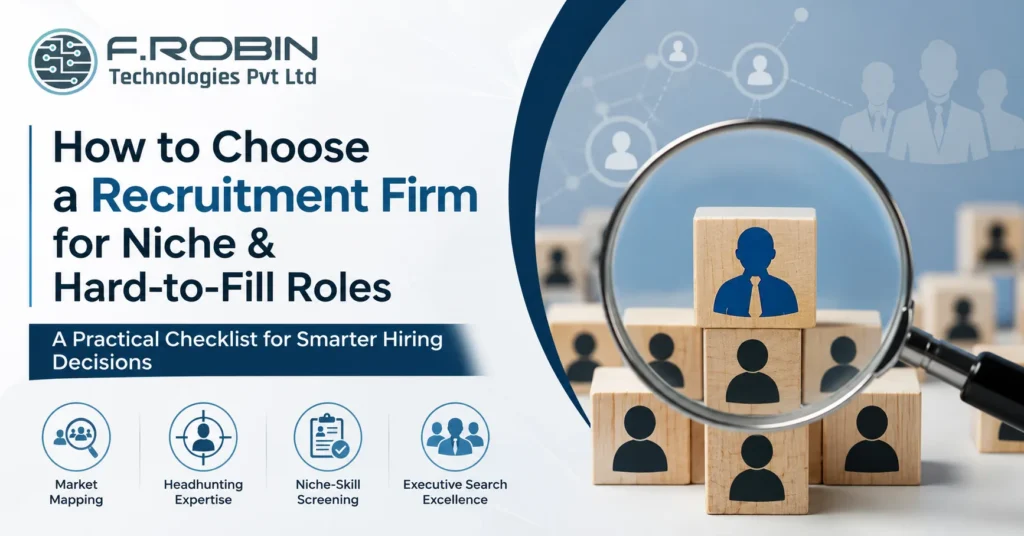
Filling a niche or hard-to-fill role exposes the gap between an ordinary recruitment firm and a genuinely capable one almost immediately. Generic sourcing, job-board postings, and keyword-matched resumes work fine for common roles, but they fall apart the moment you need a rare combination of skills, a scarce certification, or a candidate who is not actively looking at all. This checklist helps you vet a recruitment firm specifically for niche and hard-to-fill roles. We cover what makes these roles different, the capabilities to look for, the questions to ask before you commit, and the red flags that signal a firm is out of its depth. By the end, you will have a clear, repeatable way to evaluate any recruitment firm for your hardest roles one you can reuse the next time a scarce vacancy lands on your desk. Why Niche Roles Need a Different Approach A niche or hard-to-fill role is defined by scarcity: too few qualified people exist, and most of them are not actively job hunting. A recruitment firm built around processing high volumes of active applicants simply has no lever to pull here — there is no pile of resumes to filter, because the candidates who matter are not applying anywhere. This changes what “good” looks like. Speed and volume metrics that work for common roles are the wrong measure for niche hiring. Instead, you need a recruitment firm that can map a scarce market, approach passive candidates directly, and assess specialized skills accurately — capabilities that a generalist, high-volume operation rarely builds. Getting this wrong is costly in a specific way: the role stays open far longer than expected, the firm cycles through the same small pool of active applicants repeatedly, and you eventually restart the search with a different partner months later than necessary. Vetting for niche capability up front avoids that entire cycle. The Checklist: What to Evaluate Score any recruitment firm against this list before you commit, and you avoid the common mistake of judging a specialist search by generalist criteria. Market Mapping Capability Market mapping is the process of identifying every credible candidate in a niche field, not just the ones who happen to be looking. A recruitment firm doing this well builds a real picture of who holds the skill, where they work, and how the market is structured, before a single approach is made. Ask any firm to describe their market mapping process concretely. A strong answer includes research methods, industry sources, and how they keep that map current. A vague answer — “we have a database” — is a sign the firm has not actually built this capability for your specific niche. Headhunting vs Job-Board Sourcing Headhunting means proactively identifying and approaching candidates who are not applying anywhere, often while they are happily employed elsewhere. This is fundamentally different from job-board sourcing, which waits for candidates to come to you. For a hard-to-fill role, a recruitment firm that only knows job-board sourcing will simply run out of candidates fast, because the pool of active applicants in a scarce niche is tiny or nonexistent. Ask directly what percentage of their niche placements come from proactive outreach versus inbound applications — the answer tells you a great deal about their real capability. Niche-Skill Screening Matching keywords on a resume is not the same as verifying a specialized skill. A recruitment firm serious about niche roles invests in technical screening — either in-house expertise, subject-matter partners, or structured technical assessments — to confirm a candidate genuinely has the skill claimed. Without this, you risk a shortlist that looks right on paper but fails the moment real technical depth is tested. Ask how the firm screens for the specific niche skill in your role, and expect a concrete answer, not a general description of their interview process. Executive Search for the Hardest Roles For the scarcest, most senior, or most sensitive niche roles, executive search is often the right model rather than standard recruitment. A retained executive search commits a firm’s dedicated effort to a thorough, confidential search, which matters when the pool of qualified candidates is measured in dozens, not hundreds. When evaluating a recruitment firm for your hardest roles, ask whether they offer retained executive search, and how that process differs from their standard placements. A firm that treats every search the same way — regardless of scarcity — is unlikely to give your hardest role the depth it needs. This distinction matters more than it might first appear, because a contingency search naturally spreads a recruiter’s effort across many open roles at once, while a retained search dedicates real, focused time to yours specifically — a meaningful difference when the candidate pool is this thin. Questions to Ask Before You Commit Clear, specific answers to every question signal a recruitment firm that has genuinely built niche capability. Vague or generic answers are a warning sign worth taking seriously. Comparison: Generalist vs Specialist Firms The table below summarizes how a generalist recruitment firm typically compares with a specialist one for niche and hard-to-fill roles. Factor Generalist firm Specialist niche firm Sourcing method Job boards, inbound applications Market mapping, direct headhunting Skill screening Keyword and resume matching Technical or subject-matter assessment Candidate pool Active job seekers Active and passive candidates Search model Standard contingency Retained executive search when needed Track record Broad, high-volume Deep, niche-specific placements Reading down the table, the pattern is clear: niche and hard-to-fill roles reward depth and proactive reach, which is exactly where a specialist recruitment firm outperforms a generalist one. Red Flags to Avoid If several of these appear, keep looking. A recruitment firm without genuine niche capability will burn time on a search it was never equipped to win. Key Takeaways CTA – Recruitment Firm for Niche/Hard-to-Fill Roles Struggling to Fill a Niche or Scarce Role? Job boards and generic sourcing only go so far for hard-to-fill positions. Our AI Staffing Services combine market mapping, proactive headhunting, and executive search discipline to reach the passive,
In-House Hiring vs Recruitment Agency: Which Is Better?
Every growing company eventually asks the same question: should we hire in-house, or bring in a recruitment agency in India to fill the role? Both paths can get you a great hire, but they differ sharply in cost, speed, and the quality of who walks through the door. Choosing the wrong one for a given role wastes time, money, or both. This comparison breaks the decision down honestly across the three metrics that actually matter: cost-per-hire, time-to-hire, and quality of hire. We also cover when an in-house team wins, when a recruitment agency in India is the smarter choice, and how many companies blend both. By the end, you will know exactly which approach fits your next hire — and just as importantly, which roles might call for the opposite answer next time. What Each Model Means In-house hiring means your own HR or talent acquisition team sources, screens, and closes candidates directly, using internal recruiters, job boards, and referrals. A recruitment agency in India, by contrast, is an external partner that runs some or all of that process on your behalf, drawing on its own networks, tools, and specialist recruiters. Neither model is inherently better. Each trades off cost, speed, and reach differently, and the right choice depends heavily on your hiring volume, the scarcity of the role, and how much internal capacity you already have. It also helps to recognize that this is rarely an all-or-nothing decision at the company level. Most organizations make this call role by role, or team by team, rather than picking one model for every hire they will ever make — and the criteria that follow are meant to be applied at that level of granularity. Cost-Per-Hire Compared In-house hiring carries fixed costs — recruiter salaries, job board subscriptions, and tools — regardless of how many roles you fill in a given month. For high, steady volume, that fixed cost spreads across many hires, often making in-house cheaper per role over time. An external partner typically charges a placement fee, often a percentage of the candidate’s salary, payable only when a hire is made. For occasional or unpredictable hiring, this variable cost avoids paying for idle recruiter capacity between searches. For very high volume, though, agency fees can add up to more than an equivalent in-house team would have cost. The break-even point depends on your specific hiring volume: steady, high-volume hiring favors in-house cost structures, while occasional or specialized hiring usually favors a recruitment agency in India’s pay-per-placement model. Time-to-Hire Compared Speed depends heavily on the role and your internal bandwidth. An in-house team that already knows your culture and hiring bar can move quickly on common roles, especially with a warm referral network. However, if your recruiters are stretched thin across many open roles, time-to-hire can stretch out for weeks. A recruitment agency in India often has a ready pipeline of pre-screened candidates for common role types, letting them present a shortlist faster than a stretched internal team could build one from scratch. For scarce or specialized roles, an external partner’s existing relationships with passive candidates can meaningfully cut time-to-hire compared with starting a search from zero internally. In short, whichever side has spare capacity and existing relevant candidates ready to go will usually win on speed for a given role. Quality of Hire Compared Quality of hire depends less on which model you choose and more on how rigorously either side assesses candidates. An in-house team’s advantage is deep cultural knowledge — they know exactly what has worked and failed before, and can calibrate to that fit precisely. A skilled recruitment agency in India brings a different advantage: broad pattern recognition across many companies and roles, plus structured assessment methods refined over many placements. The best agencies also carry accountability through replacement guarantees, which is a useful signal of confidence in their own quality of hire. In practice, quality tends to track the rigor of the process — structured interviews, real assessments, and clear success criteria — more than whether that process runs in-house or through an external partner. Side-by-Side Comparison The table below summarizes how in-house hiring and a recruitment agency in India compare across the three core metrics. Metric In-house hiring Recruitment agency in India Cost structure Fixed (salaries, tools) Variable (per placement) Best for volume Steady, high volume Occasional or variable volume Speed Fast if capacity exists Fast via ready pipelines Best for scarce roles Limited reach Strong for passive, scarce talent Cultural fit knowledge Deep, built over time Learned through close briefing Accountability Internal ownership Often backed by replacement guarantee Reading down the table, the pattern is clear: an in-house team wins on steady, high-volume, culturally nuanced hiring, while an external partner wins on speed, reach, and flexibility for variable or scarce roles. When In-House Hiring Wins For companies with these conditions, in-house hiring usually delivers the best long-term cost and control, and the investment in building that internal capability compounds with every subsequent hire. When a Recruitment Agency Wins In these situations, a recruitment agency in India often delivers a better outcome per rupee spent than trying to force an ill-suited internal search, especially when the role is too rare or too urgent for an internal team to reasonably absorb. The Cost of Getting This Decision Wrong It is worth pausing on what happens when the model does not fit the role. Forcing every hire through an internal team that lacks time or reach means roles sit open for months, hurting the business far more than any recruiter salary would have cost. Conversely, routing every single hire — including common, high-volume roles — through an external partner can quietly erode margins that in-house hiring would have protected. The companies that get the most value treat this as an ongoing calibration, not a one-time policy. They revisit the mix periodically as hiring volume, role mix, and internal capacity shift over time, rather than locking in one answer indefinitely. A Hybrid Approach Many growing companies do
Should You Outsource Mechanical Design or Keep It In-House?
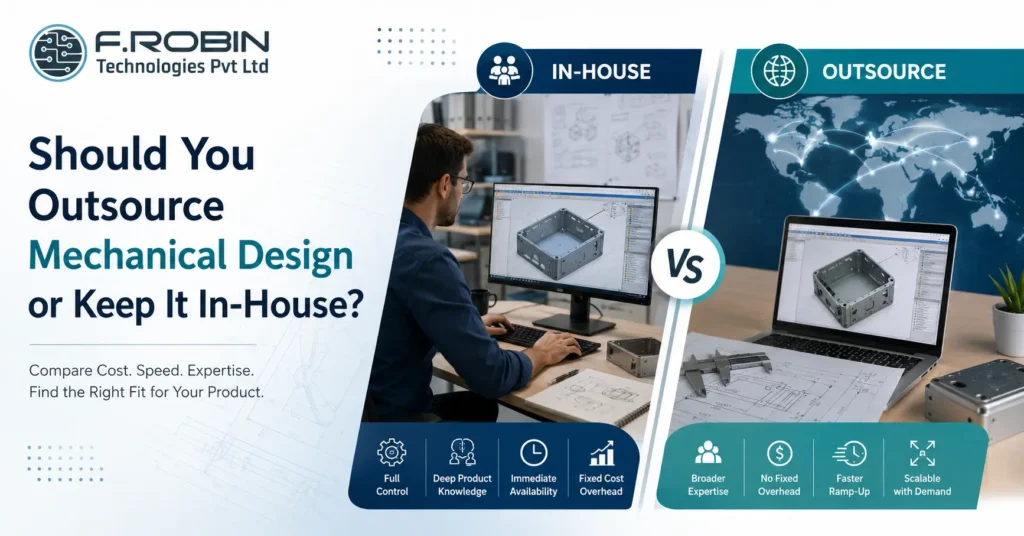
Every electronics company eventually faces the same question: should you hire a mechanical engineer in-house, or outsource mechanical design to an external partner? Both paths can produce a great enclosure the difference lies in cost, speed, flexibility, and how the decision fits your specific stage and workload. This decision guide compares the two options honestly, covering cost, speed, expertise, and control. We also look at how the right answer shifts depending on whether you are a startup in Chennai, a scaling product company in Bangalore, or an established manufacturer with steady mechanical work. By the end, you will know which path or which blend of both fits your situation. The Quick Answer Whether you outsource mechanical design or hire a mechanical engineer in-house depends mainly on your workload and stage. Steady, high-volume mechanical work usually justifies an in-house hire; variable, occasional, or specialized work is usually cheaper and faster to outsource. Neither choice is universally right. A Chennai hardware startup with one enclosure to design has very different needs from a Bangalore product company running continuous mechanical development across multiple lines. The rest of this guide breaks down exactly how to tell which situation you are in. In-House Mechanical Design: Pros and Cons Hiring a mechanical engineer in-house means building internal capability you control directly. Here is what that gets you — and what it costs. Pros: Cons: In-house mechanical design pays off when workload is steady enough to keep the role busy and productive year-round. Outsourcing Mechanical Design: Pros and Cons Choosing to outsource mechanical design means engaging an external partner for the work, paying per project or on a flexible arrangement. Here is the trade-off. Pros: Cons: For many companies, especially with variable workload, choosing to outsource mechanical design reduces both cost and risk compared with a full-time hire. Cost Comparison Cost is rarely as simple as comparing a salary to an hourly rate. An in-house engineer costs salary plus benefits, tools, software licenses, and management overhead — payable every month, whether or not there is enough work to fill their time. Choosing to outsource mechanical design converts that fixed cost into a variable one: you pay for the enclosure design you need, when you need it, with no idle-time cost. For a company with one or two projects a year, outsourcing is almost always cheaper. For a company running constant mechanical development across many products, an in-house hire can become more cost-effective once workload is high and steady enough to justify the fixed cost. The break-even point depends on your specific volume, but as a rule of thumb: intermittent work favours outsourcing, and continuous work favours hiring. Side-by-Side Comparison Factor In-house engineer Outsource mechanical design Cost structure Fixed (salary + overhead) Variable (per project) Best for Steady, continuous workload Intermittent or variable workload Expertise breadth Limited to the hire Broad, across many projects Ramp-up time Hiring cycle required Immediate Control High, direct Moderate, via clear briefs Scalability Limited by headcount Flexible with demand Reading across the rows, the pattern is clear: steady, predictable work favours hiring; variable, bursty work favours outsourcing mechanical design. When to Hire a Mechanical Engineer In-House Hiring in-house makes the most sense when: For an established company in Chennai or Bangalore with a steady product pipeline, an in-house hire can become the backbone of ongoing mechanical development. When to Outsource Mechanical Design Choosing to outsource mechanical design is usually the better choice when: For most early-stage hardware companies including many building in Chennai and Bangalore’s growing startup scenes choosing to outsource mechanical design gets a working enclosure built faster and cheaper than hiring would. A Hybrid Approach Many companies do not choose one path exclusively they blend both. A small in-house team handles day-to-day product knowledge and quick iterations, while an external partner is brought in for peak workload, specialized skills, or a first product line. This hybrid model captures the best of both: the control and continuity of an in-house presence, plus the flexibility and depth of an external partner when you need it. It is especially common among growing companies that started by choosing to outsource mechanical design entirely, then added in-house capability as volume grew. A Concrete Example Picture two companies. A three-person hardware startup in Chennai needs one enclosure designed for its first product launch. Hiring a full-time mechanical engineer would burn scarce runway on a role that sits idle after the design is done so choosing to outsource mechanical design to a specialist partner gets a professional result in weeks, at a fraction of the cost of a salaried hire. Now picture a scaling product company in Bangalore shipping four new devices a year, each needing ongoing mechanical iteration, tooling support, and field fixes. Here, an in-house mechanical engineer earns their keep every month, building deep product knowledge that an outsourced partner would have to relearn on every project. The same decision, applied to two different situations, produces two very different and equally correct answers. Key Takeaways CTA – Outsource Mechanical Design Should You Outsource Mechanical Design or Hire In-House? Weighing the decision for your product? Our Mechanical Engineering Services give Chennai and Bangalore hardware companies flexible, outsourced mechanical design — from a single enclosure to ongoing product development. Whether you need a one-off design or a long-term partner, we help you scale mechanical work without the overhead of a full-time hire. Explore Mechanical Design Services Talk to Our Engineering Team FAQ – Should You Outsource Mechanical Design or Keep It In-House? Frequently Asked Questions
Sheet Metal vs Die-Cast vs Plastic Enclosure: How to Choose
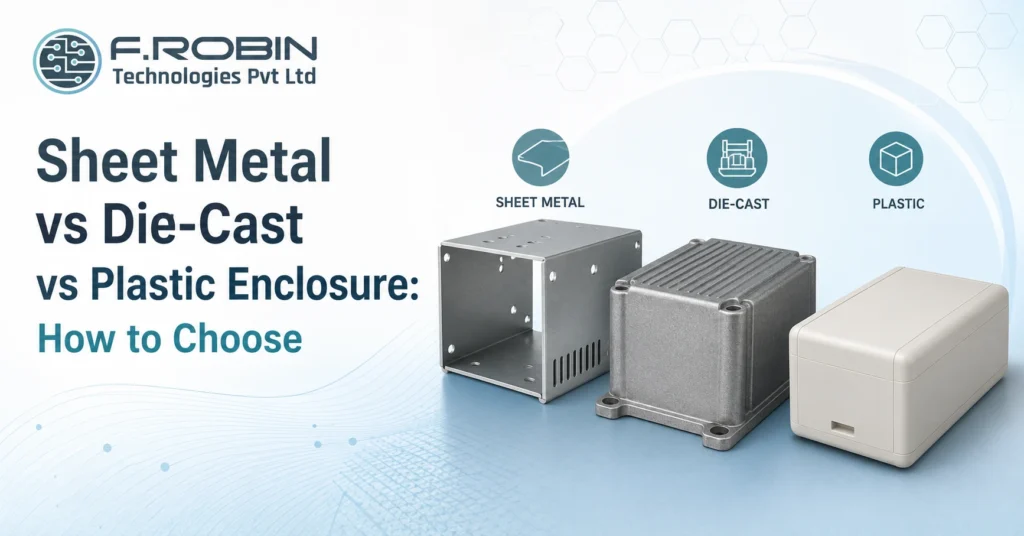
Every enclosure material comparison — sheet metal vs die-cast vs plastic — eventually comes down to the same three contenders: sheet metal, die-cast metal, and plastic. Each has real strengths, and picking the wrong one costs you money, schedule, or reliability. A sheet metal enclosure might be perfect for a low-volume industrial unit, while a plastic enclosure suits a high-volume consumer product — and neither would be right for a compact, high-shielding RF product that calls for die-cast. This guide walks through the trade-offs of sheet metal, die-cast, and plastic so you can make this enclosure material comparison with confidence. We cover cost, strength, EMI shielding, thermal performance, tooling, and volume for each material, then give you clear rules for which to choose — whether you are building in Chennai, Bangalore, or anywhere else. The Quick Answer: Enclosure Material Comparison In short: choose a sheet metal enclosure for low-to-mid volume, ruggedness, and easy modification; choose a die-cast enclosure for high shielding, strength, and thermal performance in demanding environments; choose a plastic enclosure for high volume, low cost, and design freedom. No single material wins every enclosure material comparison the right choice depends on your volume, environment, and budget. The sections below break down each option so you can match it to your specific product. Sheet Metal Enclosures In this enclosure material comparison, a sheet metal enclosure is formed from bent and welded metal panels — typically steel or aluminium. It is a strong, practical choice across many industrial and instrumentation products. Strengths: Limitations: Sheet metal suits products where volume is moderate, ruggedness matters, and the design may still evolve. It remains a workhorse choice across mechanical enclosure design for exactly these reasons. Die-Cast Enclosures For the next step in this enclosure material comparison, a die-cast enclosure is formed by injecting molten metal usually aluminium or zinc into a mould. It delivers the highest strength and shielding of the three options, at a higher tooling cost. Strengths: Limitations: Die-cast is the right call when a product needs rugged strength, superior shielding, or strong thermal performance think RF equipment, automotive electronics, or premium instrumentation and volume is high enough to justify the mould. Plastic Enclosures Rounding out this enclosure material comparison, a plastic enclosure is typically injection-moulded, offering the lowest per-unit cost at high volume and the greatest design freedom. Strengths: Limitations: Plastic is the natural choice for consumer electronics, wearables, and any high-volume product where cost and design freedom outweigh the need for inherent shielding or ruggedness. Side-by-Side Comparison The table below summarizes this enclosure material comparison at a glance. Factor Sheet metal Die-cast Plastic Tooling cost Low High High Best volume Low–mid Mid–high High EMI shielding Good (native) Excellent (native) Poor (needs coating) Strength Good Excellent Moderate Thermal performance Good Excellent Poor–moderate Design freedom Limited Moderate High Weight Heavier Heaviest Lightest Typical use Industrial, instrumentation Rugged, RF, premium Consumer, high-volume Reading across the rows, each material clearly wins on different axes — which is exactly why matching the material to your specific priorities matters more than picking a “best” one. Key Decision Factors in Your Enclosure Material Comparison Beyond the table, weigh these factors specifically for your product: Weighing these together, rather than any single factor alone, produces the right answer for your specific product. A Decision Framework Use these steps to make your enclosure material comparison concrete: Following this framework turns a subjective debate into an evidence-based decision and a prototype run is the cheapest way to validate your choice before locking in tooling. Common Mistakes to Avoid Watch for these frequent errors when choosing between materials: Avoiding these keeps your enclosure material comparison grounded in your product’s real needs, not assumptions. Local Manufacturing Considerations Your material choice also interacts with what is easy to source locally. In hubs like Chennai and Bangalore, sheet metal fabrication and die-casting have strong, established local supply chains, thanks to the region’s automotive and industrial manufacturing base. Plastic injection moulding is equally well served, particularly for high-volume consumer work. Before finalizing this enclosure material comparison for your product, ask prospective manufacturing partners in your target city which materials and processes they run in-house versus subcontract. A material that is straightforward to source and tool locally will usually mean shorter lead times and easier iteration a real, practical factor alongside the technical trade-offs already discussed. Key Takeaways CTA – Enclosure Material Comparison Not Sure Which Enclosure Material Is Right for You? Weighing sheet metal, die-cast, or plastic for your product? Our Mechanical Engineering Services help Chennai and Bangalore hardware companies choose and design the right enclosure material — balancing cost, EMI shielding, strength, and volume — from concept all the way through production. Explore Mechanical Design Services Talk to Our Engineering Team FAQ – Sheet Metal vs Die-Cast vs Plastic Enclosure Frequently Asked Questions
Best Recruitment Company in India: How to Choose the Right Partner

There is no single best recruitment company in India for every business the right partner depends on your industry, your roles, and how you hire. What matters is knowing exactly how to evaluate one, so you can find the best fit for your specific needs rather than chasing a generic ranking. A great match for a Chennai manufacturing firm looks very different from a great match for a Bangalore deep-tech startup which is exactly why the best recruitment company in India for one business can be the wrong choice for another. This buyer’s guide gives you that evaluation framework. We cover the criteria that actually predict success domain expertise, talent acquisition capability, time-to-hire, and success rate the red flags to avoid, and how location factors into your choice. By the end, you will know how to choose the right recruitment partner, wherever you are hiring in India.Why “Best” Depends on Fit Why “Best” Depends on Fit Searching for the best recruitment company in India often assumes a single right answer exists. In reality, the best fit depends heavily on your industry, your role types, your hiring volume, and your location. A firm that excels at high-volume IT staffing may be the wrong choice for scarce semiconductor talent, and a partner strong in Bangalore’s tech scene may have little reach in Chennai’s manufacturing base. Rather than searching for a universal answer, treat this as a matching exercise: define what you need, then evaluate candidates against those specific requirements. The sections below give you the criteria to do exactly that. Core Evaluation Criteria When comparing candidates for the best recruitment company in India, focus on evidence, not marketing claims. Prioritise: A firm that scores well across these criteria is a strong candidate regardless of general reputation. This is a far more reliable test than any “best of” list. Domain Expertise Matters Most Of all the criteria, domain expertise separates a generic agency from the best recruitment company in India for your specific field. A recruiter who understands the difference between a design engineer and a verification engineer will source and screen far more effectively than one treating every technical role as interchangeable. This matters even more for scarce or technical talent — semiconductor, EMS, AI, and engineering roles rarely respond to generic sourcing. A partner with deep talent acquisition capability in your specific field builds pipelines and relationships that a broad, generalist agency simply cannot match. When evaluating any candidate for the best recruitment company in India, ask pointed, technical questions about your field. Vague or generic answers are a clear signal to keep looking. Time-to-Hire and Success Rate Beyond expertise, two metrics reveal how well a partner actually performs: time-to-hire and success rate. Ask any candidate for the best recruitment company in India for both numbers, ideally for roles similar to yours. A partner who shares this data confidently, with context, is usually more trustworthy than one who avoids the question. Together, these metrics tell you far more than a generic pitch ever will. Recruitment Models to Expect The best recruitment company in India should offer more than one hiring model, because your needs will vary by role and by stage: Model Best for Permanent staffing Core, long-term roles Contract staffing Project work, flexible scaling RPO High-volume, ongoing hiring Executive search Senior, scarce leadership roles A firm offering all four can support you as your hiring needs evolve, without forcing a new vendor search every time your requirements shift. For a closer look at these models, see our guide to recruitment services. Evaluating Local vs National Partners Location shapes what “best” looks like too. The best recruitment company in India for a Chennai-based business often has strong local roots, understanding the manufacturing, electronics, and engineering talent base, and can move quickly on local roles. A Bangalore-focused partner, by contrast, typically has deeper reach into tech, software, and semiconductor talent. For companies hiring across multiple cities, weigh whether you need one national partner or specialists in each hub. Many businesses find a hybrid works well: a strong local partner for their primary base — say, Chennai — supplemented by a specialist for scarce skills concentrated elsewhere, like Bangalore’s chip-design talent. Neither approach is universally “best” — it depends on where your roles and your talent pools actually sit. A Vetting Checklist Use this checklist to evaluate any candidate for the best recruitment company in India before you commit: A firm that answers every item clearly is a strong candidate. Gaps or vague answers are worth investigating further before you sign. Red Flags to Avoid Watch for these warning signs when comparing recruitment partners: If several of these appear, keep looking. The cost of a poor recruitment partner shows up later, in slow hires and weak placements. Key Takeaways There is no universal best recruitment company in India — fit depends on your industry, roles, and location. Evaluate on domain expertise, talent network, process quality, track record, flexibility, and transparency. Domain expertise is the single biggest differentiator for technical and scarce roles. Ask for time-to-hire and success rate data, not just a generic pitch. Strong partners offer permanent, contract, RPO, and executive search as your needs evolve. Weigh local expertise (Chennai, Bangalore, or elsewhere) against national reach based on where your roles sit. Conclusion The best recruitment company in India for your business is the one that matches your industry, your roles, and your locations not the one at the top of a generic list. Evaluate on domain expertise, talent network, transparent time-to-hire and success rate data, and the flexibility to support permanent, contract, RPO, and executive search as your needs evolve. Do that, and you will find the right partner, whether you are hiring in Chennai, Bangalore, or across India. Build a Stronger Workforce with AI Staffing Hiring for technology, semiconductor, EMS, engineering, or AI roles? Our AI Staffing Services combine domain expertise, AI-assisted candidate matching, and proven talent acquisition to help you hire professionals who perform, stay, and grow with
Permanent Staffing: How to Improve Quality of Hire
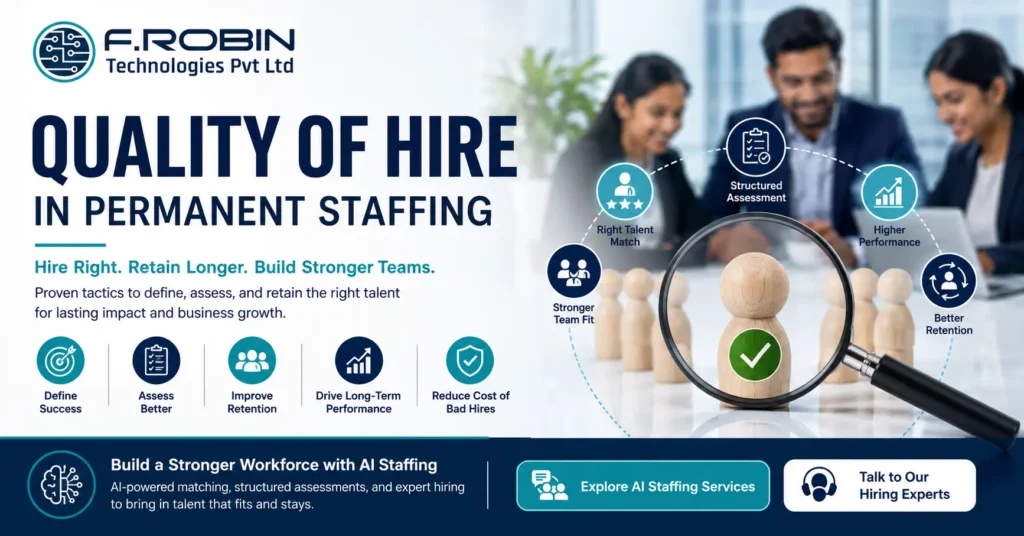
Quality of hire is the single metric that matters most in permanent staffing, yet it is also the hardest to get right. Speed and cost-per-hire are easy to measure; whether someone actually performs, stays, and grows is not. The result is that many companies optimize for the wrong things fast placements over lasting ones and pay for it later in turnover and lost productivity. This guide gives you practical tactics to raise quality of hire in permanent staffing. We cover how to define it, the assessment methods that predict success, the retention practices that protect your investment, and the mistakes that quietly undermine even a well-run process. Whether you hire occasionally or run a constant pipeline, these tactics will help you hire people who genuinely work out. What Is Quality of Hire? Quality of hire measures how well a new employee performs, fits, and stays — not just how quickly the seat was filled. It combines performance ratings, time to full productivity, retention, and manager satisfaction into a single picture of whether a hire actually worked out. This differs sharply from the metrics permanent staffing teams usually track. Time-to-fill and cost-per-hire measure the process; quality of hire measures the outcome. A fast, cheap hire who leaves in six months is a worse result than a slower, costlier one who thrives for years — yet most dashboards reward the former. Getting this right in permanent staffing starts with agreeing what “good” looks like before the search begins, not after the person has started. Why Permanent Staffing Needs to Prioritize Quality of Hire Permanent roles carry long-term consequences that contract placements do not. A weak permanent hire affects the team for years, not months, and the cost of replacing them — sourcing, onboarding, lost productivity — is substantial. Because permanent staffing decisions are hard to reverse cheaply, the bar for quality has to be higher than for short-term placements. A slightly slower process that reliably surfaces the right person beats a fast one that gambles on fit. This is why the tactics below focus on predicting long-term success, not just filling the role. Fixing the Job Requirements Quality of hire is often decided before sourcing even starts — in how the role is defined. Vague or bloated requirements attract the wrong candidates and make good ones hard to spot. Improve this stage by: In permanent staffing, a precise, outcome-focused brief is the foundation every later step builds on — get it wrong, and no amount of clever assessment fixes it. Better Assessment Methods Resume screening and gut-feel interviews are poor predictors of performance. Stronger assessment methods catch what they miss: In permanent staffing, combining two or three of these methods gives a far more reliable signal than any one alone. The goal is evidence of how someone actually works, not how well they interview. Structured Interviews Unstructured interviews — different questions for every candidate, judged on gut feel — are notoriously unreliable. Structured interviews fix this by asking every candidate the same core questions, scored against the same criteria. To structure interviews well: This structure removes much of the noise and bias that erodes results in permanent staffing, and it produces a clear, comparable record for every candidate — useful for both the decision and future calibration. Retention Starts Before Day One Quality of hire is not just about who you select — it is also about whether they stay and thrive. Retention begins well before the first day of work. Build retention into the hiring process itself: A candidate who fully understands the role and feels genuinely matched to it is far more likely to stay and perform. Treating retention as part of selection, not a separate HR task, meaningfully raises quality of hire in permanent staffing. The Cost of Getting It Wrong It helps to see the numbers behind why this matters so much. A failed permanent hire typically costs far more than salary alone once you add sourcing time, onboarding, lost productivity, and the disruption to the team while the role is filled again. Estimates commonly put the true cost of a bad permanent hire at several times their annual salary. That is the real business case for investing in quality of hire. Spending a little more time on requirements, assessment, and structured interviews is trivial next to the cost of repeating the whole permanent staffing cycle for the same role within a year. Treat the extra diligence as insurance, not overhead. Measuring Quality of Hire You cannot improve what you do not measure. Track a combination of indicators over time: Metric What it shows 90-day performance rating Early on-the-job success 1-year retention rate Whether the hire lasted Manager satisfaction score Fit and contribution as perceived by the team Time to full productivity How quickly the hire became effective Promotion / growth rate Longer-term potential realized Review these metrics regularly, and feed what you learn back into your requirements and assessment methods. Over time, this creates a feedback loop that steadily improves permanent staffing outcomes rather than repeating the same mistakes. Common Mistakes That Hurt Quality of Hire Even well-intentioned processes undermine themselves. Watch for these: Avoiding these keeps your permanent staffing process focused on lasting hires, not just filled seats. Key Takeaways Conclusion Improving quality of hire in permanent staffing starts long before the interview — with a precise job brief — and continues through better assessment, structured interviews, and retention built into the process itself. Track the right metrics, feed what you learn back into your process, and resist the pull to optimize for speed alone. The result is fewer bad hires, less turnover, and a team that performs. Build a Stronger Workforce with AI Staffing Looking to improve the quality of your permanent hires? Our AI Staffing Services combine AI-assisted candidate matching, structured assessments, and expert talent acquisition to identify professionals who genuinely fit your organization and stay for the long term. Strengthen your hiring process with a strategic workforce partner. Explore AI Staffing Services
EMI/EMC Compliance Starts in the Enclosure
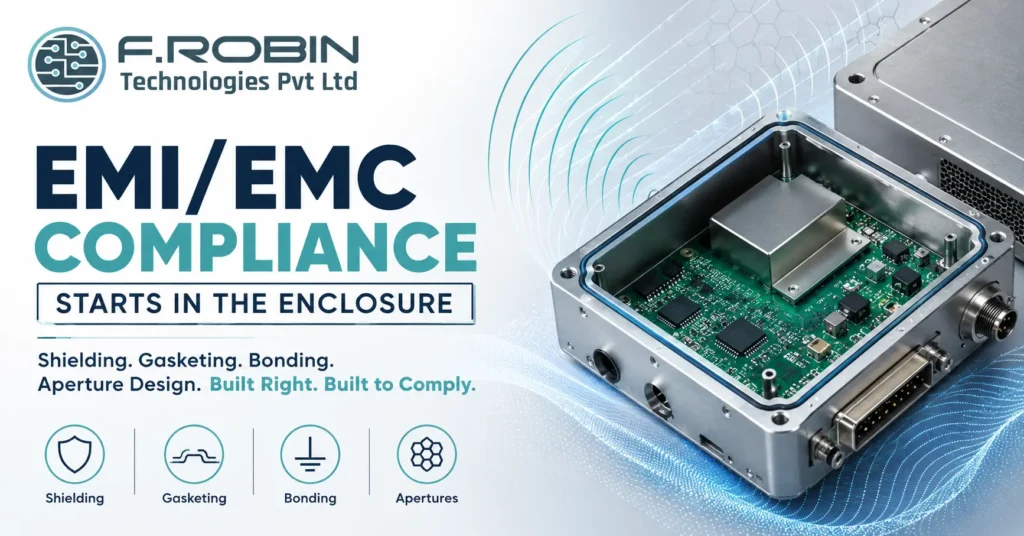
EMI/EMC compliance is too often treated as a test-lab problem something to fix after the board is built and the enclosure is finished. In reality, EMI/EMC compliance starts in the enclosure, long before any product reaches a test chamber. Shielding, gasketing, bonding, and aperture design decide whether your product passes or fails, and retrofitting them after the fact is slow, expensive, and often only partly effective. This guide explains how enclosure design drives EMI/EMC compliance. We cover the mechanical fundamentals shielding, gasketing, bonding, and apertures the standards you need to know, and the best practices that turn compliance from a last-minute scramble into a built-in feature of ruggedized, standards-compliant design. Why EMI/EMC Compliance Starts in the Enclosure Electromagnetic interference does not respect the boundary between board and box. Signals radiate from the PCB, and the enclosure either contains them or lets them escape. That is why EMI/EMC compliance starts in the enclosure: it is the last physical barrier between your electronics and the outside world, and its design decides how much energy gets through. Fixing EMI/EMC problems after a failed test is far harder than designing them out. Adding shielding or gaskets to a finished enclosure often means costly tooling changes, and some fixes simply do not work once the mechanical design is frozen. Building compliance in from the start — through shielding, gasketing, bonding, and careful apertures — is dramatically cheaper and more reliable than debugging it afterward. This is also why EMI/EMC compliance belongs firmly within mechanical enclosure design, not as an afterthought bolted on once the shape is set. Shielding Shielding blocks electromagnetic energy from entering or leaving the enclosure. It is the primary defence in EMI/EMC compliance and the first thing to plan for. Common shielding approaches include: The goal is a continuous conductive boundary with no significant gaps. Every seam, vent, or opening is a potential leak, so shielding effectiveness depends as much on the details seams, joints, and closures as on the base material itself. Gasketing Where two enclosure panels meet, a plain metal-to-metal joint rarely provides consistent contact across its length. Gasketing closes those gaps with a conductive material that maintains electrical continuity along the seam. Common EMI gasket types include: Choosing the right gasket depends on the frequency range, the compression available, environmental sealing needs, and how often the joint will be opened. Gasketing works hand in hand with bonding a gasket without a solid, low-impedance path to ground is far less effective. Bonding and Grounding Bonding creates a low-impedance electrical connection between enclosure parts, ensuring stray currents have a clear path rather than radiating as interference. Poor bonding is one of the most common causes of EMI/EMC compliance failures, because even a well-shielded enclosure leaks if its panels are not properly bonded together. Good bonding practice includes: Because bonding is easy to overlook in a purely mechanical review, it deserves explicit attention during design not just at final assembly. A gap in the bonding path can undo an otherwise well-shielded enclosure. Apertures and Openings Every enclosure needs openings for connectors, displays, vents, and buttons and each one is a potential leak in your EMI/EMC compliance. The size and shape of an aperture, relative to the wavelength of the interference, determines how much energy escapes. Key aperture design principles: Apertures are often the last thing considered and the first thing that causes a compliance failure. Planning them early as part of PCB mechanical integration — avoids surprises late in the project. Standards You Need to Know EMI/EMC compliance is governed by recognized standards, and knowing which apply to your product early shapes your enclosure decisions. Common standards include: Identifying the relevant standard early lets you design the enclosure to the right margin from day one, rather than guessing and hoping. For ruggedized, standards-compliant design, this step is not optional — it defines the whole shielding and gasketing strategy. A Compliance-by-Design Checklist Use this checklist during enclosure design to build in EMI/EMC compliance from the start: Ticking every box before tooling dramatically improves your odds of passing formal testing the first time. Common Mistakes to Avoid Even experienced teams get caught out. Watch for these: Avoiding these keeps your EMI/EMC compliance predictable instead of a last-minute scramble. Key Takeaways Conclusion EMI/EMC compliance starts in the enclosure, not the test lab. Shielding, gasketing, bonding, and thoughtfully designed apertures determine whether a product passes on the first try or bounces back from certification. Identify your target standard early, build compliance into the mechanical design from day one, and you turn a stressful last-minute scramble into a predictable, built-in outcome. Need a Rugged, EMI/EMC-Compliant Product Design? Designing a ruggedized, standards-compliant product? Our Mechanical Engineering Services integrate EMI/EMC compliance into enclosure design from concept through production. We help you develop reliable, manufacturing-ready products that meet demanding industry standards. Explore Mechanical Engineering Services Talk to Our Engineering Team Frequently Asked Questions Why does EMI/EMC compliance start in the enclosure? + The enclosure is the last physical barrier between your electronics and the outside world. Its shielding, gasketing, bonding, and aperture design determine how much electromagnetic energy escapes or enters, making mechanical design a critical part of EMI/EMC compliance long before laboratory testing begins. What is shielding in EMI/EMC compliance? + Shielding creates a continuous conductive barrier using enclosure materials, conductive coatings, or internal shields to prevent electromagnetic energy from entering or leaving the product. What is gasketing used for in EMC design? + Conductive gaskets seal enclosure joints and seams while maintaining electrical continuity. This minimizes EMI leakage through gaps where simple metal-to-metal contact may not provide reliable conductivity. What is bonding in enclosure design? + Bonding provides a low-impedance electrical connection between enclosure panels, connectors, and grounding points, allowing unwanted currents to flow safely to ground instead of radiating as electromagnetic interference. Why do apertures matter for EMI/EMC compliance? + Every opening for connectors, ventilation, displays, or cables can become a source of electromagnetic leakage. Keeping apertures small, properly positioned, grouped, or filtered helps reduce emissions
Mechanical Design Services for Electronics: A Buyer’s Guide
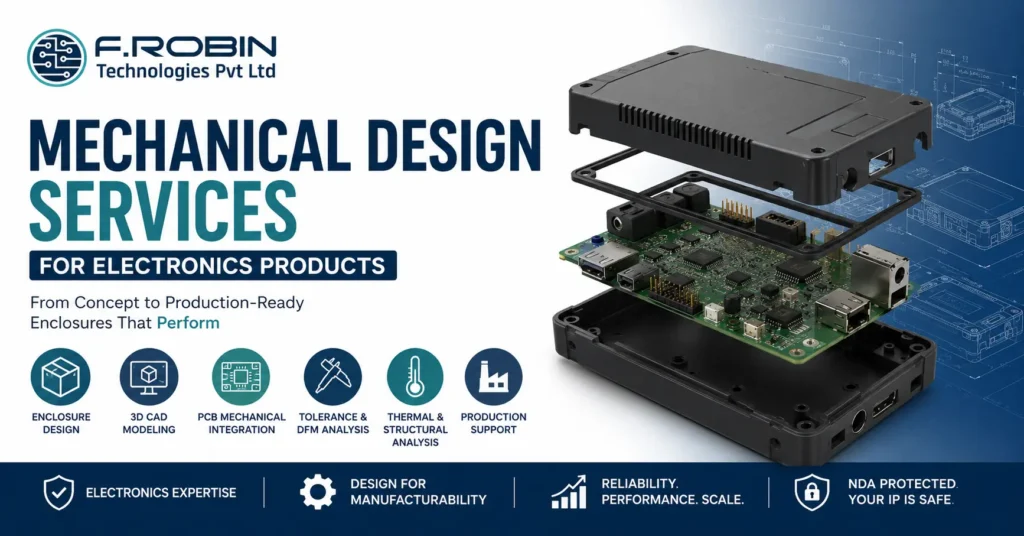
Mechanical design services turn electronic hardware into a real, manufacturable product the enclosure that protects your board, the fit that makes it work, and the tooling that lets you build it at scale. For any electronics company, choosing the right partner shapes cost, reliability, and time-to-market. This buyer’s guide explains what mechanical design services cover for electronics, what to look for in a provider, and how to choose one with confidence whether you are based in Chennai, Bangalore, or anywhere else in India. What Mechanical Design Services Cover For electronics products, mechanical design services span far more than drawing a box. A capable provider delivers: The strongest providers cover this whole scope, giving you end-to-end product development under one roof rather than stitching together separate vendors. Ask which parts stay in-house — the more that does, the smoother your project runs. Why Mechanical Design Matters for Electronics A weak enclosure can undo a brilliant board. Good mechanical design protects your electronics from dust, moisture, shock, and heat, while keeping the product usable and compliant. The cost of getting it wrong is high. Fit clashes force board respins; poor sealing causes field failures; late changes after tooling are slow and expensive. Strong mechanical design services prevent these problems early, when fixes are cheap — protecting both reliability and budget. The enclosure also shapes how customers perceive your product, since it is the part they see and handle every day. The Concept-to-Production Process Most engagements follow a clear path from idea to manufacturable product: Understanding this concept-to-production design flow helps you judge whether a provider’s process is thorough or superficial. For a deeper look at one example, see our guide to electronic enclosure design. What to Look For in a Partner Evaluate any provider of mechanical design services across these areas: A partner strong in these areas will design a product that fits, performs, and can actually be built at your target cost. Location helps too: a partner in Chennai or Bangalore offers shared timezone, easier site visits, and faster review cycles than a distant vendor. Questions to Ask Before You Commit Clear, evidence-backed answers signal a professional partner. Vague ones are a warning sign. Red Flags to Avoid If several appear, keep looking — a weak partner costs far more in respins than careful vetting. Key Takeaways Conclusion Choosing mechanical design services for an electronics product comes down to fit, expertise, and process. Look for a partner who understands electronics, designs the enclosure and PCB as one system, runs tolerance and DFM analysis, and can carry you from concept to production tooling. Get that right, and your product fits, performs, and ships on schedule. Mechanical Engineering Services for Electronics Product Development Building an electronics product in Chennai, Bangalore, or beyond? Our mechanical engineering services cover enclosure design, 3D CAD modeling, PCB mechanical integration, thermal and structural analysis—from concept to production. Partner with experienced engineers to accelerate product development with manufacturing-ready designs. Explore Mechanical Engineering Talk to Our Engineering Team Frequently Asked Questions What do mechanical design services include for electronics? + Mechanical design services include enclosure design, 3D CAD modelling, PCB mechanical integration, tolerance stack-up analysis, material selection, DFM review, structural and thermal analysis, and production support. Why is PCB mechanical integration important? + It ensures the PCB, connectors, and mounting points align perfectly with the enclosure. Designing them together prevents fit clashes that could otherwise result in expensive PCB respins or tooling modifications. What CAD tools do mechanical design services use? + Most engineering teams use professional 3D CAD software such as SolidWorks or PTC Creo and exchange models with PCB design tools using STEP files to keep the enclosure and PCB synchronized. What is tolerance stack-up analysis? + Tolerance stack-up analysis evaluates how manufacturing variations accumulate across assembled components, ensuring reliable fit and preventing gaps, rattles, connector misalignment, or button issues. How much do mechanical design services cost? + Pricing depends on product complexity, thermal and ingress protection requirements, the number of prototype iterations, tooling needs, and production volume. A reliable engineering partner will provide a transparent quotation covering every stage of the project.
