
PCB Fabrication Services: Specs You Must Get Right
Choosing between PCB fabrication services often comes down to a handful of specifications buried in the fabrication drawing and getting any one of them wrong affects cost, yield, or reliability in ways that are hard to undo after the board is built. Copper weight, surface finish, minimum trace and space, and controlled impedance are not boilerplate details; each one is a real engineering decision with real consequences. This explainer walks through the specs that matter most when working with any PCB fabrication services provider, why each one affects your outcome, and how to specify them correctly the first time. Whether you are ordering rigid PCB fabrication services for a simple board or multi-layer PCB fabrication for a complex design, these fundamentals apply and understanding them helps you have a far more productive conversation with any fabricator you are evaluating. Why These Specs Matter More Than They Look A fabrication drawing is easy to treat as a formality — fill in some standard values and move on. But every spec on that drawing directly shapes what PCB fabrication services can actually deliver: how reliable the board is, how consistently it can be manufactured at yield, and how much it costs per unit. Get a spec wrong in either direction and you pay for it. Over-specify — tighter tolerances or finer features than you need — and cost rises with no real benefit. Under-specify, and the board may not perform reliably, or may not even be manufacturable as designed. The sections below cover the specs that matter most, and how to get each one right. Copper Weight Copper weight, measured in ounces per square foot (commonly 0.5oz, 1oz, or 2oz), determines trace thickness and directly affects current-carrying capacity and impedance. Standard PCB fabrication services default to 1oz copper, which suits most general-purpose designs comfortably. Heavier copper (2oz or more) is needed for power circuits carrying significant current, where thinner traces would overheat. Specify copper weight based on your actual current requirements using standard trace-width calculators, not by guessing or defaulting blindly an under-specified copper weight can cause real reliability problems in the field. Surface Finish Surface finish protects exposed copper pads and affects solderability, cost, and shelf life. The three most common options across PCB fabrication services are HASL (hot air solder leveling), ENIG (electroless nickel immersion gold), and OSP (organic solderability preservative). HASL is the lowest-cost, most common finish, suited to standard through-hole and larger-pitch SMT designs. ENIG offers a flat, reliable surface ideal for fine-pitch BGAs and gold-wire bonding, at a higher cost. OSP is inexpensive but has a shorter shelf life and is more sensitive to handling. Match the finish to your assembly needs choosing ENIG for a design that does not need it wastes money, while choosing HASL for fine-pitch parts risks solderability problems. Minimum Trace and Space Minimum trace width and spacing define how fine the copper features on your board can be, and different PCB fabrication services have different capabilities here. Standard capability across most fabricators sits around 4-6 mil (0.1-0.15mm) trace and space, while advanced or HDI-capable fabricators can go significantly finer. Specifying finer trace and space than your design actually needs raises cost and lowers yield for no benefit, since tighter tolerances are harder to manufacture consistently. Conversely, specifying values your board’s routing genuinely requires — driven by pin pitch and layer count — is not optional. Confirm your chosen fabricator’s standard capability before finalizing a design that pushes toward the edge of what is achievable. Controlled Impedance Controlled impedance ensures specific traces present a consistent, known impedance — commonly 50 ohms single-ended or 90-100 ohms differential — critical for high-speed signals like USB, PCIe, DDR, and Ethernet. Not every board needs it, but for those that do, PCB fabrication services must be explicitly told which nets require control and to what tolerance. Controlled impedance is a stack-up decision as much as a fabrication one: the fabricator calculates the trace geometry needed to hit your target impedance based on their specific dielectric materials and copper thickness. Always request impedance coupons so the fabricator can verify and report the achieved impedance, rather than assuming the target was met. How These Specs Interact These specs do not exist in isolation — they interact with each other and with your overall stack-up. Copper weight affects achievable trace width for a given impedance target; surface finish affects fine-pitch trace and space feasibility near component pads; and controlled impedance calculations depend on both copper weight and dielectric thickness. This is why sending a complete, coherent spec set to your PCB fabrication services provider matters more than optimizing any single value in isolation. A fabricator reviewing your full fabrication drawing can flag inconsistencies — like a copper weight and trace width combination that will not hit your target impedance — before production, rather than after. A Real-World Example Picture a design with a high-speed USB interface and a power section carrying several amps. Getting the specs right here means specifying 2oz copper for the power traces to handle current safely, calling out the USB differential pair as controlled impedance at 90 ohms with a defined tolerance, and choosing ENIG finish because the board also carries a fine-pitch BGA processor. Get any one of these wrong and the consequences show up differently: under-specified copper weight risks overheating traces in the field; an unspecified impedance target means the fabricator has no way to guarantee signal integrity on the USB link; and the wrong finish risks solder defects under the BGA. None of these mistakes are visible on a quick visual inspection of the finished board — they surface later, in testing or in the field, which is exactly why getting the specs right on paper matters so much. A Specification Checklist Working through this checklist before submitting your files to any PCB fabrication services provider catches most spec-related problems before they become costly. Common Mistakes to Avoid Avoiding these keeps your PCB fabrication services engagement predictable, on budget, and free of
PCB Assembly Explained: SMT, THT and Mixed Builds
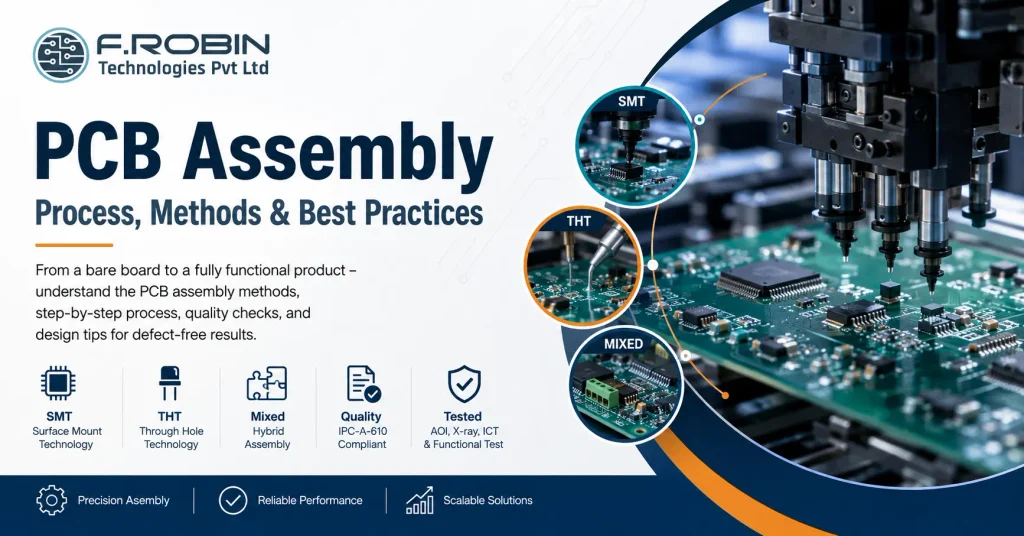
PCB assembly is the process that turns a bare board into a working electronic product by mounting and soldering components onto it. If you have ever wondered how a blank circuit board becomes the brain of a device, this guide explains it clearly. We cover the three main methods SMT, THT, and mixed builds along with the step-by-step process and how to prepare your design for clean results. Whether you are a hardware startup ordering your first build or an engineer comparing pcb assembly services, understanding these basics helps you avoid defects, control cost, and choose the right method. So let us break down exactly how it works, stage by stage. What Is PCB Assembly? PCB assembly, often called PCBA, is the process of soldering electronic components onto a bare printed circuit board to create a functional assembly. In short, the bare board provides the wiring, and assembly adds the parts that make the circuit work. This is different from board fabrication. Fabrication produces the empty board with its copper traces and layers, while the assembly of printed circuit boards populates that board with resistors, capacitors, ICs, connectors, and more. Both steps are essential, but they are distinct processes — often handled on different lines or even by different vendors. Modern assembly uses three approaches: surface-mount technology (SMT), through-hole technology (THT), and mixed builds that combine the two. The method you choose depends on your components, volume, and reliability needs. Next, let us compare them. SMT vs THT vs Mixed Builds The three assembly methods suit different parts and applications. Here is how each works. Surface-Mount Technology (SMT) SMT mounts components directly onto the surface of the board using solder paste and reflow soldering. Because SMT parts are small and need no leads through the board, they enable dense, compact designs. As a result, SMT dominates modern electronics and most high-volume pcb board assembly. Through-Hole Technology (THT) THT inserts component leads through drilled holes and solders them on the opposite side, usually with wave or selective soldering. THT joints are mechanically strong, so they suit connectors, large capacitors, and parts that face stress or heat. Consequently, THT remains valuable even in an SMT-first world. Mixed-Technology Builds Many boards need both. A mixed build uses SMT for the bulk of components and THT for connectors and high-stress parts. This combination is extremely common, though it adds process steps and therefore cost. Factor SMT THT Component size Small, dense Larger, leaded Soldering Reflow Wave / selective Mechanical strength Moderate High Automation Fully automated Partly manual Best for High-volume, compact designs Connectors, high-stress parts Which Method Should You Use? In practice, the choice is rarely either-or. Use SMT wherever you can, because it is faster, cheaper at volume, and supports the smallest parts. Reach for THT only where you need it — for connectors, transformers, large electrolytic capacitors, and anything that takes mechanical or thermal stress. When a board needs both, accept the mixed build and plan the process order so SMT runs first and through-hole parts follow. Volume matters too. For a handful of prototypes, hand or selective soldering may be most economical. For thousands of units, fully automated SMT lines win on cost and consistency. Match the method to your parts and your production scale, and the decision usually makes itself. The PCB Assembly Process Step by Step Here is a typical SMT-led assembly flow, with the THT steps that follow. Each stage feeds the next, so a problem early on — such as poor solder paste — shows up as defects later. Therefore, process control at every step keeps yields high. Inspection and Quality Quality control runs throughout the build, not just at the end. Several methods verify a reliable assembly: Reputable pcb assembly services follow the IPC-A-610 standard for acceptability, which defines what a good solder joint and assembly look like. Asking which IPC class a provider works to is a quick way to gauge their quality discipline. How to Prepare Your Design for Assembly Good design makes assembly faster, cheaper, and more reliable — a practice called design for assembly (DFA). Apply these tips before you release your board: These steps connect directly to your layout work. Common Assembly Defects and How to Avoid Them Even automated lines produce defects when the design or process slips. Watch for these: Most defects trace back to design or solder paste, so strong DFA and process control prevent the majority before they happen. Choosing a PCB Assembly Partner When you search for “pcb assembly near me” or compare providers, look beyond price. Confirm the partner offers the right method (SMT, THT, or mixed), follows IPC-A-610, performs AOI and electrical test, and handles your volume — from prototype to production. A local partner often eases communication and speeds up the build, while a turnkey provider that also handles PCB manufacturing and component sourcing can simplify your whole supply chain. Either way, a provider with strong quality discipline protects your product and your timeline. Decide too whether you want a turnkey build, where the partner sources every component, or a consigned build, where you supply the parts. Turnkey saves you procurement effort, while consigned gives you tighter control over sourcing — useful when you already hold stock or have allocation deals on key parts. Key Takeaways CTA – PCB Assembly Explained Ready to Build Your Boards? SMT, THT, or mixed builds — our turnkey PCB Manufacturing and assembly services cover every method with IPC-compliant quality, from a handful of prototypes to full production volume. Explore PCB Manufacturing Talk to Our Engineering Team FAQ – PCB Assembly Explained: SMT, THT and Mixed Builds Frequently Asked Questions
How Much Does Mechanical/Enclosure Design Cost?
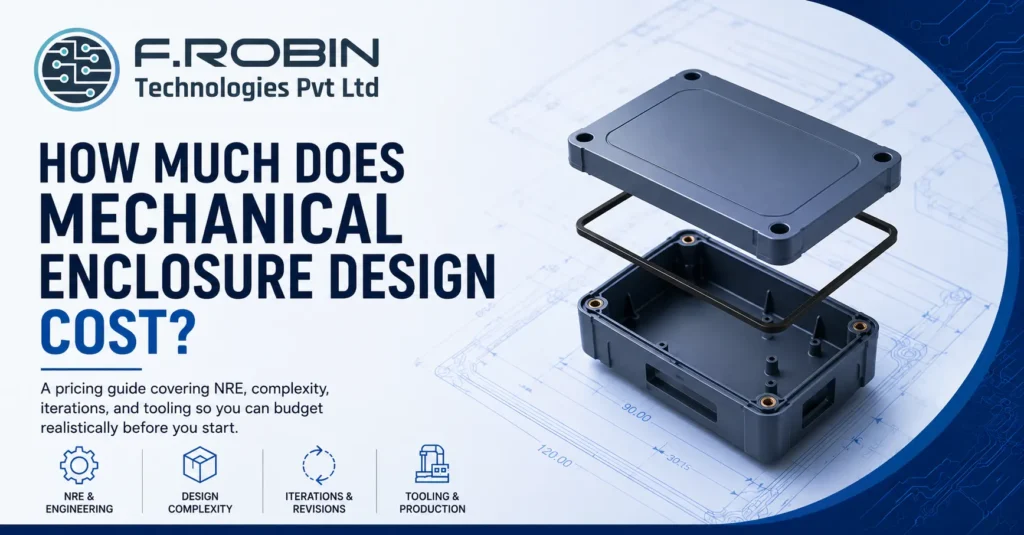
How much will this cost?” is usually the first question in any mechanical enclosure design conversation, and it is also one of the hardest to answer with a single number. Cost varies enormously depending on complexity, how many design iterations you need, and whether tooling for production is included — so a quote for one project can look nothing like a quote for another that seems similar on the surface. This pricing guide breaks down what actually drives mechanical enclosure design cost: non-recurring engineering (NRE) charges, design complexity, the number of iterations built into the process, and tooling investment for production. Understanding these drivers will help you budget realistically and evaluate quotes with confidence, rather than being surprised by costs that were not obvious upfront — and it will help you ask sharper questions of any provider you talk to. Why There Is No Single Price Mechanical enclosure design cost depends on so many variables — complexity, material, tolerance requirements, IP rating, iteration count, and whether tooling is included — that any single number quoted without context is close to meaningless. A simple plastic housing for a low-volume prototype and a ruggedized, IP67-rated die-cast enclosure for a certified product sit at completely different points on the cost spectrum, even though both are technically “enclosure design.” Understanding the actual cost drivers, rather than chasing a single average figure, is what lets you budget accurately and compare quotes meaningfully. The sections below walk through each driver in turn, and a rough cost framework near the end helps you place your own project on the spectrum. NRE: What You Are Actually Paying For NRE, or non-recurring engineering, covers the one-time design and development work that goes into a mechanical enclosure design — concept exploration, detailed 3D CAD, tolerance analysis, DFM review, and documentation. This is distinct from per-unit manufacturing cost, which only applies once you move to production. NRE scales with the depth of engineering required. A quick concept sketch and basic CAD model costs far less than a fully validated design with structural analysis, thermal simulation, and multiple design reviews. When comparing quotes, always clarify exactly what NRE includes, since a lower headline mechanical enclosure design cost sometimes reflects a narrower scope rather than better value. Complexity: The Biggest Cost Driver Complexity is usually the single largest driver of mechanical enclosure design cost. A simple box with a lid and a few mounting bosses costs a fraction of a design with multiple sealed compartments, precise PCB mechanical integration, complex venting, or moving parts. Specific complexity factors that raise cost include tight tolerance requirements, ingress protection (IP) ratings that demand careful sealing design, thermal management features, and any need for structural or vibration analysis. Each of these adds engineering hours and design iterations, which shows up directly in the final mechanical enclosure design cost. Iterations: Budgeted vs Unlimited Design iterations — revisions based on review feedback, prototype testing, or changing requirements — are a major and often underestimated cost factor in mechanical enclosure design cost. Some quotes include a fixed number of iterations within the base price, while others charge for each round of changes beyond an initial concept. Ask explicitly how many iterations are included in a quoted mechanical enclosure design cost, and what happens if you need more. Projects with unclear or evolving requirements tend to need more iterations than a simple, well-defined design, so budget extra contingency for iteration cost if your requirements are still in flux. Tooling: The Production Cost Jump Tooling — the moulds, dies, or fixtures needed to manufacture an enclosure at volume — is where mechanical enclosure design cost jumps sharply once you move from prototype to production. Injection-moulded plastic and die-cast metal enclosures both require tooling investment that can dwarf the original design NRE, especially for complex geometries. Tooling cost is a one-time investment that then amortizes across your production volume, so the per-unit impact shrinks as volume grows. This is why concept-to-production design that plans for manufacturability from the start — rather than redesigning after a prototype-only process — avoids expensive tooling rework later. Two Example Projects Picture a simple plastic housing for an indoor sensor prototype: modest tolerances, no IP rating requirement, a fixed two rounds of iteration, and no tooling since only a handful of units will ever be 3D printed. This sits at the low end of mechanical enclosure design cost — the NRE covers concept and CAD work only, with no analysis or production tooling involved. Now picture a ruggedized outdoor enclosure for a certified industrial product: IP67 sealing, structural and thermal analysis, PCB mechanical integration, several rounds of design review against a changing specification, and injection-mould tooling for a production run of ten thousand units. This sits at the high end, and the tooling investment alone can exceed the entire NRE of the first example many times over. Most real projects land somewhere between these two, which is exactly why the cost framework below is more useful than any single average number. Neither project’s price is a mistake or overcharging — the numbers simply reflect two very different scopes of engineering work. A Rough Cost Framework While exact numbers vary enormously by project, this framework helps you think through where your project sits on the cost spectrum. Factor Lower cost Higher cost Complexity Simple box, few features Multiple compartments, sealing, thermal Tolerance requirements Standard, generous Tight, precision-critical IP rating None or basic (IP54) High (IP65+), sealed design Analysis required None or hand calculations Full FEA (structural/vibration) Iterations Fixed, few rounds Open-ended, evolving requirements Tooling Prototype only, no tooling Production tooling for volume Most real projects sit somewhere across this spectrum rather than at either extreme, so use this table to identify which factors are pushing your specific project’s cost up or down. A project that scores low on most rows but high on just one — say, a tight IP rating requirement on an otherwise simple design — will still see a meaningful cost increase from that single
Outsourced Mechanical Engineering in India: A Buyer’s Guide

Global product companies increasingly look to outsourced mechanical engineering in India for a combination that is hard to find elsewhere: strong engineering talent, competitive cost, and a maturing ecosystem across hubs like Chennai, Bangalore, and Madurai. But engaging an Indian mechanical engineering team well requires understanding what actually differentiates a strong partner from a risky one — capability, capacity, quality systems, and how they handle the offshore working relationship itself. This buyer’s guide walks through exactly that. We cover how to evaluate FEA and analysis capability, what capacity and quality mean in practice, the realities of working with an offshore team, and how to engage outsourced mechanical engineering in India confidently, whether your priority hub is Chennai, Bangalore, Madurai, or elsewhere in the country. Why Companies Choose Outsourced Mechanical Engineering in India India’s engineering talent pool has deepened significantly across mechanical design, structural analysis, and manufacturing engineering, supported by a mature electronics and industrial manufacturing base in states like Tamil Nadu and Karnataka. For global product companies, outsourced mechanical engineering in India offers access to that talent at a cost structure that is difficult to match with an in-house Western team. Beyond cost, the value proposition includes flexibility — scaling a team up or down with project demand without the overhead of permanent headcount — and, increasingly, genuine technical depth in disciplines like FEA-based structural and vibration analysis that used to be harder to source offshore. Together, these factors are why outsourced mechanical engineering in India has moved from a purely cost-driven decision to a genuinely capability-driven one for many companies. Evaluating FEA and Analysis Capability Structural and vibration analysis (FEA) capability varies enormously among providers of outsourced mechanical engineering in India, and verifying it matters more than trusting a claim on a website. Ask specifically about their experience with tools like Ansys, their process for mesh convergence and validation, and examples of analysis work relevant to your product category. A provider with genuine FEA depth will discuss specific study types — static structural, modal, harmonic, random vibration — and how they validate results against hand calculations or physical test data. Vague answers about “doing simulation” without this specificity are a sign the capability may be thinner than advertised. Capacity: Can They Actually Scale With You? Capacity is about whether a provider of outsourced mechanical engineering in India can genuinely support your project’s actual scale — not just take it on. Ask about team size, how many engineers are dedicated versus shared across multiple clients, and what happens if your project needs to ramp up quickly. A provider stretched thin across many clients may struggle to deliver the responsiveness you need during a critical design phase. Confirm dedicated capacity commitments in writing, and ask for a realistic view of their current workload rather than assuming availability. This question matters more for outsourced mechanical engineering in India than it might for a local hire, since distance makes it harder to gauge workload informally through office visibility or casual conversation — you have to ask directly and trust the answer. Quality Systems and Process Discipline Quality in mechanical engineering shows up as process: documented design reviews, DFM checks, tolerance analysis, and clear revision control — not just a finished CAD file. When evaluating outsourced mechanical engineering in India, ask what quality system governs their design process and what documentation you can expect to receive alongside deliverables. Look specifically for evidence of structured design reviews and a defined process for catching manufacturability issues before tooling. A provider without this discipline may produce a design that looks complete but fails in ways that only surface during prototyping or production. Quality discipline is arguably the single hardest thing to assess remotely, which is exactly why documentation and process evidence matter so much more when evaluating outsourced mechanical engineering in India than they would for a team you can walk over and observe directly. Making the Offshore Relationship Work The offshore dynamic itself — timezone overlap, communication cadence, and cultural working style — meaningfully affects how well an engagement runs, independent of raw engineering skill. Establish a clear communication rhythm early: regular design reviews, a shared project management tool, and a single point of contact on both sides. Time zone overlap between India and Western markets is often workable but limited, so plan critical review meetings deliberately rather than assuming ad hoc scheduling will work smoothly. Written documentation of decisions matters more in an offshore relationship than in an in-person one, since it is the record both sides rely on when memory of a conversation fades. Chennai, Bangalore, and Madurai: A Local Lens Location within India shapes what a mechanical engineering partner brings to the table. Chennai sits within Tamil Nadu’s deep automotive, electronics, and industrial manufacturing base, giving mechanical teams there strong exposure to real production environments. Bangalore’s ecosystem leans further toward tech and product engineering, with teams often experienced in fast-moving hardware startup environments. Madurai and similar tier-two hubs increasingly offer strong engineering talent at an even more competitive cost structure, though it is worth confirming the depth of their analysis and quality infrastructure specifically, since it may be less mature than in the larger hubs. Across all three, proximity to India’s broader manufacturing ecosystem is a genuine advantage when a mechanical design needs to move smoothly into local production. A Buyer’s Checklist Working through this checklist before committing turns a promising pitch into a verified, evidence-based decision. Red Flags to Avoid If several of these appear, the risk of a stalled or disappointing engagement rises significantly — vetting carefully upfront costs far less than a failed offshore relationship later. Key Takeaways CTA – Outsourced Mechanical Engineering in India Ready to Engage a Verified Indian Engineering Team? FEA capability, dedicated capacity, documented quality — our Mechanical Engineering Services bring verified Ansys-based analysis and process discipline across Chennai, Bangalore, and Madurai, so you can outsource with confidence, not just hope. Explore Mechanical Engineering Services Talk to Our Engineering Team FAQ – Outsourced Mechanical Engineering
How to Choose a Semiconductor Recruitment Partner

Semiconductor hiring is one of the least forgiving domains to get wrong. VLSI, verification, and physical design talent is scarce, the best engineers are rarely job hunting, and a recruiter without genuine chip-industry knowledge simply cannot tell a strong design candidate from a weak one. Choosing the wrong semiconductor recruitment partner does not just slow down a search — it can burn months on a role that stays open the whole time. This checklist gives you a clear way to evaluate a semiconductor recruitment partner before committing to a search. We cover the niche expertise that actually matters, how to verify a real track record, and the questions that separate a genuine specialist from a generalist recruiter with a semiconductor slide in their pitch deck. By the end, you will have a repeatable way to vet any semiconductor recruitment partner you are considering. Why Generalist Recruiters Struggle With Chip Roles Semiconductor roles span deeply distinct disciplines — RTL design, verification, physical design, DFT, analog and mixed-signal — and each demands a different skill profile, different interview signals, and often a different candidate pool entirely. A generalist recruiter who treats “chip engineer” as one category will misjudge candidates constantly, screening out strong fits and passing through weak ones. This is exactly why a genuine semiconductor recruitment partner matters more here than in most other technical hiring. The gap between a recruiter who understands the difference between DV and PD and one who does not shows up directly in shortlist quality, time-to-hire, and how many candidates you end up rejecting after an expensive interview process. The cost of this gap compounds quickly. Every interview cycle spent on a mismatched candidate is time your engineering team is not spending on actual design work, which is exactly the resource a scarce-talent search is supposed to protect. The Checklist: What to Evaluate Score any semiconductor recruitment partner against this list before committing, rather than relying on a confident sales conversation alone. Niche Expertise: What It Actually Looks Like Real niche expertise shows up as specificity. A genuine semiconductor recruitment partner can discuss the practical differences between RTL design and verification, describe what a strong DFT candidate’s background typically looks like, or explain how physical design timelines differ from front-end design timelines — without being prompted. A generalist pretending to have this expertise usually stays at the surface: “we place chip engineers” or “we understand the semiconductor industry” without ever getting specific. Push past the pitch and ask for the technical detail directly; the response tells you almost everything you need to know about whether you are speaking with a genuine semiconductor recruitment partner or a generalist in disguise. Track Record: How to Verify It Ask any semiconductor recruitment partner for specific examples: which roles, at what seniority, in which discipline, and how the search went. A partner with genuine experience will describe real search dynamics — where candidates were sourced from, what made the search hard, how long it actually took — rather than a polished, generic success story. Be especially wary of vague numbers without context, like “we’ve placed hundreds of engineers.” Ask instead how many of those were specifically in your discipline — VLSI, verification, physical design — and in a comparable market. Volume in unrelated tech roles says little about whether you are dealing with a genuine semiconductor recruitment partner or a generalist counting unrelated placements. Executive Search for Senior Chip Roles For design directors, VPs of engineering, or other senior chip leadership, standard recruitment often is not enough. Executive search — a retained, confidential, deeply researched process — is usually the right model, because the pool of qualified senior chip leaders is small and largely composed of people who are not looking. When evaluating a semiconductor recruitment partner for a senior search, ask specifically whether they offer retained executive search and how it differs from their standard process. A partner who treats every search identically, regardless of seniority or scarcity, is unlikely to bring the depth a leadership hire actually needs. This distinction is worth pressing on, because a contingency search naturally spreads a recruiter’s attention across many open roles at once, while a retained search dedicates real, focused time specifically to yours — a meaningful difference when the qualified candidate pool for a senior chip role can be measured in the dozens, not hundreds. Questions to Ask Before You Commit Specific, confident answers across all seven signal a genuine semiconductor recruitment partner. Vagueness on more than one or two is a reason to keep evaluating other options. Comparison: Generalist vs Semiconductor Specialist The table below contrasts what a generalist tech recruiter typically offers against a genuine semiconductor specialist. Factor Generalist recruiter Semiconductor specialist Domain fluency Surface-level, generic tech knowledge Specific VLSI/DV/PD/DFT expertise Sourcing Job boards, broad tech networks Established passive-candidate networks in chip hubs Screening Keyword and resume matching Technical, discipline-specific assessment Senior roles Standard contingency search Retained executive search when needed Track record Broad tech placements Verified, discipline-specific chip placements Reading down the table, the pattern is consistent: genuine semiconductor capability shows up as specificity and depth, while a generalist tends to stay broad and unable to go deeper on request. Red Flags to Avoid If several of these appear, the search is unlikely to go well — the cost of continuing to evaluate other partners is almost always smaller than the cost of a stalled, months-long search with the wrong one. Key Takeaways CTA – Semiconductor Recruitment Partner Need a Recruitment Partner Who Actually Knows Chips? Niche expertise, verified track record, executive search discipline — our AI Staffing Services bring genuine VLSI, verification, and physical design domain knowledge to your semiconductor hiring, not a generic tech-recruiter pitch. Explore AI Staffing Services Talk to Our Hiring Experts FAQ – How to Choose a Semiconductor Recruitment Partner Frequently Asked Questions
RPO for Semiconductor Hiring: When It Fits

Recruitment process outsourcing sounds like a natural fit for any company scaling a chip team fast, but RPO for semiconductor hiring only pays off in specific situations and forcing it onto the wrong kind of search wastes both money and time. RPO is built for volume and process, while semiconductor hiring is often defined by scarcity and specialization, which means the fit is not automatic. This guide explains exactly when RPO for semiconductor hiring makes sense, when a different model serves you better, and what to look for in an RPO partner if you decide it is the right fit. Whether you are scaling a design centre from ten engineers to a hundred or filling a handful of scarce, senior roles, this guide will help you choose the right model and avoid the common mistake of applying one model to every hiring situation. What RPO Actually Means RPO, or recruitment process outsourcing, means handing some or all of your hiring process to an external partner who embeds with your team and runs it as an extension of your own recruiting function, typically under defined service levels. It differs from standard recruitment agency work by scope and depth: rather than filling individual roles one at a time, an RPO partner owns process, technology, and often a dedicated recruiting team for a sustained period. This model was built for companies that hire continuously and at volume, where a dedicated, process-driven partner can lower cost-per-hire and improve consistency across dozens or hundreds of roles. Whether that same model fits semiconductor hiring depends heavily on what kind of hiring you are actually doing. Why the Fit Is Not Automatic for Chip Roles Semiconductor hiring often looks nothing like the high-volume, standardized hiring RPO was designed for. VLSI, verification, and physical design roles are scarce, highly specialized, and frequently require headhunting passive candidates rather than processing inbound applications a very different motion from the volume-and-process model RPO typically optimizes for. This does not mean RPO for semiconductor hiring never works. It means the fit depends heavily on the specific hiring situation: how much volume you actually have, how standardized the roles are, and whether the RPO partner has genuine chip-industry sourcing capability rather than just process infrastructure. Getting this assessment wrong in either direction is costly. Forcing RPO onto a handful of scarce, senior searches wastes the setup investment on a model that was never suited to that kind of hiring, while trying to run high-volume, standardized hiring through one-off contingency placements loses the efficiency RPO was specifically built to deliver. When RPO Fits Semiconductor Hiring RPO for semiconductor hiring fits well when you are scaling a design centre or team rapidly and need to fill a meaningful number of roles verification engineers, layout engineers, or similar mid-level positions over a sustained period, not just one or two scarce specialists. It also fits when the roles, while technical, are reasonably standardized across the hiring wave, so a dedicated RPO team can build repeatable sourcing and screening processes rather than reinventing the search for every single role. If you are opening a new design centre and need twenty or thirty engineers over the next year, RPO for semiconductor hiring is often exactly the right model the volume justifies the setup investment, and the roles are similar enough to benefit from a repeatable process. When RPO Does Not Fit RPO for semiconductor hiring fits poorly when you are filling a small number of highly scarce or senior roles a design director, a handful of specialized DFT engineers, or any search where passive-candidate headhunting matters more than process scale. These searches need deep, individualized attention that a volume-oriented RPO engagement is not built to deliver efficiently. It also fits poorly when your hiring volume is too low or unpredictable to justify the setup cost of embedding a dedicated team. RPO for semiconductor hiring carries real ramp-up investment on both sides, and that investment only pays back when there is enough sustained volume to amortize it. A Real-World Example Picture a fabless startup opening its first India design centre, needing to hire thirty verification and layout engineers over the next eighteen months while also filling a single VP of Engineering role to lead the site. RPO for semiconductor hiring fits the first need well the volume and role standardization justify embedding a dedicated recruiting team with clear SLAs. The VP search, by contrast, calls for retained executive search: one highly scarce, senior hire where individualized, confidential sourcing matters far more than process scale. Running both searches through the same RPO engagement would likely underserve the VP search, while running the thirty-engineer hiring wave through one-off executive search placements would be needlessly expensive and slow. Matching the model to each specific hiring need, rather than picking one approach for the whole program, is what makes this kind of blended hiring plan work. SLAs: What to Define Upfront Because RPO for semiconductor hiring runs as an ongoing partnership rather than a one-off placement, the service-level agreement matters enormously. Define time-to-shortlist and time-to-hire targets specific to semiconductor roles, not generic tech-hiring benchmarks that do not reflect how scarce chip talent actually is. Also define quality metrics offer-acceptance rate, early-stage retention, hiring manager satisfaction alongside speed metrics, so the RPO team is not incentivized to prioritize volume over fit. A well-structured SLA protects both sides: it gives your team a clear standard to hold the partner to, and it gives the RPO partner a fair, specific target rather than a vague expectation. RPO vs Standard Recruitment vs Executive Search The table below compares the three main models across the factors that matter for a semiconductor hiring decision. Factor Standard recruitment RPO Executive search Best for Individual roles, moderate volume Sustained volume, standardized roles Scarce, senior, or confidential roles Engagement Per-placement fee Ongoing, embedded team Retained, project-based Process ownership External recruiter Shared, deeply integrated External, highly specialized Cost structure Per-hire fee Often lower cost-per-hire at volume Higher per-search, justified by scarcity Reading across
HDI vs Standard PCB: Is High-Density Worth the Extra Cost?
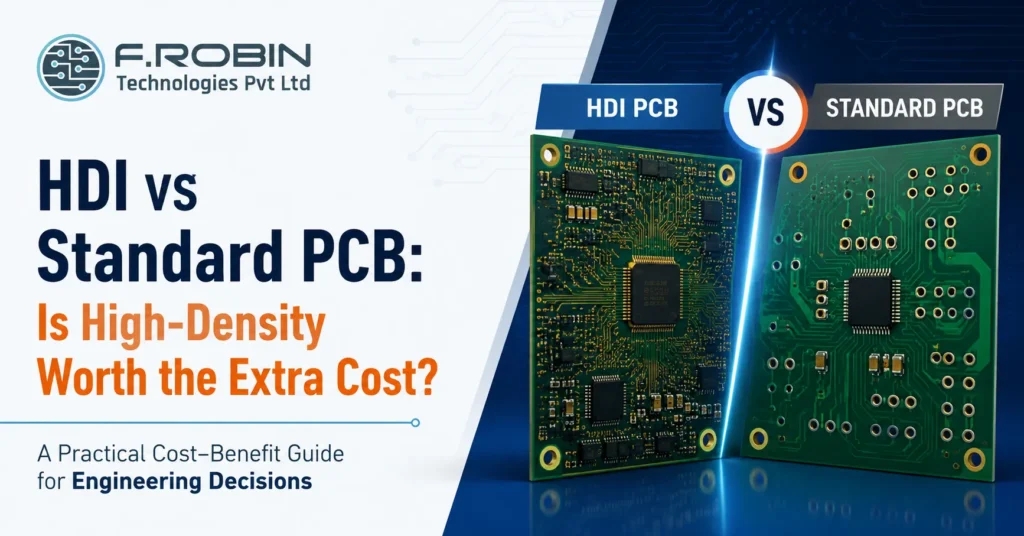
Is HDI overkill for my design?” is a fair question, because high density interconnect boards cost meaningfully more than a standard multilayer PCB and that premium is only worth paying when your design genuinely needs the density. Choosing HDI when a standard board would work wastes budget; choosing standard when HDI is truly required leads to a board that cannot be built at all. This guide walks through the HDI vs standard PCB decision from a cost-benefit angle: what actually drives the price difference, the specific situations where HDI earns its cost, and a simple way to tell whether your design is one of them. Whether you are designing in Chennai, Bangalore, or anywhere else, the same HDI vs standard PCB evaluation applies. The Quick Answer In the HDI vs standard PCB decision, HDI is worth the extra cost when your design has fine-pitch BGAs that cannot be routed with a standard board, genuine space constraints, or high-speed signals that benefit from shorter via paths. It is not worth it when a standard multilayer board routes cleanly and fits your product’s size requirements. In other words, HDI is not a premium tier you choose for its own sake it is a specific engineering solution to a specific routing or space problem. If that problem does not exist in your design, the extra cost buys you nothing. What Drives the Cost Difference An HDI board costs more than a standard PCB mainly because of how it is built. Standard boards are drilled and plated in a single pass; HDI boards are built up in stages, with laser-drilled microvias and, often, sequential lamination cycles that each add process time, equipment cost, and inspection. On top of the build process, HDI boards typically demand tighter tolerances, which lowers yield and raises the effective cost per good board. Altogether, the HDI vs standard PCB cost gap commonly runs well above what a simple layer-count comparison would suggest, because the complexity is in the process, not just the material. This is why comparing two quotes side by side rarely tells the whole story unless both are broken down by process step the headline difference in the HDI vs standard PCB quote often understates just how much of that gap comes from yield loss rather than raw material or drilling time. When HDI Is Worth It HDI earns its cost premium in specific, identifiable situations. A fine-pitch BGA with hundreds of closely spaced pins often cannot be escaped with standard through-hole vias at all in that case, the HDI vs standard PCB question is not really a choice, since a standard board physically cannot route the part. Genuine size constraints are another strong justification: wearables, implantables, and compact consumer devices frequently need the routing density that only HDI delivers. High-speed designs also benefit, since shorter microvia paths reduce stub length and improve signal integrity in ways a standard board’s longer through-hole vias cannot match. When Standard PCB Is the Better Choice Just as often, a standard multilayer PCB is the smarter, cheaper choice. If your component pitch is generous, your layer count is modest, and the board is not fighting for space, a standard build routes just as reliably at a fraction of the cost. This is where the “is HDI overkill” question resolves in favor of standard: reaching for HDI features a design does not structurally need adds cost and complexity without a corresponding benefit. In the HDI vs standard PCB comparison, standard wins by default whenever it can do the job HDI only wins when it must. Side-by-Side Cost-Benefit Comparison The table below summarizes the HDI vs standard PCB trade-off across the factors that matter most to a cost-benefit decision. Factor Standard PCB HDI PCB Relative cost Lower Higher (often significantly) Routing density Moderate Very high Fine-pitch BGA support Limited or none Strong Miniaturization Limited Enables the smallest form factors Signal integrity (high speed) Adequate for most designs Better via shorter microvia paths Best for Generic pitch, ample space, cost-sensitive designs Fine-pitch BGAs, tight space, high-speed designs Reading down the table, the pattern is consistent: HDI wins wherever density or miniaturization is the binding constraint, while standard PCB wins on cost whenever that constraint does not apply. A Real-World Example Picture a compact fitness tracker with a fine-pitch processor and hundreds of pins packed into a tiny footprint. Here, the HDI vs standard PCB comparison resolves quickly: a standard board simply cannot escape that many pins in that little space, so HDI is not a luxury, it is the only way to build the product at all. Now picture an industrial control panel with a modest microcontroller, generous board area, and no unusual space constraints. The HDI vs standard PCB comparison resolves just as clearly here, but in the opposite direction a standard multilayer board routes the design comfortably, and HDI would only add cost without solving a problem that exists. Most designs fall somewhere between these extremes, which is exactly why running the simple test below, rather than guessing, produces a more reliable answer. A Simple Test: Is HDI Overkill for You? If you answer “standard would work” to most of these, HDI is probably overkill for your design. If you answer “no” to the routing and space questions, HDI is likely the only real option. Common Mistakes to Avoid Avoiding these keeps the HDI vs standard PCB decision grounded in your design’s real requirements rather than assumption or habit. Key Takeaways CTA – HDI vs Standard PCB Is HDI Overkill for Your Design — or Essential? Fine-pitch BGAs, space constraints, signal integrity, cost — our PCB Layout Design Services help Chennai, Bangalore, and India-wide hardware teams settle the HDI vs standard PCB decision with real routing analysis, not guesswork. Explore PCB Layout Design Talk to Our Engineering Team FAQ – HDI vs Standard PCB Frequently Asked Questions
2-Layer vs 4-Layer PCB: How Do You Decide?
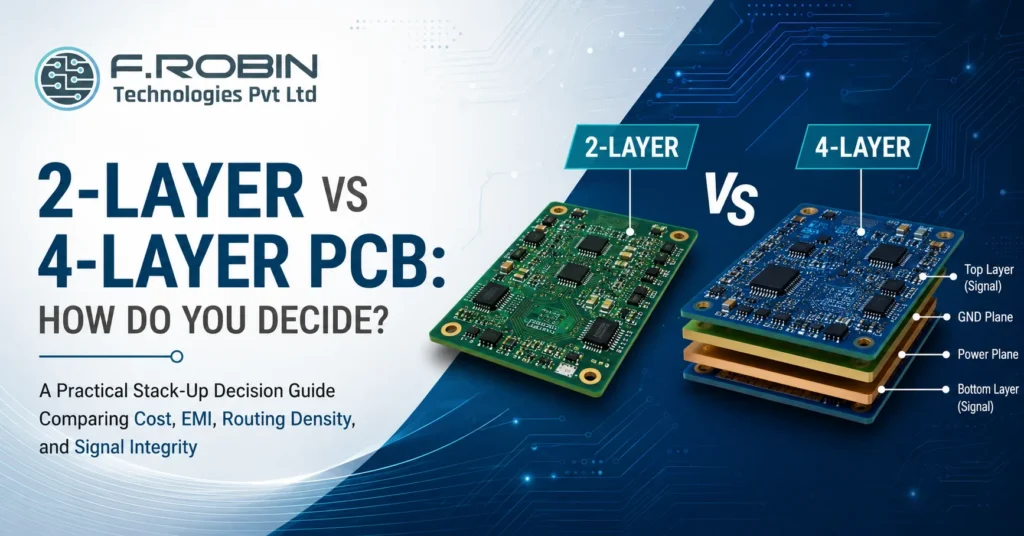
Do I really need 4 layers, or is 2 enough?” is one of the most common stack-up decisions in PCB design, and getting it wrong in either direction costs you. Choose 2 layers when the design needs 4, and you fight signal integrity and EMI problems for the rest of the project. Choose 4 layers when 2 would have worked, and you pay more per board for no real benefit. This guide gives you a practical way to make the 2-layer vs 4-layer PCB decision covering cost, routing density, EMI, and signal integrity — so you can match the stack-up to your actual design rather than guessing or defaulting to whichever you used last time. Whether you are designing in Chennai, Bangalore, or anywhere else, the same engineering logic applies to every 2-layer vs 4-layer PCB decision you face. The Quick Answer In short: a 2-layer PCB is enough for simple, low-speed, low-density designs where cost matters most. A 4-layer PCB is worth the extra cost when you have a dedicated ground plane need, higher routing density, faster signals, or EMI requirements that 2 layers cannot reliably meet. The 2-layer vs 4-layer PCB decision is not about which is generally “better” it is about matching the stack-up to what your specific circuit actually demands. Every 2-layer vs 4-layer PCB decision should start from your design’s actual requirements, not a default habit. The sections below walk through exactly how to make that call. What a 2-Layer Board Gives You A 2-layer PCB has copper on the top and bottom only, with all routing and, typically, a partial ground plane shared across those two layers. It is the simplest, cheapest stack-up, and for many designs it is entirely sufficient. A 2-layer board works well for simple analog or low-speed digital circuits, low pin-count microcontroller designs, power circuits without demanding EMI targets, and any design where routing is not congested. If your circuit fits comfortably with room to spare, a 2-layer PCB is usually the right, cost-effective choice. What a 4-Layer Board Gives You A 4-layer PCB adds two internal layers, most commonly used as a dedicated ground plane and a dedicated power plane, sandwiched between the outer signal layers. This structure gives every signal a close, continuous return path, which is the single biggest driver of better signal integrity and EMI performance. A 4-layer board earns its cost when you have higher-speed signals, denser routing than a 2-layer board can comfortably handle, stricter EMI or EMC requirements, or a design where controlled impedance matters. The extra layers are not just about fitting more traces — they fundamentally change how clean your signals and your radiated emissions are. Cost Comparison A 4-layer PCB costs more than a 2-layer board typically somewhere in the range of 1.5 to 2.5 times the fabrication cost, depending on your fabricator, volume, and specifications. At low volume or for a simple design, that difference is real money for no functional benefit if 2 layers would have worked just as well. At the same time, choosing 2 layers for a design that genuinely needs 4 often costs more in the long run: EMI failures during compliance testing, signal integrity debugging, or a board respin all cost far more than the layer-count premium would have. The right lens for the 2-layer vs 4-layer PCB decision is not “which is cheaper per board” but “which is cheaper once you include the risk of getting it wrong.” Routing Density and Complexity Routing density is often the most practical driver of the 2-layer vs 4-layer PCB decision. If a 2-layer layout leaves you fighting for space, adding trace-length workarounds, or routing signals through awkward paths just to avoid crossing, that struggle is a strong signal that a 4-layer board would save real engineering time. As a rough guide, a 2-layer board comfortably handles simple designs with modest component counts and generous spacing. Once you are working with fine-pitch parts, higher pin-count ICs, or a board that feels cramped no matter how you arrange it, that congestion is usually the clearest practical signal in the whole 2-layer vs 4-layer PCB decision, and 4 layers resolves it far more cleanly than forcing a 2-layer solution. EMI and Signal Integrity This is where the 2-layer vs 4-layer PCB decision matters most for reliability. A dedicated ground plane in a 4-layer board gives every signal a short, low-impedance return path directly beneath it, which dramatically reduces loop area and, with it, radiated emissions. On a 2-layer board, return paths are harder to control, especially as signal speed increases. For low-speed, simple circuits this rarely matters. For anything with faster edges, sensitive analog sections, or strict EMC compliance targets, the lack of a clean ground plane on a 2-layer board becomes a real risk one that often only surfaces during compliance testing, when it is expensive to fix. Side-by-Side Comparison The table below summarizes the 2-layer vs 4-layer PCB trade-off across the factors that matter most. Factor 2-layer PCB 4-layer PCB Relative cost Lowest 1.5–2.5x higher Routing density Limited Significantly higher EMI performance Weaker, no dedicated plane Strong, dedicated ground plane Signal integrity Adequate for low speed Much better for higher speed Best for Simple, low-speed, cost-sensitive designs Dense, higher-speed, EMI-sensitive designs Reading down the table, the pattern is clear: 2 layers wins on cost and simplicity, while 4 layers wins wherever density, speed, or EMI performance genuinely matter. A Real-World Example Picture two boards. The first is a simple temperature sensor module: a handful of passives, one low-pin-count microcontroller, and a UART interface. Routing is easy, speeds are low, and there is no EMC certification requirement. This is a textbook 2-layer vs 4-layer PCB decision that resolves quickly in favor of 2 layers the extra cost of 4 layers would buy nothing this design actually needs. The second board is a compact IoT gateway with a high-pin-count processor, USB and Ethernet interfaces, and a formal EMC certification requirement ahead of shipping. Here, the 2-layer vs 4-layer
Modular Enclosure Design for Product Families
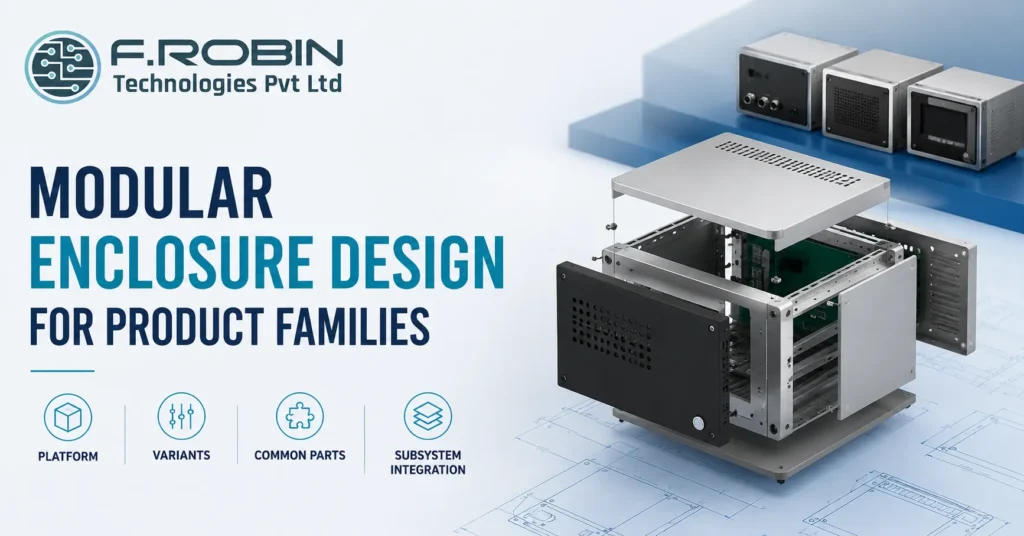
Designing a separate enclosure for every product in a family is expensive, slow, and hard to maintain. Modular enclosure design solves this by building one flexible platform that supports many variants through shared structure and swappable subsystems, rather than starting from a blank sheet for every new model. This guide covers the best practices behind modular enclosure design: how to define a platform, where to draw variant boundaries, how much to standardize on common parts, and the trade-offs that come with each decision. Whether you are planning a small family of two or three products or a larger platform meant to scale for years, these principles apply — and the earlier they are applied in a program’s life, the more value they deliver. What Modular Enclosure Design Actually Means Modular enclosure design is the practice of building a shared mechanical platform — a common structure, mounting scheme, and subsystem architecture — that supports multiple product variants without a full redesign for each one. Instead of treating every new model as a fresh project, a product family shares a defined set of common parts and interfaces, varying only what genuinely needs to differ. This is different from simply reusing a CAD file as a starting point. True modular enclosure design plans the platform and its variation points deliberately, from the very first product, so that adding the second and third variants is fast and predictable rather than another full design cycle. Why Product Families Need a Platform Strategy Without a platform strategy, each new product variant repeats the same enclosure design, tooling, and validation work from scratch. That repetition is expensive in engineering time, tooling cost, and the risk of introducing new defects into a process that should be well understood by the third or fourth variant. A well-planned modular enclosure design compounds in value over a product family’s life. The first variant costs more to design carefully, but every subsequent variant becomes faster, cheaper, and lower-risk, because most of the structure, tooling, and qualification work carries over rather than starting over. This compounding effect is easy to underestimate at the start of a program, when only one product exists and the platform investment can feel unnecessary. Teams that skip it often regret the decision by the third variant, when they are effectively redesigning the enclosure from scratch for the third time. Defining the Platform The platform is the shared foundation: the base structure, primary mounting scheme, and core mechanical interfaces that every variant in the family will use. Defining it well requires understanding the full range of variants you expect to support not just the first product so the platform is built wide enough from the start. Look at your product roadmap, not just the current product, when defining the platform for modular enclosure design. A platform sized only for today’s variant often needs an expensive rework the moment a slightly larger or differently configured variant appears eighteen months later. Where to Draw Variant Boundaries Every product family needs clear boundaries between what is shared and what varies. Common candidates for variation include connector selection, port configuration, display or interface options, and mounting orientation — while the core structure, primary enclosure shell, and main assembly process usually stay constant across variants. Draw these boundaries deliberately, based on genuine market or technical need, not convenience. Variation added without a clear reason quietly increases cost and complexity across the whole family, while variation withheld where it is genuinely needed forces awkward compromises into every future product. Common Parts Strategy Common parts fasteners, standoffs, gaskets, brackets, and similar hardware shared across every variant reduce cost through volume, simplify sourcing, and cut the inventory complexity of supporting multiple products at once. A strong common parts strategy is one of the most direct ways modular enclosure design pays for itself. Standardize wherever there is no genuine functional reason to differ. A single fastener size across the whole family, for example, simplifies assembly instructions, reduces the chance of a build error, and lowers per-unit cost through consolidated purchasing benefits that compound across every variant and every unit produced. Subsystem Integration Modular enclosure design works best when it is planned alongside subsystem integration how the PCB, connectors, thermal management, and other functional subsystems interface with the shared platform. A platform designed without this coordination often forces awkward, variant-specific workarounds exactly where the design was supposed to stay common. Plan subsystem interfaces mounting points, connector locations, thermal paths as part of the platform definition itself, not as an afterthought once the enclosure shape is set. This is where [PCB mechanical integration](/blog/pcb-mechanical-integration-fit-clashes/) becomes especially important, since board layout decisions ripple directly into how cleanly each variant’s subsystem fits the shared structure. Trade-Offs to Manage None of these trade-offs has a universally correct answer. The right balance depends on how many variants you genuinely expect, how different they need to be, and how long the platform needs to remain relevant. A Modular Design Checklist Working through this checklist before finalizing a platform catches most of the costly rework that shows up later in a product family’s life. Common Mistakes to Avoid Avoiding these keeps a modular enclosure design genuinely modular, rather than a single-product design that happens to get reused awkwardly. Key Takeaways CTA – Modular Enclosure Design for Product Families Building a Product Family, Not Just One Product? Platform, variants, common parts, subsystem integration — our Mechanical Engineering Services help you design a modular enclosure platform that scales across your full roadmap, so every variant after the first is faster, cheaper, and more predictable to bring to market. Explore Mechanical Engineering Services Talk to Our Engineering Team FAQ – Modular Enclosure Design for Product Families Frequently Asked Questions
How to Choose a Mechanical Design Partner With FEA Skills
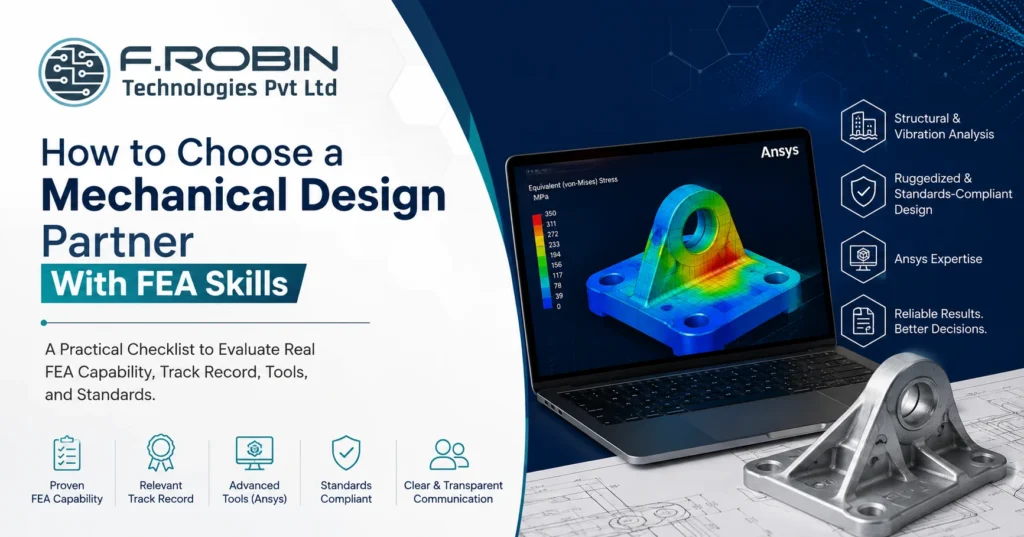
Plenty of firms list “FEA” on their website. Far fewer can actually run a structural or vibration analysis that holds up under scrutiny, defend the assumptions behind it, and turn the result into a design decision you can trust. Choosing a mechanical design partner without verifying real FEA capability is one of the most common — and most expensive — mistakes in product development. This checklist helps you evaluate a mechanical design partner specifically on FEA skill: what capability actually looks like, the questions that separate genuine expertise from a claim on a slide, and the standards and tools that signal a serious analysis practice. Whether you need vibration analysis for a ruggedized enclosure or structural validation for a safety-critical bracket, this checklist applies — and it works whether you are hiring a partner for a single project or a long-term relationship. Why FEA Capability Is Hard to Verify FEA output always looks credible. A colourful stress plot with clean contour lines and a clear “pass” result is easy to produce and easy to present, regardless of whether the underlying mesh, boundary conditions, and material data were set up correctly. This is exactly what makes evaluating a mechanical design partner on FEA skill genuinely difficult — the deliverable can look right while being quietly wrong. Because of this, evaluating capability requires going past the deliverable and into the process: how a mechanical design partner sets up a model, how they validate it, and how they communicate uncertainty. A mechanical design partner who cannot explain their meshing decisions or convergence checks in plain language is one whose results you cannot fully trust. This is not about distrust for its own sake. It is about recognizing that FEA is a skill with a wide range of real-world proficiency, and a client rarely has the technical background to catch a flawed analysis just by looking at the final report. The Checklist: What to Evaluate Score any mechanical design partner against this list before committing to FEA-dependent work, rather than judging capability from a single impressive-looking report. Track Record: What to Ask For Ask any mechanical design partner for specific examples of structural or vibration analysis work, ideally close to your product’s scale and criticality. A partner who has run FEA on similar enclosures, brackets, or ruggedized assemblies will speak about the work with concrete detail — load cases, failure modes, design iterations driven by the analysis. Be wary of answers that stay generic. “We do FEA on most projects” is not evidence of capability; a specific story about a design that changed because of an analysis result is. It is reasonable to ask for a redacted or high-level version of a past report if full confidentiality prevents sharing the original. A mechanical design partner confident in their work will usually find a way to demonstrate quality without breaching another client’s confidentiality. Tools: What Ansys Proficiency Actually Signals Ansys is one of the most widely used professional FEA platforms, and genuine proficiency in it signals real investment in analysis capability — the software itself is not trivial to master. But tool familiarity alone is not the same as sound engineering judgment; a mechanical design partner can operate Ansys competently and still set up a model incorrectly if their underlying process is weak. Ask how they use Ansys in practice: which modules, what kind of studies (static structural, modal, harmonic, random vibration), and how they interpret and report results. Specific, technical answers are a good sign; a vague “we use Ansys for everything” is not. Standards and Documentation A mechanical design partner working on ruggedized or standards-compliant design should be fluent in the relevant standards for your product — whether that is MIL-STD vibration profiles, IEC environmental standards, or industry-specific structural codes. Ask which standards they design and validate against, and expect a specific answer rather than a general claim of compliance awareness. Documentation matters just as much as the analysis itself. A capable partner delivers a clear report stating load cases, assumptions, boundary conditions, mesh details, and results — not just a pass/fail conclusion. That documentation is what lets you, a certifying body, or a future engineer trust and reuse the analysis. If your product needs formal certification, ask the mechanical design partner directly how their documentation supports that process. A report built with certification in mind looks noticeably different from one written as an internal engineering note. Comparison: Claimed vs Verified FEA Capability The table below contrasts what a claimed FEA capability looks like versus a genuinely verified one. Signal Claimed capability Verified capability Track record “We do FEA on most projects” Specific projects with load cases and outcomes Validation Not mentioned Cross-checked with hand calcs or test data Mesh process Not discussed Documented convergence study Tool skill “We use Ansys” Specific modules, study types, and reasoning Standards General compliance claim Named standards with specific application Documentation Pass/fail summary Full report with assumptions and boundary conditions Reading down the table, the pattern is clear: genuine capability shows up as specificity, while a weaker claim tends to stay general and unverifiable. Red Flags to Avoid If several of these appear, treat FEA-dependent claims from that mechanical design partner with real caution before relying on their results for a critical design decision. Key Takeaways FAQ – How to Choose a Mechanical Design Partner With FEA Skills Frequently Asked Questions CTA – Mechanical Design Partner With FEA Skills Need FEA You Can Actually Rely On? Track record, mesh convergence discipline, genuine Ansys proficiency, and standards fluency — our Mechanical Engineering Services bring verified structural and vibration analysis capability to ruggedized, standards-compliant designs, backed by documentation you can trust. Explore Mechanical Engineering Services Talk to Our Engineering Team
