
Gasket and Sealing Design for Waterproof Electronics
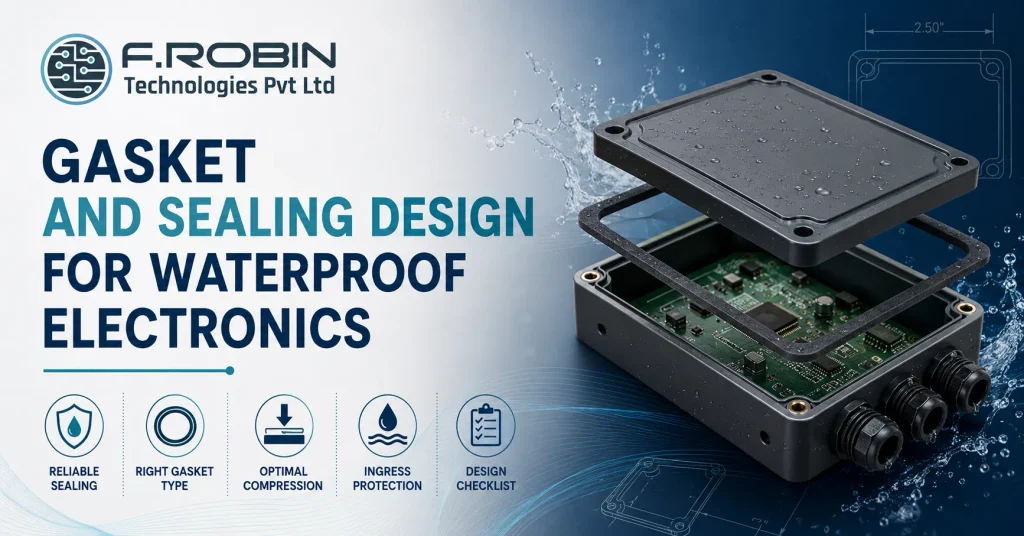
“How do I get a reliable seal?” is one of the most common questions in waterproof electronics design, and the honest answer is that reliability comes from a handful of deliberate decisions, not a single magic gasket material. Gasket and sealing design determines whether a product genuinely holds its IP rating in the field or fails quietly the first time it gets rained on. This how-to guide walks through the practical decisions behind reliable gasket and sealing design — choosing the right gasket type, designing for proper compression, planning a continuous seal path, and matching your design to the IP rating your product actually needs. Whether you are sealing a simple outdoor sensor enclosure or a fully ruggedized industrial product, these fundamentals apply, and getting them right the first time avoids expensive field failures down the line. Why Gasket and Sealing Design Is Harder Than It Looks A gasket looks simple: a strip of material between two surfaces. In practice, gasket and sealing design fails in the field far more often than it fails in the lab, because real enclosures have corners, fasteners, cable entries, and manufacturing tolerance that a simple flat-surface test never exposes. Reliable sealing requires treating the gasket as one part of a system — material, groove geometry, compression force, and the continuity of the seal path around the whole enclosure — rather than a component you simply drop in and hope works. Get any one part of that system wrong, and water finds the gap. This system-level thinking is the same discipline behind good electronic enclosure design more broadly — sealing is one part of the enclosure, not a separate afterthought bolted on at the end. Choosing the Right Gasket Type Different gasket types suit different enclosure geometries and environments. Closed-cell foam gaskets compress easily and forgive minor surface irregularities, making them a common, cost-effective choice for enclosure lids and access panels. O-rings provide excellent, consistent sealing in a compact groove, well suited to cylindrical connectors and small access ports. Silicone and rubber extrusion gaskets offer good chemical and temperature resistance for demanding environments, while liquid-dispensed gaskets — applied as a bead that cures in place — suit complex, non-uniform sealing paths where a pre-formed gasket would be difficult to fit precisely. Match the gasket type to your enclosure’s geometry and environmental demands, rather than defaulting to whatever was used on a previous, possibly quite different, product. Your material choice here also interacts with the enclosure substrate itself — see our comparison of sheet metal vs die-cast vs plastic enclosures for how the base material affects gasket groove design and sealing surface quality. Designing for Proper Compression A gasket only seals effectively within its intended compression range — typically 20-30% of its original thickness for most closed-cell foam materials, though this varies by material and manufacturer. Too little compression leaves gaps the gasket cannot bridge; too much compression can cause permanent set, where the gasket loses its ability to spring back and seal on the next opening. Gasket and sealing design must account for real manufacturing tolerance in the mating parts, not just nominal dimensions. If tolerance stack-up could push compression outside the gasket’s effective range at either extreme, the seal will fail intermittently — precisely the kind of failure that is hardest to catch in testing and most damaging once it reaches the field. Planning a Continuous Seal Path A seal is only as good as its weakest point, and that weakest point is almost always a corner, a fastener boss, or a cable entry where the gasket path changes direction or gets interrupted. Plan the seal path as a single, continuous loop around the entire enclosure opening, with generous, consistent radii at corners rather than sharp turns that a gasket cannot follow cleanly. Cable and connector entries deserve particular attention in gasket and sealing design, since they punch through what would otherwise be a clean, continuous seal path. Use dedicated cable glands or grommets rated to your target IP level, and ensure the gasket groove routes cleanly around these penetrations rather than stopping and restarting at each one. Matching Design to Your IP Rating Target Ingress protection ratings define what your gasket and sealing design actually needs to achieve the first digit rates protection against solids (dust), the second against liquids (water). A common target like IP65 means dust-tight and protected against water jets, while IP67 adds protection against temporary immersion, demanding a more robust seal design and typically tighter compression tolerances. Design to your real target, not the highest rating available. Over-specifying building an IP67 seal for a product that only needs IP54 indoor protection adds cost and assembly complexity for no operational benefit, while under-specifying risks field failures the moment the product meets real-world conditions. Gaskets Also Handle EMI/EMC Shielding Gasket and sealing design is not only about keeping water and dust out — the same gasket location often has to maintain electrical continuity across an enclosure seam to control EMI/EMC. These are two genuinely different jobs, and a gasket chosen only for environmental sealing does nothing for shielding unless it is also electrically conductive. Standard closed-cell foam or silicone gaskets seal against moisture and dust but are electrical insulators, so they leave a gap in the shielding at every seam they cover. If your product has EMI/EMC requirements, you need a conductive gasket material — conductive elastomer, knitted wire mesh, or beryllium copper fingerstock — at the seam, or a combination gasket that provides environmental sealing and EMI continuity together. Combination gaskets exist specifically for this dual requirement: a conductive core or conductive-coated foam that seals against the environment while also bridging the shielding across the seam. When both requirements apply to the same enclosure, specify the combination gasket explicitly in your gasket and sealing design rather than assuming a good environmental seal automatically delivers EMI performance — the two properties do not come from the same material property, and a gasket optimized for one alone can fail the other
Structural & Vibration Analysis (FEA) for Electronics

Electronics products face real physical forces in the field shipping shocks, vehicle vibration, thermal cycling, and simple gravity acting on a mounted board and structural and vibration analysis for electronics predicts how a design will hold up before it is ever built. Rather than discovering a cracked solder joint or a fractured bracket after a product ships, FEA lets you find and fix the weak point on screen. This explainer covers how structural and vibration analysis for electronics actually works: the main analysis types (static, dynamic, shock, and vibration), what modal, random vibration, and fatigue analysis each reveal, and how FEA tools like Ansys turn a 3D model into a reliability prediction. Whether you are validating a simple bracket or a fully populated PCB assembly, these fundamentals apply, and the earlier they are applied in the design cycle, the cheaper any resulting design change will be. Why Structural and Vibration Analysis Matters for Electronics Electronics assemblies are not static objects sitting on a shelf they get shipped, mounted in vehicles, dropped, and subjected to years of vibration in the field. Structural and vibration analysis for electronics predicts how the board, enclosure, and mounted components respond to these real-world forces, catching failure modes that are invisible in a static visual review of the design. The cost of skipping this analysis shows up later and larger: a cracked solder joint discovered after a product ships is far more expensive to fix than one caught in a simulation during design. For any electronics product facing shock, vibration, or sustained mechanical load, structural and vibration analysis is not an optional extra it is core validation. This is exactly why structural and vibration analysis for electronics has become standard practice across automotive, aerospace, telecom, and industrial product development, rather than a specialized add-on reserved for the most demanding applications alone. Static Analysis Static analysis calculates stress and deflection under steady, unchanging loads the weight of a board under gravity, a mounting bracket supporting a fixed load, or the force from a pressed connector. It answers a simple question: does the structure hold up under the loads it experiences at rest? Static analysis is usually the first and simplest type of structural and vibration analysis for electronics, establishing a baseline before moving to more complex dynamic scenarios. It identifies obvious weak points thin sections, stress concentrations at sharp corners, or under-supported spans that would fail even under constant load, let alone dynamic ones. Dynamic and Modal Analysis Modal analysis identifies a structure’s natural frequencies the frequencies at which it wants to vibrate when disturbed and their associated mode shapes. This matters enormously for electronics, because if a natural frequency coincides with a frequency the product will actually experience in service, the resulting resonance can amplify vibration dramatically and cause failure far faster than the raw input vibration would suggest. Running modal analysis early in structural and vibration analysis for electronics reveals whether a board or enclosure design risks resonance at operationally relevant frequencies, letting you adjust stiffness, mounting, or mass distribution before committing to tooling. Shock Analysis Shock analysis predicts how a structure responds to a sudden, short-duration force a drop, an impact during shipping, or an explosive event in defence applications. Unlike steady loads, shock events are brief but can produce very high peak stresses, especially at points where mass is concentrated or support is discontinuous. For electronics that will be shipped, handled, or deployed in rugged environments, shock analysis validates that solder joints, connectors, and mounting points survive the peak forces of a realistic drop or impact event, not just the average handling case. Random Vibration Analysis Random vibration analysis models a structure’s response to vibration that is not a single, predictable frequency but a broad spectrum of frequencies occurring simultaneously and randomly closely matching real-world vibration from vehicles, aircraft, or industrial equipment. This is a statistical analysis, predicting the probable range of stress and displacement rather than a single deterministic value. For electronics destined for automotive, aerospace, or industrial environments, random vibration analysis is often the single most important structural and vibration analysis for electronics performed, since it most closely represents the actual operating environment rather than a simplified, idealized load case. Fatigue Analysis Fatigue analysis predicts how a structure degrades under repeated cyclic loading over time, even when each individual cycle produces stress well below the material’s immediate failure point. Repeated vibration, thermal cycling, or mechanical flexing can eventually crack a solder joint or fracture a bracket purely from accumulated cyclic damage. This matters for electronics with a long service life or a demanding vibration environment, where the relevant question is not “will it survive one shock event” but “will it survive ten years of continuous vibration.” Fatigue analysis, often combined with random vibration results, estimates the expected service life under realistic, repeated loading completing the full picture that structural and vibration analysis for electronics is meant to provide. How Ansys Fits Into the Process Ansys is one of the most widely used professional FEA platforms for structural and vibration analysis for electronics, supporting all the analysis types above static structural, modal, harmonic, random vibration, and fatigue within an integrated workflow. A typical process imports the 3D model (including the PCB and key components), applies material properties and boundary conditions, meshes the geometry, then runs the appropriate solver for the analysis type needed. The quality of the result depends heavily on modeling discipline: accurate material properties, a converged mesh, and boundary conditions that genuinely represent how the assembly is mounted and loaded in the field. A skilled analyst validates results against hand calculations or physical test data rather than trusting the first output uncritically. A Real-World Example Picture a controller board destined for a vehicle-mounted enclosure. Static analysis confirms the board and its mounting bracket support their own weight without excessive deflection a reasonable first check, but not remotely sufficient for this application. Modal analysis then reveals a natural frequency uncomfortably close to the vehicle’s typical engine vibration range, flagging a
How Much Does Mechanical/Enclosure Design Cost?
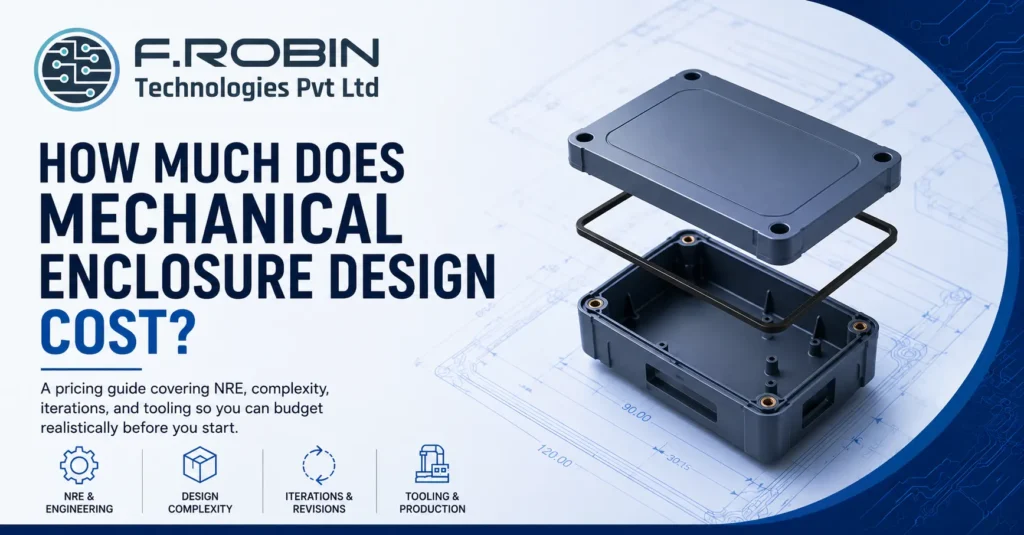
How much will this cost?” is usually the first question in any mechanical enclosure design conversation, and it is also one of the hardest to answer with a single number. Cost varies enormously depending on complexity, how many design iterations you need, and whether tooling for production is included — so a quote for one project can look nothing like a quote for another that seems similar on the surface. This pricing guide breaks down what actually drives mechanical enclosure design cost: non-recurring engineering (NRE) charges, design complexity, the number of iterations built into the process, and tooling investment for production. Understanding these drivers will help you budget realistically and evaluate quotes with confidence, rather than being surprised by costs that were not obvious upfront — and it will help you ask sharper questions of any provider you talk to. Why There Is No Single Price Mechanical enclosure design cost depends on so many variables — complexity, material, tolerance requirements, IP rating, iteration count, and whether tooling is included — that any single number quoted without context is close to meaningless. A simple plastic housing for a low-volume prototype and a ruggedized, IP67-rated die-cast enclosure for a certified product sit at completely different points on the cost spectrum, even though both are technically “enclosure design.” Understanding the actual cost drivers, rather than chasing a single average figure, is what lets you budget accurately and compare quotes meaningfully. The sections below walk through each driver in turn, and a rough cost framework near the end helps you place your own project on the spectrum. NRE: What You Are Actually Paying For NRE, or non-recurring engineering, covers the one-time design and development work that goes into a mechanical enclosure design — concept exploration, detailed 3D CAD, tolerance analysis, DFM review, and documentation. This is distinct from per-unit manufacturing cost, which only applies once you move to production. NRE scales with the depth of engineering required. A quick concept sketch and basic CAD model costs far less than a fully validated design with structural analysis, thermal simulation, and multiple design reviews. When comparing quotes, always clarify exactly what NRE includes, since a lower headline mechanical enclosure design cost sometimes reflects a narrower scope rather than better value. Complexity: The Biggest Cost Driver Complexity is usually the single largest driver of mechanical enclosure design cost. A simple box with a lid and a few mounting bosses costs a fraction of a design with multiple sealed compartments, precise PCB mechanical integration, complex venting, or moving parts. Specific complexity factors that raise cost include tight tolerance requirements, ingress protection (IP) ratings that demand careful sealing design, thermal management features, and any need for structural or vibration analysis. Each of these adds engineering hours and design iterations, which shows up directly in the final mechanical enclosure design cost. Iterations: Budgeted vs Unlimited Design iterations — revisions based on review feedback, prototype testing, or changing requirements — are a major and often underestimated cost factor in mechanical enclosure design cost. Some quotes include a fixed number of iterations within the base price, while others charge for each round of changes beyond an initial concept. Ask explicitly how many iterations are included in a quoted mechanical enclosure design cost, and what happens if you need more. Projects with unclear or evolving requirements tend to need more iterations than a simple, well-defined design, so budget extra contingency for iteration cost if your requirements are still in flux. Tooling: The Production Cost Jump Tooling — the moulds, dies, or fixtures needed to manufacture an enclosure at volume — is where mechanical enclosure design cost jumps sharply once you move from prototype to production. Injection-moulded plastic and die-cast metal enclosures both require tooling investment that can dwarf the original design NRE, especially for complex geometries. Tooling cost is a one-time investment that then amortizes across your production volume, so the per-unit impact shrinks as volume grows. This is why concept-to-production design that plans for manufacturability from the start — rather than redesigning after a prototype-only process — avoids expensive tooling rework later. Two Example Projects Picture a simple plastic housing for an indoor sensor prototype: modest tolerances, no IP rating requirement, a fixed two rounds of iteration, and no tooling since only a handful of units will ever be 3D printed. This sits at the low end of mechanical enclosure design cost — the NRE covers concept and CAD work only, with no analysis or production tooling involved. Now picture a ruggedized outdoor enclosure for a certified industrial product: IP67 sealing, structural and thermal analysis, PCB mechanical integration, several rounds of design review against a changing specification, and injection-mould tooling for a production run of ten thousand units. This sits at the high end, and the tooling investment alone can exceed the entire NRE of the first example many times over. Most real projects land somewhere between these two, which is exactly why the cost framework below is more useful than any single average number. Neither project’s price is a mistake or overcharging — the numbers simply reflect two very different scopes of engineering work. A Rough Cost Framework While exact numbers vary enormously by project, this framework helps you think through where your project sits on the cost spectrum. Factor Lower cost Higher cost Complexity Simple box, few features Multiple compartments, sealing, thermal Tolerance requirements Standard, generous Tight, precision-critical IP rating None or basic (IP54) High (IP65+), sealed design Analysis required None or hand calculations Full FEA (structural/vibration) Iterations Fixed, few rounds Open-ended, evolving requirements Tooling Prototype only, no tooling Production tooling for volume Most real projects sit somewhere across this spectrum rather than at either extreme, so use this table to identify which factors are pushing your specific project’s cost up or down. A project that scores low on most rows but high on just one — say, a tight IP rating requirement on an otherwise simple design — will still see a meaningful cost increase from that single
Outsourced Mechanical Engineering in India: A Buyer’s Guide
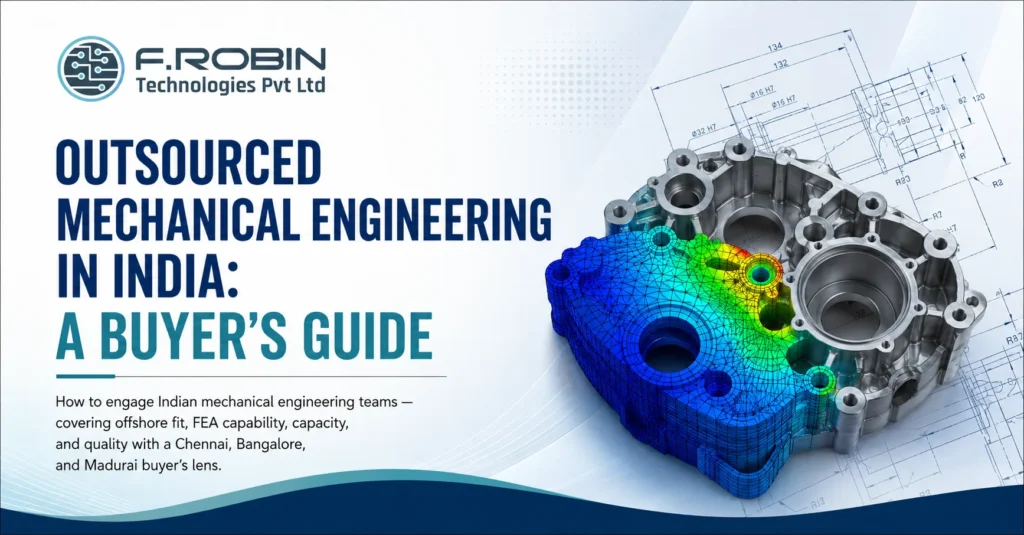
Global product companies increasingly look to outsourced mechanical engineering in India for a combination that is hard to find elsewhere: strong engineering talent, competitive cost, and a maturing ecosystem across hubs like Chennai, Bangalore, and Madurai. But engaging an Indian mechanical engineering team well requires understanding what actually differentiates a strong partner from a risky one — capability, capacity, quality systems, and how they handle the offshore working relationship itself. This buyer’s guide walks through exactly that. We cover how to evaluate FEA and analysis capability, what capacity and quality mean in practice, the realities of working with an offshore team, and how to engage outsourced mechanical engineering in India confidently, whether your priority hub is Chennai, Bangalore, Madurai, or elsewhere in the country. Why Companies Choose Outsourced Mechanical Engineering in India India’s engineering talent pool has deepened significantly across mechanical design, structural analysis, and manufacturing engineering, supported by a mature electronics and industrial manufacturing base in states like Tamil Nadu and Karnataka. For global product companies, outsourced mechanical engineering in India offers access to that talent at a cost structure that is difficult to match with an in-house Western team. Beyond cost, the value proposition includes flexibility — scaling a team up or down with project demand without the overhead of permanent headcount — and, increasingly, genuine technical depth in disciplines like FEA-based structural and vibration analysis that used to be harder to source offshore. Together, these factors are why outsourced mechanical engineering in India has moved from a purely cost-driven decision to a genuinely capability-driven one for many companies. Evaluating FEA and Analysis Capability Structural and vibration analysis (FEA) capability varies enormously among providers of outsourced mechanical engineering in India, and verifying it matters more than trusting a claim on a website. Ask specifically about their experience with tools like Ansys, their process for mesh convergence and validation, and examples of analysis work relevant to your product category. A provider with genuine FEA depth will discuss specific study types — static structural, modal, harmonic, random vibration — and how they validate results against hand calculations or physical test data. Vague answers about “doing simulation” without this specificity are a sign the capability may be thinner than advertised. Capacity: Can They Actually Scale With You? Capacity is about whether a provider of outsourced mechanical engineering in India can genuinely support your project’s actual scale — not just take it on. Ask about team size, how many engineers are dedicated versus shared across multiple clients, and what happens if your project needs to ramp up quickly. A provider stretched thin across many clients may struggle to deliver the responsiveness you need during a critical design phase. Confirm dedicated capacity commitments in writing, and ask for a realistic view of their current workload rather than assuming availability. This question matters more for outsourced mechanical engineering in India than it might for a local hire, since distance makes it harder to gauge workload informally through office visibility or casual conversation — you have to ask directly and trust the answer. Quality Systems and Process Discipline Quality in mechanical engineering shows up as process: documented design reviews, DFM checks, tolerance analysis, and clear revision control — not just a finished CAD file. When evaluating outsourced mechanical engineering in India, ask what quality system governs their design process and what documentation you can expect to receive alongside deliverables. Look specifically for evidence of structured design reviews and a defined process for catching manufacturability issues before tooling. A provider without this discipline may produce a design that looks complete but fails in ways that only surface during prototyping or production. Quality discipline is arguably the single hardest thing to assess remotely, which is exactly why documentation and process evidence matter so much more when evaluating outsourced mechanical engineering in India than they would for a team you can walk over and observe directly. Making the Offshore Relationship Work The offshore dynamic itself — timezone overlap, communication cadence, and cultural working style — meaningfully affects how well an engagement runs, independent of raw engineering skill. Establish a clear communication rhythm early: regular design reviews, a shared project management tool, and a single point of contact on both sides. Time zone overlap between India and Western markets is often workable but limited, so plan critical review meetings deliberately rather than assuming ad hoc scheduling will work smoothly. Written documentation of decisions matters more in an offshore relationship than in an in-person one, since it is the record both sides rely on when memory of a conversation fades. Chennai, Bangalore, and Madurai: A Local Lens Location within India shapes what a mechanical engineering partner brings to the table. Chennai sits within Tamil Nadu’s deep automotive, electronics, and industrial manufacturing base, giving mechanical teams there strong exposure to real production environments. Bangalore’s ecosystem leans further toward tech and product engineering, with teams often experienced in fast-moving hardware startup environments. Madurai and similar tier-two hubs increasingly offer strong engineering talent at an even more competitive cost structure, though it is worth confirming the depth of their analysis and quality infrastructure specifically, since it may be less mature than in the larger hubs. Across all three, proximity to India’s broader manufacturing ecosystem is a genuine advantage when a mechanical design needs to move smoothly into local production. A Buyer’s Checklist Working through this checklist before committing turns a promising pitch into a verified, evidence-based decision. Red Flags to Avoid If several of these appear, the risk of a stalled or disappointing engagement rises significantly — vetting carefully upfront costs far less than a failed offshore relationship later. Key Takeaways CTA – Outsourced Mechanical Engineering in India Ready to Engage a Verified Indian Engineering Team? FEA capability, dedicated capacity, documented quality — our Mechanical Engineering Services bring verified Ansys-based analysis and process discipline across Chennai, Bangalore, and Madurai, so you can outsource with confidence, not just hope. Explore Mechanical Engineering Services Talk to Our Engineering Team FAQ – Outsourced Mechanical Engineering
Modular Enclosure Design for Product Families
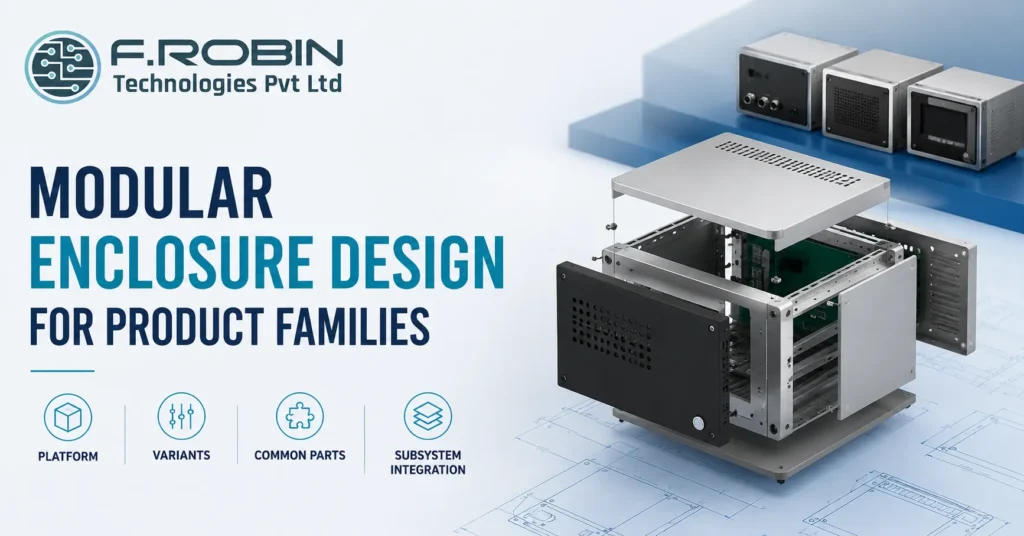
Designing a separate enclosure for every product in a family is expensive, slow, and hard to maintain. Modular enclosure design solves this by building one flexible platform that supports many variants through shared structure and swappable subsystems, rather than starting from a blank sheet for every new model. This guide covers the best practices behind modular enclosure design: how to define a platform, where to draw variant boundaries, how much to standardize on common parts, and the trade-offs that come with each decision. Whether you are planning a small family of two or three products or a larger platform meant to scale for years, these principles apply — and the earlier they are applied in a program’s life, the more value they deliver. What Modular Enclosure Design Actually Means Modular enclosure design is the practice of building a shared mechanical platform — a common structure, mounting scheme, and subsystem architecture — that supports multiple product variants without a full redesign for each one. Instead of treating every new model as a fresh project, a product family shares a defined set of common parts and interfaces, varying only what genuinely needs to differ. This is different from simply reusing a CAD file as a starting point. True modular enclosure design plans the platform and its variation points deliberately, from the very first product, so that adding the second and third variants is fast and predictable rather than another full design cycle. Why Product Families Need a Platform Strategy Without a platform strategy, each new product variant repeats the same enclosure design, tooling, and validation work from scratch. That repetition is expensive in engineering time, tooling cost, and the risk of introducing new defects into a process that should be well understood by the third or fourth variant. A well-planned modular enclosure design compounds in value over a product family’s life. The first variant costs more to design carefully, but every subsequent variant becomes faster, cheaper, and lower-risk, because most of the structure, tooling, and qualification work carries over rather than starting over. This compounding effect is easy to underestimate at the start of a program, when only one product exists and the platform investment can feel unnecessary. Teams that skip it often regret the decision by the third variant, when they are effectively redesigning the enclosure from scratch for the third time. Defining the Platform The platform is the shared foundation: the base structure, primary mounting scheme, and core mechanical interfaces that every variant in the family will use. Defining it well requires understanding the full range of variants you expect to support not just the first product so the platform is built wide enough from the start. Look at your product roadmap, not just the current product, when defining the platform for modular enclosure design. A platform sized only for today’s variant often needs an expensive rework the moment a slightly larger or differently configured variant appears eighteen months later. Where to Draw Variant Boundaries Every product family needs clear boundaries between what is shared and what varies. Common candidates for variation include connector selection, port configuration, display or interface options, and mounting orientation — while the core structure, primary enclosure shell, and main assembly process usually stay constant across variants. Draw these boundaries deliberately, based on genuine market or technical need, not convenience. Variation added without a clear reason quietly increases cost and complexity across the whole family, while variation withheld where it is genuinely needed forces awkward compromises into every future product. Common Parts Strategy Common parts fasteners, standoffs, gaskets, brackets, and similar hardware shared across every variant reduce cost through volume, simplify sourcing, and cut the inventory complexity of supporting multiple products at once. A strong common parts strategy is one of the most direct ways modular enclosure design pays for itself. Standardize wherever there is no genuine functional reason to differ. A single fastener size across the whole family, for example, simplifies assembly instructions, reduces the chance of a build error, and lowers per-unit cost through consolidated purchasing benefits that compound across every variant and every unit produced. Subsystem Integration Modular enclosure design works best when it is planned alongside subsystem integration how the PCB, connectors, thermal management, and other functional subsystems interface with the shared platform. A platform designed without this coordination often forces awkward, variant-specific workarounds exactly where the design was supposed to stay common. Plan subsystem interfaces mounting points, connector locations, thermal paths as part of the platform definition itself, not as an afterthought once the enclosure shape is set. This is where [PCB mechanical integration](/blog/pcb-mechanical-integration-fit-clashes/) becomes especially important, since board layout decisions ripple directly into how cleanly each variant’s subsystem fits the shared structure. Trade-Offs to Manage None of these trade-offs has a universally correct answer. The right balance depends on how many variants you genuinely expect, how different they need to be, and how long the platform needs to remain relevant. A Modular Design Checklist Working through this checklist before finalizing a platform catches most of the costly rework that shows up later in a product family’s life. Common Mistakes to Avoid Avoiding these keeps a modular enclosure design genuinely modular, rather than a single-product design that happens to get reused awkwardly. Key Takeaways CTA – Modular Enclosure Design for Product Families Building a Product Family, Not Just One Product? Platform, variants, common parts, subsystem integration — our Mechanical Engineering Services help you design a modular enclosure platform that scales across your full roadmap, so every variant after the first is faster, cheaper, and more predictable to bring to market. Explore Mechanical Engineering Services Talk to Our Engineering Team FAQ – Modular Enclosure Design for Product Families Frequently Asked Questions
How to Choose a Mechanical Design Partner With FEA Skills
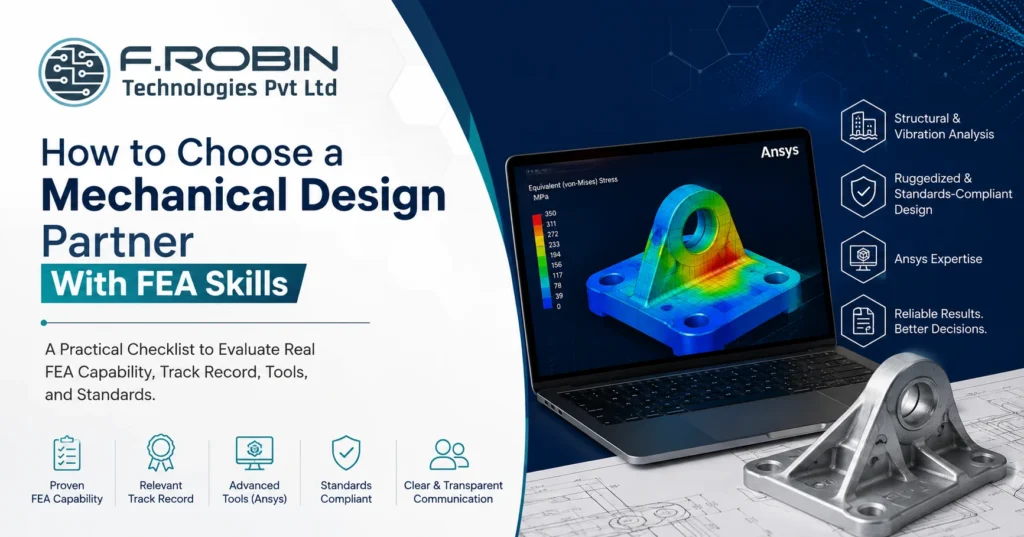
Plenty of firms list “FEA” on their website. Far fewer can actually run a structural or vibration analysis that holds up under scrutiny, defend the assumptions behind it, and turn the result into a design decision you can trust. Choosing a mechanical design partner without verifying real FEA capability is one of the most common — and most expensive — mistakes in product development. This checklist helps you evaluate a mechanical design partner specifically on FEA skill: what capability actually looks like, the questions that separate genuine expertise from a claim on a slide, and the standards and tools that signal a serious analysis practice. Whether you need vibration analysis for a ruggedized enclosure or structural validation for a safety-critical bracket, this checklist applies — and it works whether you are hiring a partner for a single project or a long-term relationship. Why FEA Capability Is Hard to Verify FEA output always looks credible. A colourful stress plot with clean contour lines and a clear “pass” result is easy to produce and easy to present, regardless of whether the underlying mesh, boundary conditions, and material data were set up correctly. This is exactly what makes evaluating a mechanical design partner on FEA skill genuinely difficult — the deliverable can look right while being quietly wrong. Because of this, evaluating capability requires going past the deliverable and into the process: how a mechanical design partner sets up a model, how they validate it, and how they communicate uncertainty. A mechanical design partner who cannot explain their meshing decisions or convergence checks in plain language is one whose results you cannot fully trust. This is not about distrust for its own sake. It is about recognizing that FEA is a skill with a wide range of real-world proficiency, and a client rarely has the technical background to catch a flawed analysis just by looking at the final report. The Checklist: What to Evaluate Score any mechanical design partner against this list before committing to FEA-dependent work, rather than judging capability from a single impressive-looking report. Track Record: What to Ask For Ask any mechanical design partner for specific examples of structural or vibration analysis work, ideally close to your product’s scale and criticality. A partner who has run FEA on similar enclosures, brackets, or ruggedized assemblies will speak about the work with concrete detail — load cases, failure modes, design iterations driven by the analysis. Be wary of answers that stay generic. “We do FEA on most projects” is not evidence of capability; a specific story about a design that changed because of an analysis result is. It is reasonable to ask for a redacted or high-level version of a past report if full confidentiality prevents sharing the original. A mechanical design partner confident in their work will usually find a way to demonstrate quality without breaching another client’s confidentiality. Tools: What Ansys Proficiency Actually Signals Ansys is one of the most widely used professional FEA platforms, and genuine proficiency in it signals real investment in analysis capability — the software itself is not trivial to master. But tool familiarity alone is not the same as sound engineering judgment; a mechanical design partner can operate Ansys competently and still set up a model incorrectly if their underlying process is weak. Ask how they use Ansys in practice: which modules, what kind of studies (static structural, modal, harmonic, random vibration), and how they interpret and report results. Specific, technical answers are a good sign; a vague “we use Ansys for everything” is not. Standards and Documentation A mechanical design partner working on ruggedized or standards-compliant design should be fluent in the relevant standards for your product — whether that is MIL-STD vibration profiles, IEC environmental standards, or industry-specific structural codes. Ask which standards they design and validate against, and expect a specific answer rather than a general claim of compliance awareness. Documentation matters just as much as the analysis itself. A capable partner delivers a clear report stating load cases, assumptions, boundary conditions, mesh details, and results — not just a pass/fail conclusion. That documentation is what lets you, a certifying body, or a future engineer trust and reuse the analysis. If your product needs formal certification, ask the mechanical design partner directly how their documentation supports that process. A report built with certification in mind looks noticeably different from one written as an internal engineering note. Comparison: Claimed vs Verified FEA Capability The table below contrasts what a claimed FEA capability looks like versus a genuinely verified one. Signal Claimed capability Verified capability Track record “We do FEA on most projects” Specific projects with load cases and outcomes Validation Not mentioned Cross-checked with hand calcs or test data Mesh process Not discussed Documented convergence study Tool skill “We use Ansys” Specific modules, study types, and reasoning Standards General compliance claim Named standards with specific application Documentation Pass/fail summary Full report with assumptions and boundary conditions Reading down the table, the pattern is clear: genuine capability shows up as specificity, while a weaker claim tends to stay general and unverifiable. Red Flags to Avoid If several of these appear, treat FEA-dependent claims from that mechanical design partner with real caution before relying on their results for a critical design decision. Key Takeaways FAQ – How to Choose a Mechanical Design Partner With FEA Skills Frequently Asked Questions CTA – Mechanical Design Partner With FEA Skills Need FEA You Can Actually Rely On? Track record, mesh convergence discipline, genuine Ansys proficiency, and standards fluency — our Mechanical Engineering Services bring verified structural and vibration analysis capability to ruggedized, standards-compliant designs, backed by documentation you can trust. Explore Mechanical Engineering Services Talk to Our Engineering Team
Should You Outsource Mechanical Design or Keep It In-House?
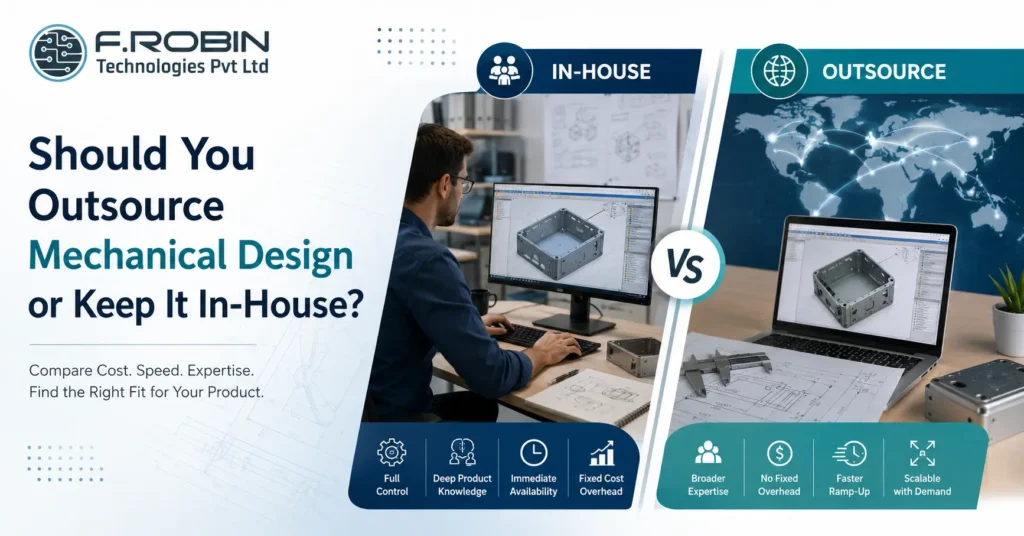
Every electronics company eventually faces the same question: should you hire a mechanical engineer in-house, or outsource mechanical design to an external partner? Both paths can produce a great enclosure the difference lies in cost, speed, flexibility, and how the decision fits your specific stage and workload. This decision guide compares the two options honestly, covering cost, speed, expertise, and control. We also look at how the right answer shifts depending on whether you are a startup in Chennai, a scaling product company in Bangalore, or an established manufacturer with steady mechanical work. By the end, you will know which path or which blend of both fits your situation. The Quick Answer Whether you outsource mechanical design or hire a mechanical engineer in-house depends mainly on your workload and stage. Steady, high-volume mechanical work usually justifies an in-house hire; variable, occasional, or specialized work is usually cheaper and faster to outsource. Neither choice is universally right. A Chennai hardware startup with one enclosure to design has very different needs from a Bangalore product company running continuous mechanical development across multiple lines. The rest of this guide breaks down exactly how to tell which situation you are in. In-House Mechanical Design: Pros and Cons Hiring a mechanical engineer in-house means building internal capability you control directly. Here is what that gets you — and what it costs. Pros: Cons: In-house mechanical design pays off when workload is steady enough to keep the role busy and productive year-round. Outsourcing Mechanical Design: Pros and Cons Choosing to outsource mechanical design means engaging an external partner for the work, paying per project or on a flexible arrangement. Here is the trade-off. Pros: Cons: For many companies, especially with variable workload, choosing to outsource mechanical design reduces both cost and risk compared with a full-time hire. Cost Comparison Cost is rarely as simple as comparing a salary to an hourly rate. An in-house engineer costs salary plus benefits, tools, software licenses, and management overhead — payable every month, whether or not there is enough work to fill their time. Choosing to outsource mechanical design converts that fixed cost into a variable one: you pay for the enclosure design you need, when you need it, with no idle-time cost. For a company with one or two projects a year, outsourcing is almost always cheaper. For a company running constant mechanical development across many products, an in-house hire can become more cost-effective once workload is high and steady enough to justify the fixed cost. The break-even point depends on your specific volume, but as a rule of thumb: intermittent work favours outsourcing, and continuous work favours hiring. Side-by-Side Comparison Factor In-house engineer Outsource mechanical design Cost structure Fixed (salary + overhead) Variable (per project) Best for Steady, continuous workload Intermittent or variable workload Expertise breadth Limited to the hire Broad, across many projects Ramp-up time Hiring cycle required Immediate Control High, direct Moderate, via clear briefs Scalability Limited by headcount Flexible with demand Reading across the rows, the pattern is clear: steady, predictable work favours hiring; variable, bursty work favours outsourcing mechanical design. When to Hire a Mechanical Engineer In-House Hiring in-house makes the most sense when: For an established company in Chennai or Bangalore with a steady product pipeline, an in-house hire can become the backbone of ongoing mechanical development. When to Outsource Mechanical Design Choosing to outsource mechanical design is usually the better choice when: For most early-stage hardware companies including many building in Chennai and Bangalore’s growing startup scenes choosing to outsource mechanical design gets a working enclosure built faster and cheaper than hiring would. A Hybrid Approach Many companies do not choose one path exclusively they blend both. A small in-house team handles day-to-day product knowledge and quick iterations, while an external partner is brought in for peak workload, specialized skills, or a first product line. This hybrid model captures the best of both: the control and continuity of an in-house presence, plus the flexibility and depth of an external partner when you need it. It is especially common among growing companies that started by choosing to outsource mechanical design entirely, then added in-house capability as volume grew. A Concrete Example Picture two companies. A three-person hardware startup in Chennai needs one enclosure designed for its first product launch. Hiring a full-time mechanical engineer would burn scarce runway on a role that sits idle after the design is done so choosing to outsource mechanical design to a specialist partner gets a professional result in weeks, at a fraction of the cost of a salaried hire. Now picture a scaling product company in Bangalore shipping four new devices a year, each needing ongoing mechanical iteration, tooling support, and field fixes. Here, an in-house mechanical engineer earns their keep every month, building deep product knowledge that an outsourced partner would have to relearn on every project. The same decision, applied to two different situations, produces two very different and equally correct answers. Key Takeaways CTA – Outsource Mechanical Design Should You Outsource Mechanical Design or Hire In-House? Weighing the decision for your product? Our Mechanical Engineering Services give Chennai and Bangalore hardware companies flexible, outsourced mechanical design — from a single enclosure to ongoing product development. Whether you need a one-off design or a long-term partner, we help you scale mechanical work without the overhead of a full-time hire. Explore Mechanical Design Services Talk to Our Engineering Team FAQ – Should You Outsource Mechanical Design or Keep It In-House? Frequently Asked Questions
Sheet Metal vs Die-Cast vs Plastic Enclosure: How to Choose
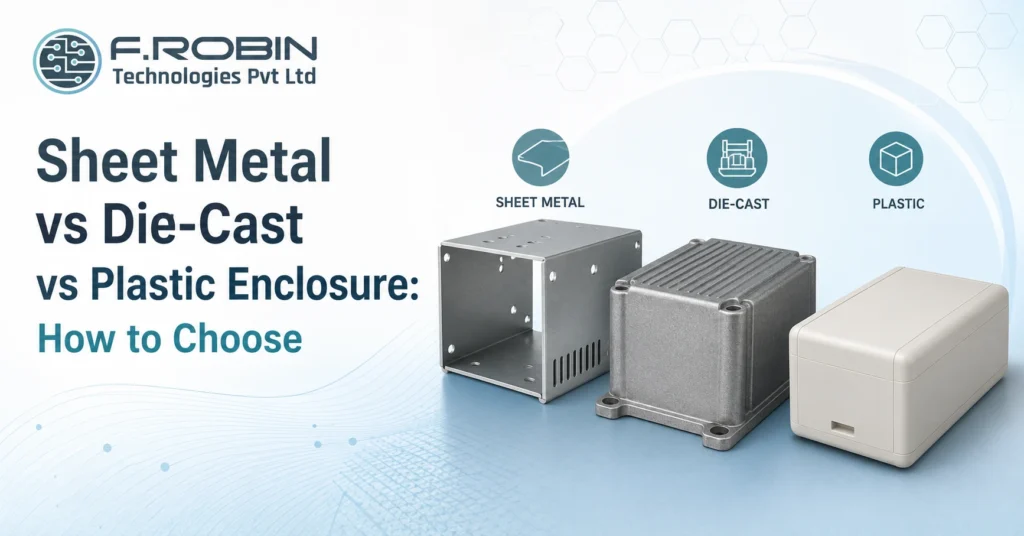
Every enclosure material comparison — sheet metal vs die-cast vs plastic — eventually comes down to the same three contenders: sheet metal, die-cast metal, and plastic. Each has real strengths, and picking the wrong one costs you money, schedule, or reliability. A sheet metal enclosure might be perfect for a low-volume industrial unit, while a plastic enclosure suits a high-volume consumer product — and neither would be right for a compact, high-shielding RF product that calls for die-cast. This guide walks through the trade-offs of sheet metal, die-cast, and plastic so you can make this enclosure material comparison with confidence. We cover cost, strength, EMI shielding, thermal performance, tooling, and volume for each material, then give you clear rules for which to choose — whether you are building in Chennai, Bangalore, or anywhere else. The Quick Answer: Enclosure Material Comparison In short: choose a sheet metal enclosure for low-to-mid volume, ruggedness, and easy modification; choose a die-cast enclosure for high shielding, strength, and thermal performance in demanding environments; choose a plastic enclosure for high volume, low cost, and design freedom. No single material wins every enclosure material comparison the right choice depends on your volume, environment, and budget. The sections below break down each option so you can match it to your specific product. Sheet Metal Enclosures In this enclosure material comparison, a sheet metal enclosure is formed from bent and welded metal panels — typically steel or aluminium. It is a strong, practical choice across many industrial and instrumentation products. Strengths: Limitations: Sheet metal suits products where volume is moderate, ruggedness matters, and the design may still evolve. It remains a workhorse choice across mechanical enclosure design for exactly these reasons. Die-Cast Enclosures For the next step in this enclosure material comparison, a die-cast enclosure is formed by injecting molten metal usually aluminium or zinc into a mould. It delivers the highest strength and shielding of the three options, at a higher tooling cost. Strengths: Limitations: Die-cast is the right call when a product needs rugged strength, superior shielding, or strong thermal performance think RF equipment, automotive electronics, or premium instrumentation and volume is high enough to justify the mould. Plastic Enclosures Rounding out this enclosure material comparison, a plastic enclosure is typically injection-moulded, offering the lowest per-unit cost at high volume and the greatest design freedom. Strengths: Limitations: Plastic is the natural choice for consumer electronics, wearables, and any high-volume product where cost and design freedom outweigh the need for inherent shielding or ruggedness. Side-by-Side Comparison The table below summarizes this enclosure material comparison at a glance. Factor Sheet metal Die-cast Plastic Tooling cost Low High High Best volume Low–mid Mid–high High EMI shielding Good (native) Excellent (native) Poor (needs coating) Strength Good Excellent Moderate Thermal performance Good Excellent Poor–moderate Design freedom Limited Moderate High Weight Heavier Heaviest Lightest Typical use Industrial, instrumentation Rugged, RF, premium Consumer, high-volume Reading across the rows, each material clearly wins on different axes — which is exactly why matching the material to your specific priorities matters more than picking a “best” one. Key Decision Factors in Your Enclosure Material Comparison Beyond the table, weigh these factors specifically for your product: Weighing these together, rather than any single factor alone, produces the right answer for your specific product. A Decision Framework Use these steps to make your enclosure material comparison concrete: Following this framework turns a subjective debate into an evidence-based decision and a prototype run is the cheapest way to validate your choice before locking in tooling. Common Mistakes to Avoid Watch for these frequent errors when choosing between materials: Avoiding these keeps your enclosure material comparison grounded in your product’s real needs, not assumptions. Local Manufacturing Considerations Your material choice also interacts with what is easy to source locally. In hubs like Chennai and Bangalore, sheet metal fabrication and die-casting have strong, established local supply chains, thanks to the region’s automotive and industrial manufacturing base. Plastic injection moulding is equally well served, particularly for high-volume consumer work. Before finalizing this enclosure material comparison for your product, ask prospective manufacturing partners in your target city which materials and processes they run in-house versus subcontract. A material that is straightforward to source and tool locally will usually mean shorter lead times and easier iteration a real, practical factor alongside the technical trade-offs already discussed. Key Takeaways CTA – Enclosure Material Comparison Not Sure Which Enclosure Material Is Right for You? Weighing sheet metal, die-cast, or plastic for your product? Our Mechanical Engineering Services help Chennai and Bangalore hardware companies choose and design the right enclosure material — balancing cost, EMI shielding, strength, and volume — from concept all the way through production. Explore Mechanical Design Services Talk to Our Engineering Team FAQ – Sheet Metal vs Die-Cast vs Plastic Enclosure Frequently Asked Questions
EMI/EMC Compliance Starts in the Enclosure
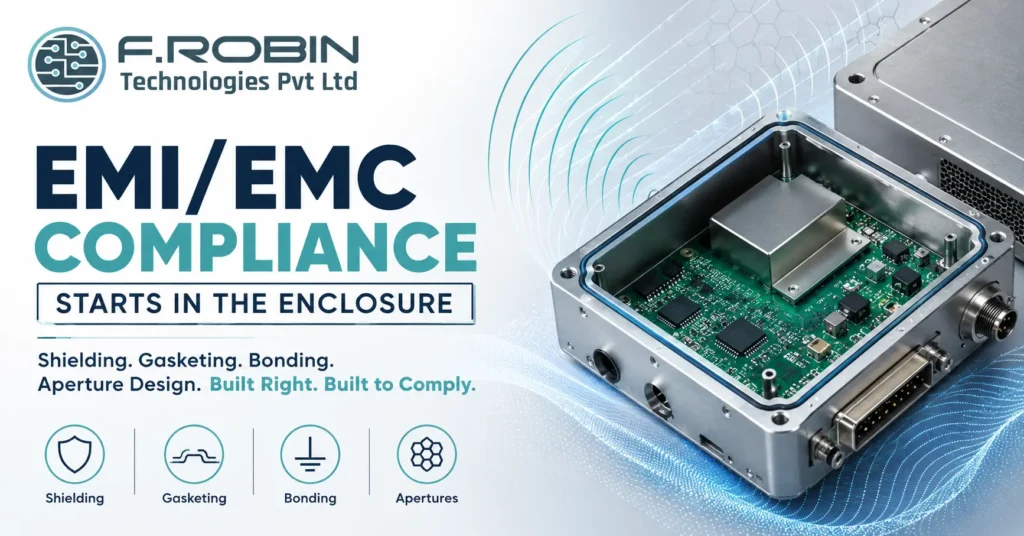
EMI/EMC compliance is too often treated as a test-lab problem something to fix after the board is built and the enclosure is finished. In reality, EMI/EMC compliance starts in the enclosure, long before any product reaches a test chamber. Shielding, gasketing, bonding, and aperture design decide whether your product passes or fails, and retrofitting them after the fact is slow, expensive, and often only partly effective. This guide explains how enclosure design drives EMI/EMC compliance. We cover the mechanical fundamentals shielding, gasketing, bonding, and apertures the standards you need to know, and the best practices that turn compliance from a last-minute scramble into a built-in feature of ruggedized, standards-compliant design. Why EMI/EMC Compliance Starts in the Enclosure Electromagnetic interference does not respect the boundary between board and box. Signals radiate from the PCB, and the enclosure either contains them or lets them escape. That is why EMI/EMC compliance starts in the enclosure: it is the last physical barrier between your electronics and the outside world, and its design decides how much energy gets through. Fixing EMI/EMC problems after a failed test is far harder than designing them out. Adding shielding or gaskets to a finished enclosure often means costly tooling changes, and some fixes simply do not work once the mechanical design is frozen. Building compliance in from the start — through shielding, gasketing, bonding, and careful apertures — is dramatically cheaper and more reliable than debugging it afterward. This is also why EMI/EMC compliance belongs firmly within mechanical enclosure design, not as an afterthought bolted on once the shape is set. Shielding Shielding blocks electromagnetic energy from entering or leaving the enclosure. It is the primary defence in EMI/EMC compliance and the first thing to plan for. Common shielding approaches include: The goal is a continuous conductive boundary with no significant gaps. Every seam, vent, or opening is a potential leak, so shielding effectiveness depends as much on the details seams, joints, and closures as on the base material itself. Gasketing Where two enclosure panels meet, a plain metal-to-metal joint rarely provides consistent contact across its length. Gasketing closes those gaps with a conductive material that maintains electrical continuity along the seam. Common EMI gasket types include: Choosing the right gasket depends on the frequency range, the compression available, environmental sealing needs, and how often the joint will be opened. Gasketing works hand in hand with bonding a gasket without a solid, low-impedance path to ground is far less effective. Bonding and Grounding Bonding creates a low-impedance electrical connection between enclosure parts, ensuring stray currents have a clear path rather than radiating as interference. Poor bonding is one of the most common causes of EMI/EMC compliance failures, because even a well-shielded enclosure leaks if its panels are not properly bonded together. Good bonding practice includes: Because bonding is easy to overlook in a purely mechanical review, it deserves explicit attention during design not just at final assembly. A gap in the bonding path can undo an otherwise well-shielded enclosure. Apertures and Openings Every enclosure needs openings for connectors, displays, vents, and buttons and each one is a potential leak in your EMI/EMC compliance. The size and shape of an aperture, relative to the wavelength of the interference, determines how much energy escapes. Key aperture design principles: Apertures are often the last thing considered and the first thing that causes a compliance failure. Planning them early as part of PCB mechanical integration — avoids surprises late in the project. Standards You Need to Know EMI/EMC compliance is governed by recognized standards, and knowing which apply to your product early shapes your enclosure decisions. Common standards include: Identifying the relevant standard early lets you design the enclosure to the right margin from day one, rather than guessing and hoping. For ruggedized, standards-compliant design, this step is not optional — it defines the whole shielding and gasketing strategy. A Compliance-by-Design Checklist Use this checklist during enclosure design to build in EMI/EMC compliance from the start: Ticking every box before tooling dramatically improves your odds of passing formal testing the first time. Common Mistakes to Avoid Even experienced teams get caught out. Watch for these: Avoiding these keeps your EMI/EMC compliance predictable instead of a last-minute scramble. Key Takeaways Conclusion EMI/EMC compliance starts in the enclosure, not the test lab. Shielding, gasketing, bonding, and thoughtfully designed apertures determine whether a product passes on the first try or bounces back from certification. Identify your target standard early, build compliance into the mechanical design from day one, and you turn a stressful last-minute scramble into a predictable, built-in outcome. Need a Rugged, EMI/EMC-Compliant Product Design? Designing a ruggedized, standards-compliant product? Our Mechanical Engineering Services integrate EMI/EMC compliance into enclosure design from concept through production. We help you develop reliable, manufacturing-ready products that meet demanding industry standards. Explore Mechanical Engineering Services Talk to Our Engineering Team Frequently Asked Questions Why does EMI/EMC compliance start in the enclosure? + The enclosure is the last physical barrier between your electronics and the outside world. Its shielding, gasketing, bonding, and aperture design determine how much electromagnetic energy escapes or enters, making mechanical design a critical part of EMI/EMC compliance long before laboratory testing begins. What is shielding in EMI/EMC compliance? + Shielding creates a continuous conductive barrier using enclosure materials, conductive coatings, or internal shields to prevent electromagnetic energy from entering or leaving the product. What is gasketing used for in EMC design? + Conductive gaskets seal enclosure joints and seams while maintaining electrical continuity. This minimizes EMI leakage through gaps where simple metal-to-metal contact may not provide reliable conductivity. What is bonding in enclosure design? + Bonding provides a low-impedance electrical connection between enclosure panels, connectors, and grounding points, allowing unwanted currents to flow safely to ground instead of radiating as electromagnetic interference. Why do apertures matter for EMI/EMC compliance? + Every opening for connectors, ventilation, displays, or cables can become a source of electromagnetic leakage. Keeping apertures small, properly positioned, grouped, or filtered helps reduce emissions
Mechanical Design Services for Electronics: A Buyer’s Guide
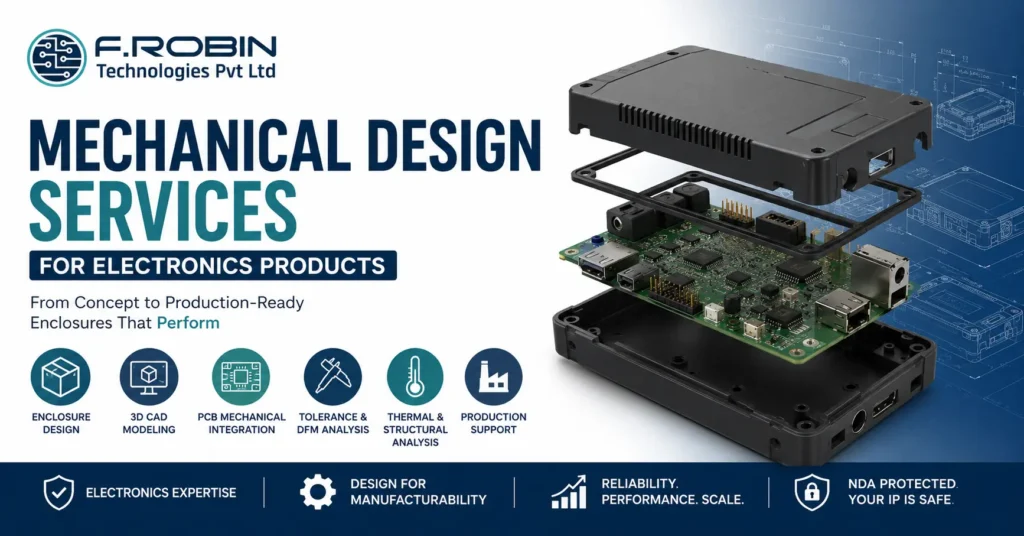
Mechanical design services turn electronic hardware into a real, manufacturable product the enclosure that protects your board, the fit that makes it work, and the tooling that lets you build it at scale. For any electronics company, choosing the right partner shapes cost, reliability, and time-to-market. This buyer’s guide explains what mechanical design services cover for electronics, what to look for in a provider, and how to choose one with confidence whether you are based in Chennai, Bangalore, or anywhere else in India. What Mechanical Design Services Cover For electronics products, mechanical design services span far more than drawing a box. A capable provider delivers: The strongest providers cover this whole scope, giving you end-to-end product development under one roof rather than stitching together separate vendors. Ask which parts stay in-house — the more that does, the smoother your project runs. Why Mechanical Design Matters for Electronics A weak enclosure can undo a brilliant board. Good mechanical design protects your electronics from dust, moisture, shock, and heat, while keeping the product usable and compliant. The cost of getting it wrong is high. Fit clashes force board respins; poor sealing causes field failures; late changes after tooling are slow and expensive. Strong mechanical design services prevent these problems early, when fixes are cheap — protecting both reliability and budget. The enclosure also shapes how customers perceive your product, since it is the part they see and handle every day. The Concept-to-Production Process Most engagements follow a clear path from idea to manufacturable product: Understanding this concept-to-production design flow helps you judge whether a provider’s process is thorough or superficial. For a deeper look at one example, see our guide to electronic enclosure design. What to Look For in a Partner Evaluate any provider of mechanical design services across these areas: A partner strong in these areas will design a product that fits, performs, and can actually be built at your target cost. Location helps too: a partner in Chennai or Bangalore offers shared timezone, easier site visits, and faster review cycles than a distant vendor. Questions to Ask Before You Commit Clear, evidence-backed answers signal a professional partner. Vague ones are a warning sign. Red Flags to Avoid If several appear, keep looking — a weak partner costs far more in respins than careful vetting. Key Takeaways Conclusion Choosing mechanical design services for an electronics product comes down to fit, expertise, and process. Look for a partner who understands electronics, designs the enclosure and PCB as one system, runs tolerance and DFM analysis, and can carry you from concept to production tooling. Get that right, and your product fits, performs, and ships on schedule. Mechanical Engineering Services for Electronics Product Development Building an electronics product in Chennai, Bangalore, or beyond? Our mechanical engineering services cover enclosure design, 3D CAD modeling, PCB mechanical integration, thermal and structural analysis—from concept to production. Partner with experienced engineers to accelerate product development with manufacturing-ready designs. Explore Mechanical Engineering Talk to Our Engineering Team Frequently Asked Questions What do mechanical design services include for electronics? + Mechanical design services include enclosure design, 3D CAD modelling, PCB mechanical integration, tolerance stack-up analysis, material selection, DFM review, structural and thermal analysis, and production support. Why is PCB mechanical integration important? + It ensures the PCB, connectors, and mounting points align perfectly with the enclosure. Designing them together prevents fit clashes that could otherwise result in expensive PCB respins or tooling modifications. What CAD tools do mechanical design services use? + Most engineering teams use professional 3D CAD software such as SolidWorks or PTC Creo and exchange models with PCB design tools using STEP files to keep the enclosure and PCB synchronized. What is tolerance stack-up analysis? + Tolerance stack-up analysis evaluates how manufacturing variations accumulate across assembled components, ensuring reliable fit and preventing gaps, rattles, connector misalignment, or button issues. How much do mechanical design services cost? + Pricing depends on product complexity, thermal and ingress protection requirements, the number of prototype iterations, tooling needs, and production volume. A reliable engineering partner will provide a transparent quotation covering every stage of the project.
