
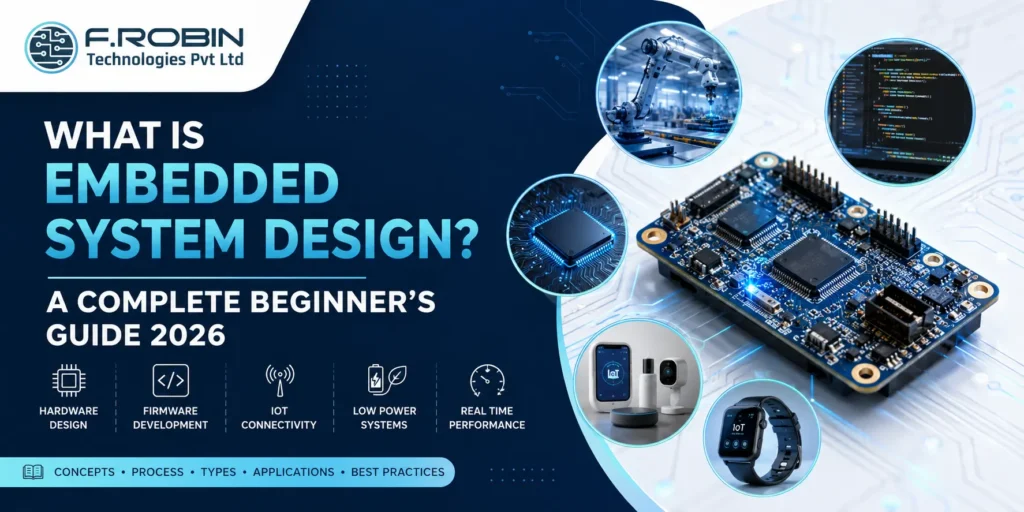
Embedded System Design is the process of building dedicated computing systems that perform specific tasks inside machines, products, and electronic devices. Unlike desktop computers, embedded systems are optimized for efficiency, reliability, speed, and low power use.
Today, embedded systems power smart appliances, EVs, industrial machines, healthcare devices, consumer electronics, and IoT products. If you want to understand how modern devices think, sense, and respond, learning embedded system design is the best place to start.
This guide explains the fundamentals, components, design process, types, applications, and best practices for beginners in 2026.
What Is Embedded System Design?
Embedded System Design is the engineering process of combining hardware and software into a specialized system built for one purpose or a defined set of functions.
These systems are found inside products rather than used as standalone computers.
Examples:
- Washing machines
- Smart TVs
- Fitness trackers
- Car ECUs
- Medical monitors
- Factory robots
- Smart meters
Simple Definition for Featured Snippet
An embedded system is a small computer integrated into a device to control operations, process data, and interact with sensors or users.
Why Embedded Systems Matter
Embedded systems are essential because they provide:
- Fast response time
- Reliable operation
- Compact size
- Lower cost
- Low power consumption
- Real-time control
- Automation capability
Without embedded systems, modern smart devices would not function efficiently.
Core Components of Embedded System Design
1. Processor or Microcontroller
This is the brain of the system. It executes instructions and manages all functions.
Popular choices:
- ARM Cortex-M
- AVR
- PIC
- RISC-V
- DSP chips
2. Memory
Used to store software and data.
- Flash memory
- RAM
- EEPROM
3. Sensors and Inputs
These detect the environment.
Examples:
- Temperature sensor
- Motion sensor
- Pressure sensor
- Touch input
- Camera module
4. Outputs
Outputs help the system react.
Examples:
- Motors
- LEDs
- LCD displays
- Relays
- Buzzers
5. Communication Interfaces
Devices exchange data using:
- UART
- SPI
- I2C
- CAN Bus
- Ethernet
- Wi-Fi
- Bluetooth Low Energy
6. Power Management
Critical in low power embedded systems for battery products.
Embedded System Design Process
How to Design an Embedded System (Step-by-Step)
- Define Requirements
Start by identifying the product goal, processing needs, connectivity options, safety standards, power limits, and target cost. Clear requirements help avoid delays and redesigns.
- Select Hardware Platform
Choose the right MCU or MPU, memory, sensors, power ICs, and interfaces based on performance, budget, and energy needs.
- Design Circuit Schematic
Create the electronic circuit diagram showing how components connect and how signals flow through the system.
- Build PCB Layout
Convert the schematic into a manufacturable PCB layout with proper routing, spacing, and EMI considerations.
- Develop Firmware
Write embedded C/C++ firmware to control hardware, process inputs, manage outputs, and enable communication.
- Prototype the Product
Build prototype units to test real-world performance and detect hardware or software issues early.
- Validate Performance
Test functionality, thermal behavior, EMI/EMC compliance, power usage, and long-term reliability.
- Prepare for Manufacturing
Finalize the BOM, run DFM checks, and release production files for smooth mass manufacturing.
What Are the 4 Types of Embedded Systems?
1. Standalone Embedded Systems
Operate independently.
Examples:
- Calculator
- Microwave
- Printer
2. Real-Time Embedded Systems
Respond within strict deadlines.
Examples:
- Airbag controller
- PLC
- Robotics controller
3. Networked Embedded Systems
Connected through wired or wireless networks.
Examples:
- Smart thermostat
- Security camera
- IoT gateway
4. Mobile Embedded Systems
Portable battery-powered products.
Examples:
- Smartwatch
- Wearables
- Handheld scanner
Embedded System Hardware vs Software Design
Both hardware and software must work together for successful embedded product development.
| Feature | Hardware Design | Software Design |
|---|---|---|
| Focus | PCB, chips, interfaces | Firmware, drivers, control |
| Tools | Altium, Cadence | IDE, compiler, debugger |
| Output | Physical electronics | Embedded code |
| Goal | Reliable circuit operation | Functional system behavior |
Real Time Embedded System Design
Real time embedded system design is required when delays can cause failure or danger.
Used in:
- Automotive braking systems
- Aircraft control
- Industrial automation
- Medical devices
These systems often use:
- RTOS
- Interrupt prioritization
- Deterministic scheduling
- Redundant safety logic
Low Power Embedded Systems
Energy efficiency is critical for battery products.
Best Practices:
- Sleep modes
- Efficient firmware loops
- Low-power sensors
- Dynamic clock scaling
- BLE communication
- Efficient regulators
Examples:
- Asset trackers
- Smart locks
- Wearables
- Wireless sensors
Software Design for IoT Embedded Systems
Modern IoT products require more than basic firmware.
Key features include:
- Secure boot
- OTA firmware updates
- MQTT / HTTP protocols
- Cloud connectivity
- Mobile app pairing
- Encryption
- Edge analytics
Applications of Embedded Systems
Embedded systems are widely used across industries to improve automation, control, and smart functionality.
| Industry | Application |
|---|---|
| Automotive | ECU, infotainment, ADAS |
| Medical | Monitors, wearable health devices |
| Industrial | PLCs, robotics, HMI |
| Consumer | TVs, smart appliances |
| Telecom | Routers, gateways |
| Energy | Smart meters, inverters |
Comparison Tables
Comparison Tables
Embedded Systems vs General-Purpose Computers
| Feature | Embedded System | General Computer |
|---|---|---|
| Purpose | Dedicated task | Multi-purpose |
| Power Use | Low | Higher |
| Size | Compact | Larger |
| Reliability | High | Moderate |
| Example | ECU | Laptop |
RTOS vs Bare Metal
| Feature | RTOS | Bare Metal |
|---|---|---|
| Scheduling | Task based | Main loop |
| Complexity | Medium | Low |
| Best For | Complex systems | Simple devices |
| Scalability | High | Limited |
Designing an Embedded System: Best Practices
Follow these best practices to improve product reliability, reduce development risk, and speed up embedded system deployment.
Keep Requirements Clear
Poor requirements often lead to delays, redesigns, and higher costs.
Prototype Early
Validate hardware and firmware sooner to detect issues early.
Prioritize Security
Use secure firmware, encrypted communication, and protected boot systems.
Optimize Manufacturability
Design PCB layouts for scalable, cost-effective production.
Test Continuously
Run validation tests throughout development for better reliability.
Plan Future Upgrades
Use scalable architecture to support future features and updates.
Key Takeaways
- Embedded System Design combines hardware and software.
- It powers modern electronics and automation.
- Process discipline reduces risk and cost.
- Real-time and low-power systems need expert design.
- Demand for embedded engineers continues to grow in 2026.
Conclusion
Embedded systems are the hidden intelligence behind everyday technology. Whether inside a smartwatch, industrial robot, EV, or smart appliance, embedded controllers make devices efficient and responsive.
Learning Embedded System Design gives engineers and product teams the foundation to build innovative connected products in 2026 and beyond.
Need Help with Embedded Product Development?
Get expert support for embedded hardware design, firmware development, PCB engineering, and complete product engineering solutions for your next innovation.
Explore Engineering ServicesFAQ Section
Embedded system design is the process of creating dedicated hardware and software systems that perform specific tasks inside devices or machines.
Standalone, real-time, networked, and mobile embedded systems.
It depends on career goals. VLSI focuses on semiconductor chip design, while embedded engineering focuses on product hardware and firmware systems.
C/C++, microcontrollers, debugging, PCB basics, communication protocols, RTOS, testing, and problem solving.
